Single Sign-On (SSO) is an identity management system that allows users to access multiple applications with a single set of credentials. As cloud adoption grows, so does the number of apps employees use daily. Without a central access solution, businesses struggle with weak password practices, increased risk of data breaches, and rising inefficiencies. Compliance demands and hybrid work have only made identity management more complex.
Single Sign-On (SSO) tools can help your organization avoid the following pain points:
- SSO tools eliminate the need for employees to manage multiple usernames and passwords. You’ll reduce security risk by preventing weak, reused, or written-down passwords from becoming the norm.
- Deploying SSO tools helps you reduce help desk strain and support costs by cutting down on password resets and account lockouts.
- SSO tools provide consistent, centralized access to all applications and platforms via a single login. This prevents user frustration and lost productivity.
- SSO tools help avoid unnecessary administrative overhead and simplify compliance. It manages and tracks user access and activity across all systems from a single, centralized place.
SSO addresses these pain points by centralizing authentication, enforcing stronger security policies, and giving administrators visibility across the entire app ecosystem. This article provides a practical overview of the top SSO tools currently available. The goal is to move beyond vendor hype and highlight solutions that deliver tangible value to businesses.
Here’s our list of the best single sign-on (SSO) tools:
- ManageEngine ADSelfService Plus EDITOR’S CHOICE An on-premise self-service password management and single sign-on (SSO) solution. Start a 30-day free trial.
- Okta A leading enterprise IAM platform with thousands of pre-built integrations.
- Auth0 Designed for developers who need flexibility. It enables you to customize login flows, authentication methods, and user experiences, with robust API support for custom applications.
- OneLogin Offers robust compliance features, seamless directory integration, and a user-friendly admin interface.
- JumpCloud Goes beyond SSO by combining identity management with device management.
- Keycloak An open-source option that gives you complete control. It supports all major identity protocols (OIDC, OAuth 2.0, SAML) and is best suited for those who want to self-host and customize their solution.
If you need to know more, explore our vendor highlight section just below, or skip to our detailed vendor reviews.
Βest Single Sign-On (SSO) highlights

Top Feature
Self service password management plus SSO with MFA for AD centric environments
Price
Standard Edition starts at $595 for 500 domain users
Target Market
Organizations that rely heavily on Active Directory or hybrid environments
Free Trial Length
30-day free trial
Additional Benefits:
- Reduces help desk load by enabling users to reset passwords and unlock accounts
- Strengthens access security with MFA and conditional access enforcement
- Improves productivity with one click access to cloud and on premises applications
- Supports compliance with audit reporting for user and admin activity
Features:
- Self service reset and unlock for Active Directory passwords
- Single sign on access for cloud and on premises applications
- Multi factor authentication with biometrics QR codes YubiKey risk based verification
- Conditional access policies using IP address device type geolocation time of access
- Audit and compliance reporting that tracks user and administrative activity

Top Feature
Centralized SSO with 7000 plus app integrations via Okta Integration Network
Price
Starts at $6 per user per month
Target Market
Large or mid-sized business with a mix of cloud and legacy apps
Free Trial Length
30-day free trial
Read more ▼

Top Feature
Developer focused SSO for CIAM and workforce needs with customizable flows
Price
Free for basic SSO functionality, paid plans start at $35 per month
Target Market
Organizations needing customer identities plus employee SSO
Free Trial Length
Free trial available, duration not disclosed by the vendor
Read more ▼

Top Feature
Unified SSO for cloud and legacy apps with adaptive MFA
Price
Starts at $2 per user per month
Target Market
Mid-to-large enterprises that prioritize compliance security and easy rollout
Free Trial Length
30-day free trial
Read more ▼

Top Feature
SSO plus device and identity management in one cloud platform
Price
Starts at $11 per user per month billed annually
Target Market
SMBs and growing teams wanting identity and device management together
Free Trial Length
30-day free trial
Read more ▼

Top Feature
Self hosted open source SSO with deep protocol support and extensible flows
Price
Free and open-source
Target Market
Mid-to-large enterprises needing full control without commercial vendor costs
Free Trial Length
Free and open-source, no trial needed
Read more ▼
To dive deeper into how we incorporate these into our research and review methodology, skip to our detailed methodology section.
- Security features: Verify that the platform offers MFA, conditional access, risk-based authentication, and strong audit logging. These are critical for reducing breach risks.
- Integration coverage: Check how many of your existing apps the tool supports. Ensure it works with the protocols you rely on (SAML, OAuth, OIDC) and any legacy systems you still need to support.
- User experience: Your employees should be able to log in once and move across apps without friction. Look for adaptive MFA, mobile access, and self-service options, such as password resets.
- Scalability: Consider how well the solution will handle growth. Can it support cloud and on-prem environments, as well as a distributed or global workforce?
- Deployment model: Determine whether you need a cloud-native service or a self-hosted option to meet regulatory or data-residency requirements.
- Cost structure: Review the licensing terms carefully. Is pricing per user, per app, or tiered? Check whether features like MFA incur an extra cost.
- Vendor reliability: Choose a provider with a strong track record, responsive support, and security certifications (ISO 27001, SOC 2, FedRAMP, etc.).
To dive deeper into how we incorporate these into our research and review methodology, skip to our detailed methodology section.
The Best SSO Tools
1. ManageEngine ADSelfService Plus (FREE TRIAL)
Best For: Organizations that rely heavily on Active Directory or hybrid environments
Price: Standard Edition starts at $595 for 500 domain users

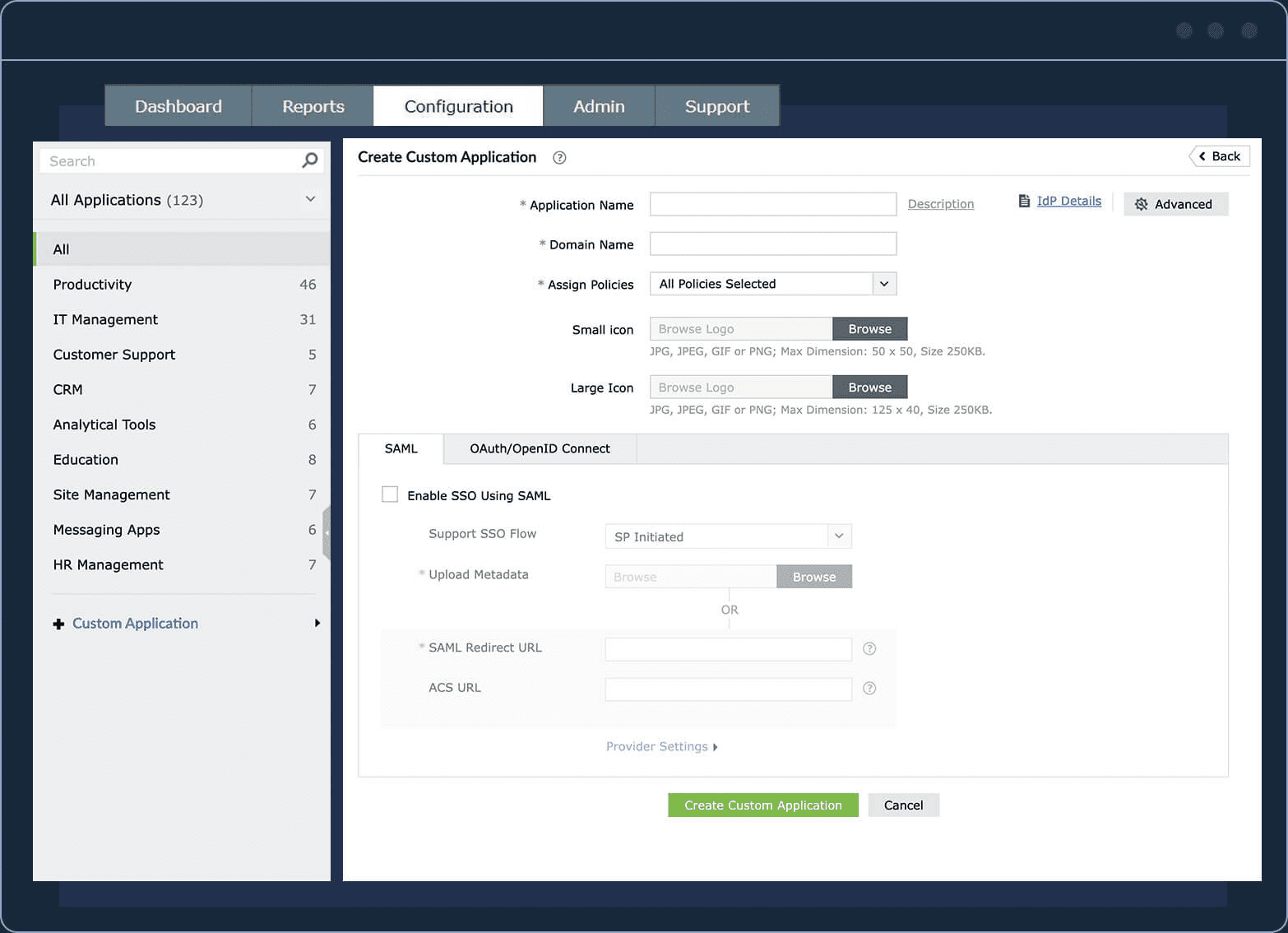
ManageEngine ADSelfService Plus is a self-service password management and single sign-on (SSO) solution. Self-service is designed to reduce password-related support tickets, a major operational pain point for IT. ADSelfService Plus enables users to reset or unlock their Active Directory passwords, update their account details, and perform other account tasks independently, without contacting IT support. It also provides SSO access to both cloud and on-premises applications. Your users sign in once and access multiple systems.
During our assessment, we used ADSelfService Plus as end users and were able to reset passwords directly from the Windows, macOS, and Linux login screens. We also used it as IT admins to enforce strong security across both Active Directory and cloud applications. We created stringent password policies, implemented advanced authentication methods, including biometrics and YubiKey, and enforced two-factor authentication (2FA) across endpoints, VPNs, and applications.
From our findings, ADSelfService Plus delivers enhanced security, improved productivity, and measurable ROI. However, you should be aware that ADSelfService Plus is primarily built for Active Directory-centric environments. If your organization relies heavily on non-AD identity stores or on purely cloud-native infrastructure, you may not get the full benefit.
ManageEngine ADSelfService Plus Key Features:
- Single Sign-On (SSO): Provides one-click access to cloud and on-premises applications, reducing login fatigue and streamlining access.
- Multi-Factor Authentication (MFA): Supports advanced MFA methods such as biometrics, QR codes, YubiKey, and risk-based verification to enhance security.
- Conditional Access Policies: Automate access decisions based on factors such as IP address, device type, geolocation, or time of access, ensuring secure, context-aware logins.
- Remote Self-Service: Enables secure password resets and credential updates over VPN, allowing remote users to maintain access without IT intervention.
- Universal Password Policy & Password Sync: Enforces consistent password policies across Active Directory and enterprise applications, synchronizing credentials in real-time.
- Audit & Compliance Reporting: Tracks all user and administrative activity for regulatory compliance and internal auditing.
- Integration with Active Directory & Cloud Applications: Seamlessly integrates with AD, hybrid environments, and a wide range of SaaS apps for centralized identity management.
Unique Buying Proposition
ManageEngine didn’t build ADSelfService Plus to compete head-to-head with pure cloud-first SSO platforms such as Okta or Auth0. It was created to serve organizations that are deeply tied to Active Directory, especially those running on-prem or hybrid environments. Many existing SSO tools focus mostly on cloud apps. However, ADSelfService Plus tightly integrates self-service password management, AD security, and SSO in a single product.
Feature-In-Focus: AD-centric Single Sign-on
ADSelfService Plus core strength is providing users with seamless one-click access to both cloud and on-premises applications. It is tightly integrated with Active Directory, enhanced by multi-factor authentication, conditional access, and password synchronization. These capabilities ensure security, compliance, and user convenience across hybrid IT environments.
Why do we recommend ManageEngine ADSelfService Plus?
We have evaluated how identity tools perform in real-world AD-heavy environments, and ADSelfService Plus consistently delivers measurable ROI by integrating SSO, self-service password management, and MFA into a single platform.

ADSelfService Plus provides a trusted, enterprise-ready solution that bridges the gap between legacy systems and modern applications. It also empowers users to reset passwords, unlock accounts, and manage directory profiles independently. Thereby reducing the IT help desk load by a substantial margin.
Who is ManageEngine ADSelfService Plus recommended for?
We recommend ADSelfService Plus for organizations that rely heavily on Active Directory or hybrid environments, as it integrates SSO, self-service password management, and AD security into a single platform.
Pros:
- Improved Password Security: Enforces strong user passwords with special character requirements, blacklists dictionary words and patterns, and prevents reuse of previous passwords during resets.
- Conditional Access Policy: Automates access control decisions, including MFA enforcement and feature restrictions, based on risk factors such as IP address, device, business hours, or geolocation.
- Enhanced MFA: Supports advanced MFA techniques, including biometrics and QR codes, for secure user verification.
- Remote Self-Service: Allows secure password resets and cached credential updates over VPN, enabling users to manage accounts remotely.
- Universal Password Policy: Applies a single, consistent password policy across multiple enterprise applications using the Password Sync feature.
Cons:
- User Learning Curve: Some users may need guidance to adapt to remote self-service workflows and MFA procedures.
ManageEngine ADSelfService Plus is available as on‑premises software that you download and install. It is licensed based on editions and the number of domain users. There are three editions: Free, Standard, and Professional/Enterprise. The Free edition provides basic self-service password reset and account unlock features for a limited number of users.
The Standard edition adds MFA, password policy enforcement, and SSO for broader application access. The Professional/Enterprise edition includes the full suite of capabilities. A 30-day free trial is available for download.
EDITOR'S CHOICE
ManageEngine ADSelfService Plus is our top pick for an SSO tool because it reduces the costs of Help Desk calls by letting users reset their own passwords. The system also provides a communication channel for administrators to explain password policies or lockouts. The tool enables 2FA and single sign-on strategies through its user portal that can be added to mobile devices.
Download: Access 30-day FREE Trial
Official Site: https://www.manageengine.com/products/self-service-password/download.html
OS: Windows Server, AWS, and Azure
2. Okta SSO
Best For: Large or mid-sized business with a mix of cloud and legacy apps
Price: Starts at $6 per user per month

Okta SSO is an enterprise-grade Single Sign-On solution that centralizes authentication across all your business applications-cloud, on-prem, and mobile. It acts as a trusted identity broker between your users and the applications they need. Okta supports open standards like SAML, OAuth, and OpenID Connect, and integrates with over 7,000 pre-built apps through the Okta Integration Network.
When a user signs in, Okta authenticates them (with adaptive MFA if chosen) and then issues secure tokens to grant access to connected applications. This reduces password sprawl, cuts down on phishing risk, and enables auditable access management from a single control plane.
Gartner named Okta a Leader in access management for the eighth consecutive year (2024). The evaluation emphasized Okta’s strong execution and comprehensive vision in authentication and SSO capabilities. Also in 2024, Okta earned the Gartner Peer Insights Customers’ Choice award in the Access Management category for the sixth consecutive year, based solely on customer reviews.
Okta is one of the strongest players in the SSO space, and it earns that spot. If your organization uses a mix of cloud apps, legacy systems, and industry-specific platforms, chances are Okta already has a connector for them.
However, pricing can feel heavy, especially as you add features beyond the core SSO offering. Also, small businesses may find it overkill when lighter, more affordable tools can accomplish the same task. In other words, its value depends on whether your environment truly demands its depth.
Okta SSO Key Features:
- 7,000+ pre-built integrations: Okta connects to almost any cloud or on-prem app you can think of.
- Adaptive MFA and policy engine: You can enforce phishing-resistant authentication flows and set flexible policies that balance security with user convenience.
- Identity unification: Okta ties together Active Directory, LDAP, HR systems, and third-party identity providers into a single control plane.
- Admin-friendly console: IT teams get centralized visibility, reporting, and user management.
- End-user dashboard: Your employees get a single, customizable portal for all their apps, accessible on any device.
Unique Buying Proposition
Okta’s biggest selling point is its Integration Network. It features over 7,000 pre-built connectors for cloud and on-premises applications. You can quickly roll out secure access across your entire stack, enforce consistent policies, and adapt as your tech ecosystem evolves. This ecosystem depth is what separates Okta from most competitors.
Most SSO platforms provide the basics (SAML or OAuth integrations) with the most common applications. That’s fine until you start dealing with the long tail of enterprise software, legacy systems, or industry-specific platforms. Okta’s Integration Network is the broadest in the market.
It also shows maturity. Okta has invested for years in building and maintaining these integrations. Competitors might cover 80% of your stack, but it’s that last 20%, such as the HR system nobody wants to touch, the on-prem finance app, or the niche SaaS your sales team depends on, that often makes or breaks a deployment. Okta’s breadth makes those edge cases far less painful.
Feature-In-Focus: Centralized Access
Okta SSO centralized access is a core capability of Okta’s Single Sign-On service that allows users to log in once and gain secure access to all their applications and systems from a single point. It streamlines user access, improves security, and reduces IT overhead across an organization’s entire application ecosystem.
Why do we recommend Okta SSO?
We recommend Okta as one of the best SSO tools because it consistently meets the key criteria you’d expect from a top-tier solution: broad integration coverage, strong security, scalability, and admin-friendly management.
Who is Okta SSO recommended for?
We strongly recommend it for companies scaling rapidly or organizations that struggle to manage identities across multiple systems. If you’re an enterprise or mid-sized business with a sprawling mix of cloud and legacy apps, Okta should be high on your list.
Pros:
- Integration Library: The most extensive integration catalog on the market
- Security Controls: Strong adaptive MFA and granular policy management
- Administration: Clean, admin-friendly dashboard
- Scalability: Proven enterprise-scale reliability and performance
- IT Efficiency: Reduces IT overhead by cutting down login-related support tickets
Cons:
- Pricing: Can be expensive compared to lighter-weight alternatives
- Feature Costs: Advanced MFA and lifecycle management often require additional licensing
- Complexity: May feel heavy-handed for small businesses with simple requirements
Okta’s Single Sign‑On (SSO) offering is delivered as a cloud‑based service and is part of Okta’s Workforce Identity Cloud. There is no separate on‑prem SSO deployment option. Pricing for the SSO product itself typically starts around $6 per user per month for the Starter plan.
All paid plans are usually structured as per‑user subscriptions and are billed annually under a minimum contract requirement. The solution supports a wide range of cloud and on‑premises applications via agents, but the management and licensing remain cloud‑centric. A free 30-day trial is available.
3. Auth0 SSO
Best For: Organizations that need to manage customer identities as well as employee SSO
Price: Free for basic SSO functionality. Paid plans start at $35/month for larger projects.

Auth0 SSO Auth0 SSO is a developer-focused Single Sign-On solution that’s now part of Okta, but still operates as a distinct platform. Where Okta is positioned as a turnkey enterprise IAM solution, Auth0 is designed to give you flexibility to embed identity directly into your applications or build custom authentication workflows.
Auth0 SSO supports all modern identity standards, including OAuth 2.0, OpenID Connect, and SAML. After authentication, it issues secure tokens that your apps can use to authorize users. It also integrates with existing directories, such as AD, LDAP, or social identity providers (Google, Microsoft, LinkedIn, etc.). This broad support addresses both the workforce and customer-facing use cases.
Auth0 is deployed as a cloud-based Identity-as-a-Service (IDaaS) platform. You subscribe to it and configure your tenant in Auth0’s cloud, where it handles authentication, token issuance, and integrations with your applications. Auth0 also offers private cloud and self-managed deployments (via Auth0 Private Cloud or containerized options). You can run it in your own AWS, Azure, or GCP environment.
Auth0 is an excellent choice for organizations that need identity management as part of their product strategy, such as customer-facing apps, SaaS platforms, or digital services where login is integral to the experience. If you run a SaaS business or manage large-scale external user access, you’ll value how Auth0 supports multi-tenancy, branded login flows, and broad identity integrations.
However, you’ll likely need developers to properly set it up and customize it for you. Secondly, costs can rise as your needs grow. Smaller teams without those resources may find it more challenging and more expensive than simpler SSO tools.
Auth0 SSO Key Features:
- Supports Modern Identity Standards: This ensures you can connect Auth0 to almost any app, cloud service, or internal system.
- Highly Customizable Login Flows: You can design the exact login experience you want, from branded screens to advanced logic.
- Multi-tenant Support for SaaS Apps: Auth0 makes it easy to provide each customer organization with its own secure login environment while managing them all from a single platform.
- Social Login and Passwordless Authentication Options: End users can log in with Google, Facebook, Apple, or log in without a password via email or biometrics, reducing friction.
- Adaptive MFA and anomaly detection: Auth0 can enhance authentication based on risk signals and automatically block suspicious login attempts.
- Integration with Enterprise Directories: It connects smoothly to existing corporate identity stores, so you don’t have to rip and replace what you already use.
- Robust Developer Tooling and Documentation: Auth0 provides detailed documentation, SDKs, and APIs that enable your development team to implement identity quickly and reliably.
Unique Buying Proposition
Auth0’s unique selling point is its developer flexibility and customization. It provides a toolkit for designing an identity that aligns with how your organization or product needs to be perceived. Auth0 was built as a customer identity and access management (CIAM) platform from day one. That’s why it offers branded login pages, APIs/SDKs for embedding authentication into your own apps, and multi-tenant capabilities for SaaS providers.
Other tools may support certain aspects of this, but they’re usually add-ons, not integral to the core design. Auth0 stands out because it treats identity as part of your product, not just an internal IT service.
Feature-In-Focus: Customizable and Flexible Identity Management
Auth0 SSO allows organizations to tailor login experiences, support modern identity standards, and manage diverse authentication methods (including social logins, passwordless authentication, and adaptive MFA).
It also integrates seamlessly with enterprise directories and supports multi-tenant SaaS environments. In other words, Auth0 emphasizes developer-friendly, highly configurable, and secure access control across a wide range of applications.
Why do we recommend Auth0 SSO?
We recommend Auth0 as one of the best SSO tools because it covers a gap that many enterprise-first platforms don’t: flexibility for custom and customer-facing identity needs. It meets our evaluation criteria for breadth of integration, security, scalability, and administration.
Who is Auth0 SSO recommended for?
Auth0 is best suited for organizations that need customer identity and access management (CIAM) in addition to traditional workforce SSO.
For example, a SaaS company may need each customer to have its own login flow and branding. A streaming service or online marketplace might want a seamless login experience that feels native. Large enterprises serving millions of customers may also prefer branded login screens over the generic SSO screens that employees use.
Pros:
- Developer Flexibility: Unmatched flexibility for developers
- Use Case Versatility: Strong fit for both customer-facing apps and workforce identity
- Scalability: Easily scales to millions of users
- Security: Advanced security features that can be tailored to your business needs
- Integration Speed: Faster to integrate compared to building identity in-house
Cons:
- Configuration Complexity: Can be complex to set up without developer resources
- Pricing: Costs can rise quickly as user volume grows
- Ease of Use: Less “plug-and-play” than competitors like Okta or OneLogin for pure workforce SSO
- Feature Overkill: Some features may be excessive if you only need a basic SSO solution for employees
Auth0’s Single Sign‑On (SSO) is offered as a cloud‑hosted identity platform with no requirement for on‑prem deployment. It uses a tiered subscription model billed monthly or annually, depending on your billing choice. The service includes a free tier that can be used indefinitely, subject to limits. It supports up to 25,000 monthly active users (MAUs) and includes core authentication and SSO capabilities.
Paid plans begin with the Essentials plan, priced at around $35 per month for up to 500 MAUs, and include features such as MFA, higher limits, and standard support. The Professional and Enterprise plans offer advanced security, custom user and SSO tiers, dedicated support, and service‑level agreements.
4. OneLogin
Best For: Mid-to-large enterprises that prioritize compliance, security, and easy rollout
Price: Starts at $2 per user per month

OneLogin is a cloud-based Single Sign-On (SSO) solution that provides users with a single secure login to access all their apps, including both cloud-based and on-premises legacy applications. It is part of OneLogin’s larger Identity and Access Management (IAM) platform, which also includes adaptive MFA, user lifecycle management, and directory integrations.
OneLogin sits in between your users and your applications. After authentication, it issues secure tokens (using standards such as SAML, OAuth 2.0, or OpenID Connect) to grant access to connected applications. For apps that don’t support federation, OneLogin uses password vaulting to provide users with one-click access.
From our assessment, OneLogin is flexible, fast to deploy, and enterprise-friendly. The software is primarily aimed at businesses of all sizes. Auth0 is best for SaaS platforms or digital products that need highly branded, developer-driven login flows. Okta is stronger for large, complex environments that require the broadest range of pre-built integrations and enterprise support.
In mid-sized to large enterprises with a mix of modern SaaS applications and legacy systems, OneLogin is often the better fit. It’s easier to deploy and manage than Auth0, and usually more cost-effective than Okta.
OneLogin Key Features:
- SSO for Both Cloud and Legacy Apps: You can provide users with a single sign-on (SSO) to access all apps.
- Adaptive MFA and Context-Aware Access Policies: Security adjusts to risk; for example, a login from an unusual location or an untrusted device might trigger MFA, while regular activity remains seamless.
- Password Vaulting: Even if an app can’t integrate with SSO natively, OneLogin stores credentials securely and autofills them.
- Built-in App Catalog: You save time because most of the apps your company uses are already supported, so you can roll out SSO quickly without custom development.
- Social Login Support: Customers can sign in using their existing social media accounts.
Unique Buying Proposition
OneLogin’s biggest advantage is that it is practical, easy to deploy, and use. You get broad coverage across both new and old systems, and it comes in a package that doesn’t demand endless IT cycles to manage.
Feature-In-Focus: Unified SSO Across Cloud and Legacy Apps
OneLogin SSO emphasizes unified single sign-on for both cloud and legacy applications, along with strong adaptive MFA and context‑aware access policies. Many organizations use a mix of modern cloud applications and legacy systems, so a unified single sign-on across all of them simplifies user access, reduces password fatigue, and minimizes login-related support issues.
Why do we recommend OneLogin?
We recommend OneLogin because of its broad app coverage, ease of deployment, and enterprise-level security that doesn’t overwhelm your team. It checks off the following key parameters:
- Integration & coverage: Supports both cloud and legacy apps, plus password vaulting for non-federated systems.
- Security & policy control: Offers adaptive MFA, delegated administration, and contextual access policies.
- Administration ease: A clean admin console, an extensive prebuilt app catalog, and minimal need for custom development.
- Scalability & deployment flexibility: Cloud-first architecture that works across hybrid environments and scales with your organization.
KuppingerCole named OneLogin as Overall Leader, Product Leader, and Market Leader in its 2025 Access Management Leadership Compass. This recognition shows that OneLogin continues to excel in workforce SSO and customer-facing identity use cases.
Who is OneLogin recommended for?
We recommend OneLogin to mid-sized to large enterprises that care about compliance, security, and ease of rollout. It is also a good fit for IT teams that want strong access control without spending months coding custom login flows.
Pros:
- Compliance and Auditing: Strong compliance and audit features
- Ease of Deployment: Easier to roll out compared to developer-heavy platforms
- App Integrations: Provides a wide app catalog and strong integrations
- Use Case Versatility: Offers a good balance of workforce and customer identity use cases
Cons:
- Customization: Not as flexible for custom login flows as Auth0
- User Interface: UI may feel dated compared to Okta’s polished experience
- Advanced Features Cost: Features like CIAM may require additional payment
OneLogin’s licensing covers core cloud directory and access management functions. The base SSO capability can be purchased a la carte starting at about $2 per user per month on a subscription basis.
Additional features such as advanced directory, MFA, or SmartFactor Authentication are available as add-ons or in higher bundled plans. You can start with a 30-day free trial to evaluate the platform before buying.
5. JumpCloud
Best For: SMBs and growing teams that want identity and device management in one platform
Price: Starts at $11 /user/mo billed annually

JumpCloud SSO is built around a simple but powerful idea: one secure identity that works everywhere your employees need to go. JumpCloud gives each user a single set of credentials to access all their IT resources. It supports both SAML and OpenID Connect (OIDC), so you can connect virtually any app in your stack.
When paired with JumpCloud Go, it offers a hardware-protected, phishing-resistant, passwordless login for employees on managed devices. From the user’s perspective, everything runs through the JumpCloud User Portal. Once you’ve set it up, employees can sign in once and quickly reach all the apps they need.
Based on our trial and assessment, the setup was quick, and we didn’t have to spend hours tweaking configurations. The one-login setup across AWS, Azure, GCP, and on-premises systems worked smoothly without requiring additional tools. Although its app catalog is growing, it is still not as robust as Okta’s. But it delivers on SSO with strong IAM underpinnings that integrate user management, MFA, and device security within a single platform.
JumpCloud Key Features:
- Single Sign-On (SSO): Secure one-click access to SAML 2.0 and OIDC-based apps, with a catalog of pre-configured connectors.
- Multi-Factor Authentication (MFA): Enforce MFA across apps and devices, with adaptive policies.
- Passwordless Login: Hardware-backed, phishing-resistant login from managed devices.
- Unified Identity & Device Management: Manage users and devices (Windows, macOS, Linux) together with access controls.
- Dynamic User Groups: Automatically assign apps/resources based on user attributes, such as role or department.
- Automated Provisioning/Deprovisioning: Sync with tools like Slack, Salesforce, AWS, Atlassian, GitHub.
- User Portal: A single hub where employees can securely access all assigned apps.
Unique Buying Proposition
JumpCloud’s biggest advantage is the fact that it is part of a broader open directory platform that unifies identity, device, and access management in one place.
Where Okta is mainly an identity-first platform, and Auth0 is developer-centric, JumpCloud’s value is that you can manage users, devices, and access policies together without integrating multiple tools. For example, you can enforce SSO, MFA, and conditional access, and control laptops, servers, and cloud resources.
Feature-In-Focus: Unified Identity and Access Management
JumpCloud SSO unified identity and access management manages user identities, devices, authentication, and application access from a single, centralized platform. It ties together who the user is, what device they are using, and which applications they are allowed to access into a single system.
Why do we recommend JumpCloud?
We recommend JumpCloud SSO because it ties identity to the rest of your IT environment in a way that most other providers don’t. It also meets all the key SSO criteria, including integration, security, scalability, and usability.
However, JumpCloud is less of a “pure SSO vendor” and more of a broader identity and access platform, which could feel like overkill if you only need basic SSO. But if you’re a growing business that wants both strong access control and unified device/user management without stitching together multiple vendors, it’s an excellent choice.
Who is JumpCloud recommended for?
JumpCloud SSO is best suited for small- to mid-sized enterprises and growing organizations that want to unify identity and device management under a single platform.
You’ll maximize its value if your organization needs both identity and endpoint security tightly integrated.
Pros:
- All-in-One Platform: Combines SSO, MFA, directory services, and device management, reducing the need for multiple tools
- Cost Efficiency: Often more affordable than Okta or Microsoft Entra when device management is included
- Security: Passwordless login and conditional access help reduce phishing and credential theft
- Application Coverage: Works with SaaS, legacy, and on-premises applications
- Consistent Access: Maintains consistent security for users regardless of location
- IT Efficiency: Automated provisioning and group policies help reduce IT workload
Cons:
- App Catalog: Smaller application catalog compared to some competitors
- Customization: Less flexible than Auth0 for complex or highly customized login flows
- Learning Curve: IT teams may need time to adjust to the platform
- Enterprise Scale: May not match the global reach and depth of Okta or Microsoft for very large enterprises
JumpCloud uses a subscription pricing model. It offers flexible packages tailored to organizations of all sizes and needs, from startups to enterprises. You can choose the specific JumpCloud products or packages you need.
Examples of products include Device Management, SSO, and Device Identity Management. Packages include Platform Essentials, Platform, and Platform Prime. There are also à la carte product options if you prefer to subscribe to individual services rather than a full bundle. All packages come with the option to start a 30-day free trial. SSO package pricing starts at $11 /user/mo, billed annually.
6. Keycloak
Best For: Mid-to-large enterprises that need complete control without the high costs of commercial vendors
Price: Free and open-source

Keycloak is an open-source IAM solution that provides SSO for modern applications and services. It removes the burden of handling authentication, login forms, user storage, and session management from individual apps.
Originally a Red Hat-backed WildFly community project, Keycloak became the upstream project for Red Hat’s IAM solutions. In April 2023, it was donated to the Cloud Native Computing Foundation (CNCF) as an incubating project, signaling its maturity, vendor neutrality, and commitment to cloud-native adoption.
Keycloak supports identity brokering and social login via providers such as Google and Facebook, and integrates with external identity systems via OIDC and SAML. Organizations can federate users from LDAP or Active Directory. The software can be self-hosted on-premises or in private clouds using Docker, Kubernetes, or traditional servers.
Keycloak is one of those tools that looks very different depending on who’s deploying it. Even as an open-source tool, it delivers the same enterprise-level SSO features you’d expect from commercial products like Okta or OneLogin. However, unlike Okta or OneLogin, you need a highly skilled resource person to deploy and run it successfully. Ongoing patching, upgrades, scaling, and customization fall on your team, and that can be a real operational burden if you don’t have the staff.
Keycloak Key Features:
- Single Sign-On (SSO): Authenticate once with Keycloak to access multiple connected apps.
- Identity Brokering & Social Login: Out-of-the-box integration with social platforms (Google, Facebook, GitHub) and external IdPs via OIDC and SAML.
- User Federation: Connects directly to LDAP or Active Directory for centralized user management.
- Admin Console: Centralized management of apps, policies, permissions, and users.
- Account Management Console: Let end users update profiles, reset passwords, enable MFA, and manage sessions.
- Standard Protocols: Supports OpenID Connect, OAuth 2.0, and SAML for broad enterprise compatibility.
- Flexible Deployment: Runs on-prem, private cloud, or cloud-native environments (Docker, Kubernetes, Helm)
Unique Buying Proposition
Keycloak’s biggest advantage as an SSO tool is its open-source, highly extensible nature. It allows enterprises to customize authentication flows, integrate with virtually any identity provider, and extend features through its APIs.
Its distinct value is that it provides enterprise-grade SSO and identity and access management capabilities without paying licensing fees upfront. You can freely use robust IAM functionality to secure your users and applications at no extra cost.
Feature-In-Focus: Centralized, Standards-based Single Sign-On
It supports open standards like OpenID Connect, OAuth 2.0, and SAML. It supports open standards such as OpenID Connect, OAuth 2.0, and SAML. It also integrates with existing identity systems such as LDAP and Active Directory to simplify access management and enforce consistent security across environments.
Why do we recommend Keycloak?
Keycloak earns our recommendation because it offers the same high-level SSO features used by large enterprises at lower licensing costs. Since it’s open-source, you don’t pay per user, and it’s flexible enough to fit almost any system thanks to its support for widely used standards like SAML, OAuth, and OpenID Connect.
Who is Keycloak recommended for?
Keycloak is best suited for mid-to-large enterprises or digital platforms that require complete control, flexibility, and scalability without the high price tag associated with commercial vendors.
However, it is not plug-and-play. It requires significantly more IT and development resources to set up, configure, and maintain than tools like Okta, OneLogin, or JumpCloud. Organizations without an experienced technical team may struggle with its complexity.
Pros:
- Open Source: Free to use and open-source
- Customization: Supports custom identity providers, themes, and deep API integrations
- Standards Support: Compatible with most enterprise and SaaS applications through OIDC, OAuth 2.0, and SAML
- Enterprise Support Option: Commercial support available through Red Hat
Cons:
- Implementation Effort: Requires skilled technical personnel to deploy, customize, and scale
- Ease of Use: Less beginner-friendly than platforms like Okta, OneLogin, or JumpCloud
- Support Model: Relies on community support unless using Red Hat’s enterprise edition
- Scalability Overhead: Large enterprises may need significant tuning and infrastructure management to maintain performance at scale
Keycloak is released under the Apache License 2.0, so there are no licensing fees or mandatory subscription costs. You can download and self-host it on-premises or in the cloud at no charge. Because it’s open source, there is no official free trial or paid tier from the Keycloak project. You have full access to all features, including SSO, without a time limit when you self-host.
However, many organizations choose managed Keycloak hosting or third-party enterprise support. These options typically include cloud deployment, support SLAs, and optional paid plans with varying levels of service and infrastructure included.
Which SSO tool is best for you?
We’ve taken a look at some of the best SSO tools available, but how do you know which to choose? For most medium, enterprise-level companies ManageEngine Identity Manager Plus will provide you with the best SSO services combined with additional identity management features.
Identity Manager Plus allows you to implement SSO while also giving you access to the data behind each sign-on. This is especially powerful as organizations scale and needs to think about their overall security posture and the implications of an account takeover or insider attack.
The tool offers one of the widest ranges of integrations and authentication methods while also being part of the much larger ManageEngine ecosystem. This creates flexibility and makes integration easy if you decide to implement other solutions such as application monitoring.
How do you manage application access at your organization? Do you use SSO? Let us know in the comments below.
Our methodology for choosing Best SSO tools
We evaluated tools across several key areas to ensure they provide comprehensive, actionable insights for your organization:
1. Buyer-Centric Evaluation
We assessed each SSO tool from the perspective of an IT decision-maker or B2B buyer, focusing on real operational needs.
2. Integration Coverage
We prioritized solutions with broad, proven integration support across SaaS, cloud, on-prem, and legacy applications, as this is critical for real-world enterprise environments.
3. Security and Compliance Depth
We evaluated the strength of security features, compliance capabilities, and policy controls. We then excluded vendors that lacked maturity in enterprise-grade security or regulatory readiness.
4. Scalability Across Environments
We examined how well each platform scales across hybrid and cloud environments, including support for large user bases, distributed teams, and complex access requirements.
5. Enterprise Support and Reliability
We considered the availability of enterprise support, SLAs, and long-term product viability, filtering out tools that looked strong on paper but lacked real-world depth.
6. Context-Specific Fit
We recognized that no single SSO solution fits every organization, so we evaluated tools based on how well they serve organizations of different sizes, industries, and identity use cases.
7. Evidence-Based Research
Our recommendations are grounded in hands-on evaluation and research, including technical documentation, customer case studies, analyst insights, and published product roadmaps.
8. Overall Value Assessment
The final list reflects SSO tools that consistently deliver strong value, security, and scalability in enterprise and growth-stage environments.
9. Selective Inclusion
Some capable platforms, such as Google Workspace SSO and IBM Security Verify, were not included due to space constraints, not because of technical shortcomings.
Broader B2B Software Selection Methodology
We evaluate B2B software using a consistent, objective framework that focuses on how well the product solves meaningful business problems at a justified cost. This includes assessing overall performance, scalability, stability, and user experience quality. We examine real-world feedback from practitioners to understand how the software behaves in non-controlled demos.
We also review vendor transparency, roadmap clarity, support responsiveness, and the pace at which meaningful improvements are released. We follow this approach to ensure each of our recommendations is grounded in practical value, long-term viability, and operational impact, not in marketing claims.
Check out our detailed B2B software methodology page to learn more.
Why Trust Us?
Our work is produced by a team of IT and business software professionals with extensive hands-on experience evaluating, deploying, and managing enterprise technology. We analyze software independently, using evidence-based methods and industry best practices to ensure our assessments remain unbiased and technically sound.
Our goal is to provide you with clear, reliable insights that help reduce risk, shorten evaluation cycles, and support confident decision-making when selecting complex business technology.
SSO Tools FAQs
What is SSO technology?
Single sign-on authenticates users and creates an environment that coordinates and also automatically popluates access credentials screens for many applications that are run onsite and on the cloud.
What is SAML vs OAuth?
SAML and OAuth are two non-propritary standards for user authentication. SAML stands for Security Assertion Markup Language. It is a messaging standard that provides procedures, message formats, and codes that any application or authenticator creator can use to plug-in to the systems produced by others. OAuth is a rival open source system that allows users to grant access by online applications to stored credentials in their browsers.
Is AWS SSO free?
AWS SSO is free and is integrated into your AWS account.