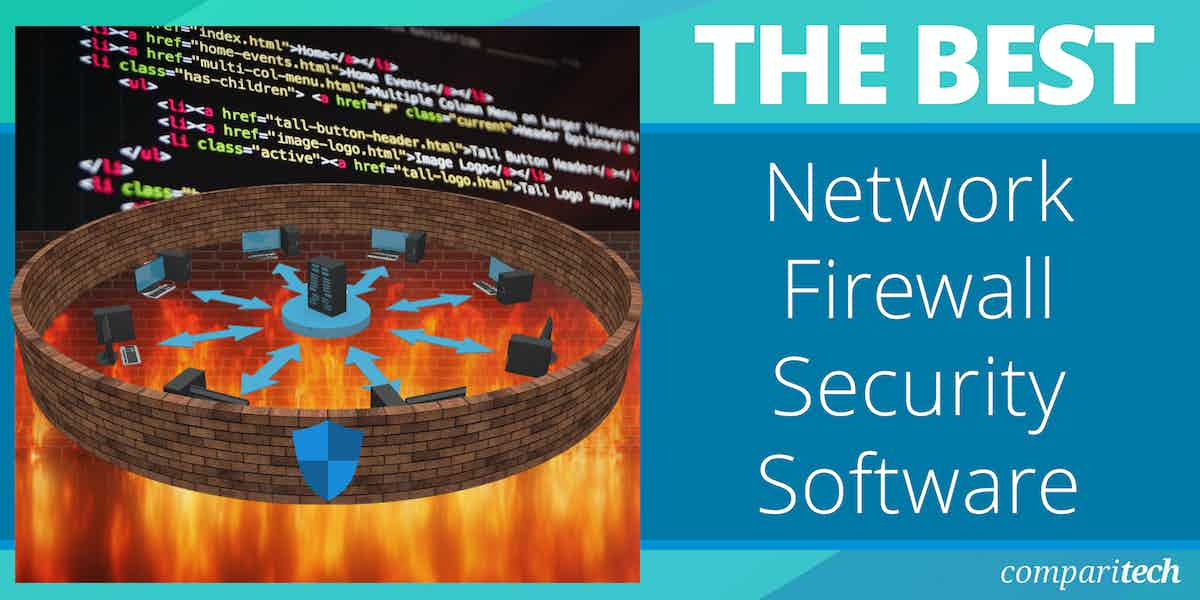
One of the best defense mechanisms against cyberattacks is the Firewall. It is, in fact, an important concept in network security. The term “firewall”, as its name implies, initially referred to a fire-resistant wall used to prevent the spread of fire to adjacent buildings. However, the concept was later applied to network security during the early days of the Internet.
Network firewall security software monitors and controls incoming and outgoing network traffic based on predefined security rules. It performs packet filtering, stateful inspection, proxying, intrusion detection/prevention, and application control to protect networks from threats. It can be hardware-, software-, or cloud-based (next-generation) and can be deployed on-premises or via a cloud service, as applicable.
Network Firewall Security tools can help your organization avoid the following pain points:
- Unauthorized Access: Prevents unauthorized users and devices from accessing sensitive network resources.
- Malware and Ransomware: Blocks viruses, ransomware, and other malicious software from entering the network.
- Data Breaches: Protects sensitive data in transit and at rest, reducing the risk of leaks or theft.
- Zero-Day Threats: Detects and mitigates previously unknown threats using advanced threat intelligence and AI/ML capabilities.
- Network Visibility Gaps: Provides comprehensive visibility into applications, users, and devices across the network.
- Compliance Requirements: Helps organizations meet regulatory and industry compliance standards.
- Secure Remote Access: Ensures safe connectivity for remote employees and branch offices.
- Lateral Threat Movement: Stops threats from spreading within internal networks once they infiltrate.
Key points to consider before purchasing a network firewall security tool
There are many network firewall security products out there. So how do you know which one is the best or the right one for your organization? In this article, we’ll discuss the best network firewall security software you can trust.
However, before we begin, it is important to understand the key parameters to consider when selecting a network firewall security software.
- Throughput & latency: Ensures the firewall doesn’t become a bottleneck under your traffic load.
- Feature set: IDS/IPS, SSL/TLS inspection, application control, VPN, Zero Trust, etc.
- Deployment flexibility: On-premises hardware, virtual, cloud firewall, hybrid / remote offices, etc.
- Manageability: Central console, ease of policy updates, reporting/logging, UI, etc.
- Integration: Works with existing tools: SIEM, endpoint security, cloud provider, etc.
- Scalability & high availability: For growth and redundancy.
- Cost (initial + recurring): Licenses, support, maintenance, hardware, power, etc.
- Support & security updates: Vendor reliability, patching frequency.
- Compliance & certifications: Depending on your industry (finance, healthcare, etc.).
To dive deeper into how we incorporate these into our research and review methodology, skip to our detailed methodology section.
Here is our list of the best network firewall security software:
- NordLayer EDITOR’S CHOICE A cloud-based Zero Trust Network Access (ZTNA) and secure connectivity platform that allows organizations to control and protect access to corporate resources. Access a free demo.
- ManageEngine Firewall Analyzer (FREE TRIAL) A log analytics and configuration management tool for firewalls, VPNs, and network security devices. Access a 30-day free trial.
- Site24x7 (FREE TRIAL) A cloud-based IT and network monitoring platform that delivers real-time visibility into the performance, availability, and health of firewalls, servers, networks, applications, and cloud infrastructure. Get a 30-day free trial.
- Sophos Firewall Widely used among small and midsize businesses for its ease of management and strong unified threat protection, maintaining a solid mid-tier market position. A free trial is available.
- SonicWall Firewall Holds a comparable share in the SMB segment, valued for dependable performance, VPN support, and straightforward deployment.
- Fortinet FortiGate NGFW Known for strong performance, scalability, and cost-effectiveness, commanding a significant share of the global firewall market.
- Palo Alto Networks NGFW A market leader in next-generation firewall technology, recognized for its advanced threat intelligence, deep visibility, and consistent innovation.
- Cisco Secure Firewall Maintains a large global footprint due to Cisco’s extensive enterprise presence and seamless integration with its networking ecosystem.
- Prisma Access (by Palo Alto Networks) A leading cloud-native FireWall-as-a-Service (FWaaS) with strong adoption among enterprises transitioning to hybrid and remote environments.
If you need to know more, explore our vendor highlight section just below, or skip to our detailed vendor reviews.
Βest network firewall security software highlights

Top Feature
Identity-driven access verifying user device posture and location, fast to deploy and manage
Price
Starts at $8 per user per month
Target Market
SMBs and distributed teams needing secure remote access plus simple security management
Free Trial Length
Demo available upon request, duration not disclosed by the vendor
Additional Benefits:
- Cuts IT overhead with cloud-native secure access, no hardware required
- Speeds onboarding for remote and hybrid teams with centralized management
- Improves access governance by shifting trust from network location to identity
- Scales secure connectivity as the organization grows
Features:
- Verifies user identity device posture and location before granting access
- Provides encrypted connections plus granular access policies for resources
- Uses shared gateways across 30+ locations for virtual locations
- Deploys private gateways for sensitive resources with multilayered policies
- Implements network segmentation with cloud firewall across hybrid workforces

Top Feature
Centralized multivendor firewall log analytics with alerts audits and compliance reports
Price
Starts around $395 for a single-device license
Target Market
Multivendor network environments needing centralized visibility into firewall activity
Free Trial Length
30-day free trial
Read more ▼

Top Feature
Cloud monitoring for firewall health availability and performance with real-time alerts
Price
From $9 per month for basic monitoring
Target Market
SMBs mid-market and distributed enterprises needing network infrastructure visibility
Free Trial Length
30-day free trial
Read more ▼

Top Feature
Xstream architecture accelerates traffic inspection with full security features enabled
Price
Not publicly listed varies by model plus subscriptions
Target Market
A broad spectrum of organizations from small offices to global enterprises
Free Trial Length
30-day free trial
Read more ▼

Top Feature
NGFW plus UTM firewall with deep packet inspection and centralized management
Price
Not publicly listed
Target Market
SMBs distributed enterprises and MSPs needing strong security
Free Trial Length
30-day free trial
Read more ▼

Top Feature
High performance NGFW with FortiOS unified management and custom ASIC acceleration
Price
Not publicly listed
Target Market
Mid to large enterprises needing security across distributed infrastructures
Free Trial Length
30-day free trial
Read more ▼

Top Feature
Single-pass traffic scanning with unified control for consistent enterprise protection
Price
Not publicly listed pricing
Target Market
Large organizations needing strong visibility and consistent protection
Free Trial Length
30-day free trial
Read more ▼

Top Feature
Talos-backed NGFW with Zero Trust controls plus flexible deployment across environments
Price
Not publicly listed
Target Market
Organizations invested in Cisco networking and security ecosystem
Free Trial Length
30-day free trial
Read more ▼
Top Feature
Cloud-delivered SASE combining FWaaS SWG CASB and ZTNA under one policy
Price
Not publicly listed
Target Market
Mid-size and large enterprises needing secure access across locations and clouds
Free Trial Length
Demo available upon request, duration not disclosed by the vendor
Read more ▼
Firewalls act as a barrier between your internal network and external sources, monitoring and controlling incoming and outgoing traffic based on predetermined security rules. They provide a first line of defense, helping organizations maintain the integrity, confidentiality, and availability of their networks.
With a wide variety of firewalls available in the market, choosing the right one for your business needs can be a challenging task. Modern network firewalls come in many forms: hardware firewalls, software firewalls, and cloud-based firewalls. Each deployment type offers distinct features and capabilities suited for different types of networks and security requirements.
The best firewalls go beyond basic packet filtering and offer advanced features such as intrusion detection, deep packet inspection, and the ability to detect and mitigate sophisticated attacks, like Distributed Denial of Service (DDoS) or ransomware attacks.
When evaluating firewall solutions, there are several factors to consider, including the size of your network, scalability, ease of management, and compatibility with your existing infrastructure. Additionally, firewalls today often include additional functionalities such as VPN support, logging and reporting features, and integration with other security tools, allowing for comprehensive threat management.
In this article, we will explore some of the best network firewalls available today, providing detailed insights into their features, performance, and suitability for different environments. Whether you’re looking to protect a small office or a large enterprise network, this guide will help you make an informed decision and ensure that your network is safeguarded against modern cyber threats.
The Best Network Firewall Security Software
1. NordLayer (ACCESS FREE DEMO)
Best For: SMBs and distributed teams that need secure remote access, easy-to-manage security.
Pricing: Starts at $8 per user per month.

NordLayer is a cloud-based Zero Trust Network Access (ZTNA) and secure connectivity platform that you use to control and protect access to your corporate resources. It enforces identity-driven access by verifying who the user is, the security posture of their device, and the location from which they are connecting before granting access.
You get encrypted connections, granular access policies, and network segmentation for remote users, branch offices, and cloud workloads. In practice, NordLayer shifts security from network location to user and device, trust to ensure that only the right people can access the right resources under the right conditions.
NordLayer Key Features:
- Shared Gateways: Simulate virtual locations using NordLayer’s global network of servers across 30+ locations.
- Virtual Private Gateways: Deploy private VPN gateways tailored to your environment, with multilayered security policies that provide greater control and isolation for sensitive resources.
- Dedicated Server with Fixed IP: Use a dedicated IP address exclusive to your organization to simplify IP allowlisting, improve access control, and centralize IP management.
- Cloud Firewall: Implement granular network segmentation across hybrid infrastructure and remote workforces.
- Device Posture Security: Enforce security standards by evaluating device compliance in real time, automatically restricting or alerting on devices that fail to meet your defined security requirements
Unique Buying Proposition
NordLayer’s differentiation is not that it is the most powerful firewall or the deepest threat-inspection platform, but that it offers Zero Trust–based secure access that is fast to deploy, easy to manage, and built for modern, distributed teams. It integrates secure remote access, granular access control, and scalable network protection in a way that is fast to deploy and simple to manage.
Feature-In-Focus: Cloud-based ZTNA with secure connectivity
Cloud-based ZTNA enables you to securely control who can access your resources, from where, and on which devices. It removes the need to deploy or manage hardware firewalls. This approach simplifies security operations and enables fast onboarding for remote and hybrid teams. It also reduces infrastructure overhead and allows your security posture to scale as your organization grows.
Why do we recommend NordLayer?
We recommend NordLayer because it addresses the modern challenges of securing distributed and hybrid workforces with simplicity and scalability. Its features, such as encrypted connections, device posture checks, dedicated and shared gateways, and cloud firewall segmentation, reduce operational overhead, speed up onboarding, and scale easily as your organization grows.
Who is NordLayer recommended for?
We recommend NordLayer for SMBs and distributed enterprises that need secure remote access, scalable network protection, and simplified management without heavy IT overhead. Industries that benefit most include technology, professional services, finance, healthcare, and any organization where secure, user- and device-based access is critical.
Pros:
- Cloud‑Native and Easy to Deploy: No hardware to install; quick onboarding and centralized management.
- Scales for Remote/Hybrid Work: Supports distributed teams and branch offices with secure connectivity.
- Flexible Gateway Options: Shared and dedicated gateways help optimize access and simplify allowlisting.
- Device Posture Checks: Evaluates security compliance before granting access, improving overall safety.
- Network Segmentation: Cloud firewall features help isolate resources and limit lateral movement.
Cons:
- Not a Traditional NGFW: Lacks deep packet inspection and advanced threat prevention of full next‑generation firewalls.
NordLayer’s pricing is cloud‑based and subscription‑driven. It starts at $8 per user per month for the Lite plan, with higher tiers like Core ($11/user/month) and Premium ($14/user/month) offering progressively more security features and network controls, all billed monthly or annually with discounts available for yearly commitments.
Plans require a minimum of 5 users and include capabilities such as shared gateways, device posture security, and cloud firewall at higher tiers. NordLayer does not offer a permanently free tier, but all subscriptions include a 14‑day money‑back guarantee so you can evaluate the service risk‑free. The platform is delivered entirely cloud‑native, with licensing covering secure connectivity, Zero Trust access, and related security services through a centralized control panel.
2. ManageEngine Firewall Analyzer (FREE TRIAL)
Best For: Organizations that operate multivendor network environments and need centralized visibility into firewall activity.
Pricing: Starts at approximately $395 for a single-device license.

ManageEngine Firewall Analyzer is a network security and log management tool. It is used to monitor, analyze, and report on traffic from firewalls, VPNs, and routers. For instance, you can deploy it in your organization to track network usage, detect security threats, ensure compliance, and optimize firewall policies.
Firewall Analyzer works alongside existing firewalls (from vendors such as Cisco, Fortinet, Palo Alto, Check Point, and others) to provide traffic analytics, policy change auditing, security alerts, and compliance reporting.
Its value is significant for your security team because it enhances the effectiveness of your firewalls. It helps to identify misconfigurations, detect anomalies, and ensure regulatory compliance, but it does not control network traffic or directly block attacks. However, it cannot replace a next-generation firewall (NGFW) or unified threat management (UTM) system.
Firewall Analyzer is primarily an on-premises, browser-based log analytics and configuration management tool that runs on your server and can be accessed remotely via a web browser.
ManageEngine Firewall Analyzer Key Features:
- Firewall policy management: Analyzes firewall rule usage and effectiveness to help administrators fine-tune policies for better performance and security.
- Change management and auditing: Tracks configuration changes in real time and maintains a complete audit trail with detailed reports.
- Network security and threat visibility: Identifies potential attacks, security breaches, and abnormal network traffic patterns.
- User activity monitoring: Maps internet usage by user and category (e.g., streaming, file sharing, social networks) to highlight high-risk behavior.
- VPN and proxy monitoring: Provides visibility into active VPN users, sessions, bandwidth usage, and group-level access patterns.
- Compliance and forensic reporting: Automates compliance audits and enables fast log searches to pinpoint the root cause of security incidents.
- Traffic and bandwidth analysis: Monitors network behavior and bandwidth spikes to support capacity planning and incident investigation.
Unique Buying Proposition
ManageEngine Firewall Analyzer’s unique buying proposition is its ability to extract real, operational value from existing firewall and perimeter security investments by transforming raw security logs into actionable insights within minutes.
It delivers immediate visibility into threats, configuration changes, and compliance posture through rapid deployment, real-time alerts, and comprehensive reporting. MSSPs gain practical value through faster visibility into client security events and clearer, audit-ready compliance reporting.
Feature-In-Focus: Vendor-agnostic firewall log analytics and security visibility
Firewall Analyzer’s core focus is on collecting, analyzing, and correlating firewall and perimeter security logs to provide administrators with clear insight into traffic behavior, security events, configuration changes, and compliance status across multiple firewall platforms. You can quickly understand traffic patterns, detect suspicious behavior, trace configuration changes, and investigate incidents using normalized and searchable data.
Why do we recommend ManageEngine Firewall Analyzer?
We recommend ManageEngine Firewall Analyzer Security Software because it addresses a critical gap that traditional firewalls alone cannot solve. It does not enforce traffic itself; it strengthens firewall security by providing vendor-agnostic log analytics, real-time alerting, change tracking, and compliance reporting across diverse firewall environments.
Who is ManageEngine Firewall Analyzer recommended for?
The target market for Firewall Analyzer includes mid-sized to large organizations and MSSPs that operate complex or multivendor network environments and need centralized visibility into firewall activity.
Firewall Analyzer also appeals to organizations that already have firewalls in place and want to maximize the value of those investments by improving monitoring, reporting, and security insight.
Pros:
- Operational visibility: Turns large volumes of raw firewall logs into usable insights for security and network teams.
- Accountability and traceability: Makes user activity and configuration changes transparent, supporting internal controls and investigations.
- Audit readiness: Helps meet regulatory and compliance requirements without the complexity of a full SIEM deployment.
- Low deployment overhead: Agentless architecture enables faster setup and easier ongoing maintenance.
Cons:
- Log-dependent effectiveness: Accuracy and depth of insight depend on a properly configured log and complete device data.
You can download a fully functional 30-day free trial directly from ManageEngine to evaluate the software before purchase. Licensing is based on the number of monitored firewall devices. You can choose an annual subscription or perpetual license models depending on your needs.
ManageEngine Firewall Analyzer offers multiple editions: Standard, Professional, and Enterprise. Pricing starts at approximately $395 for a single-device license, $595 for enhanced capabilities, and up to $8,395 for the Enterprise edition, which supports large, distributed environments. Exact pricing is often provided via a quote, depending on device count and features.
Related post: The Best Web Application Firewalls
3. Site24x7 (FREE TRIAL)
Best For: SMBs, mid-market organizations, and distributed enterprises that need visibility into their network infrastructure.
Pricing: Starts at $9 per month for basic monitoring.

Site24x7 Site24x7 is a cloud-based IT monitoring and observability platform. It can help your organization monitor the performance and availability of websites, servers, networks, applications, cloud services, and end-user experience. Site24x7 can also be used to monitor Network Firewall Security Software and other firewall tools. It does not act as a firewall itself, but it can track the availability, performance, and connectivity of firewalls, VPNs, and other network security devices.
For example, it can monitor firewall uptime, CPU/memory usage, throughput, and network interface performance, and generate alerts if the firewall or related services go down or exhibit abnormal activity. It is therefore a useful complementary tool for security teams to maintain operational visibility over firewall health and performance without replacing the actual security enforcement functions.
Site24x7 Key Features:
- Network device monitoring: Tracks the availability and performance of firewalls, routers, switches, and other network security devices using SNMP and flow data.
- Uptime and availability monitoring: Continuously checks firewall and security service availability and alerts when outages or failures occur.
- Performance and capacity metrics: Monitors CPU, memory, interface utilization, and traffic throughput to identify bottlenecks or resource exhaustion that could affect security controls.
- Real-time alerting: Sends immediate alerts when thresholds are breached or devices become unreachable, enabling faster response to potential incidents.
- Dashboards and reporting: Offers centralized dashboards and historical reports to visualize trends, availability, and performance of security infrastructure.
- Cloud and hybrid visibility: Monitors on-premises and cloud-based firewall and security components, and components deployed across distributed networks.
Unique Buying Proposition
Site24x7 does not replace the firewall; rather, it enhances firewall security operations through cloud-based, unified monitoring and observability. Its value is real-time visibility into the health, availability, and performance of your firewalls and security infrastructure, regardless of vendor or deployment model.
You can detect outages, resource exhaustion, and abnormal behavior early. If your organization already relies on NGFWs, Site24x7 serves as a neutral operational assurance layer.
Feature-In-Focus: Vendor-agnostic monitoring and observability
Site24x7 consistently emphasizes continuous visibility into the availability, performance, and health of firewalls, network devices, servers, and cloud services from a single SaaS platform. It provides proactive detection of outages, performance degradation, and abnormal behavior through real-time metrics, alerts, dashboards, and historical analysis across on-premises, cloud, and hybrid environments.
Why do we recommend Site24x7?
We recommend Site24x7 because it provides reliable, independent visibility into whether your firewalls and related security controls are actually available, healthy, and performing as expected. In real-world environments, many security incidents begin with degraded firewall performance, failed VPN services, or misbehaving network interfaces rather than an immediate exploit.
Site24x7 helps you catch those operational failures early by continuously monitoring uptime, resource usage, interface traffic, and connectivity across on-prem, cloud, and hybrid firewalls from a single SaaS platform. Although, as noted earlier, it does not inspect or block traffic. It strengthens firewall security operations by ensuring the controls you already rely on remain online, responsive, and accountable. You’d agree that this unique function is a critical but often overlooked layer of network security.
Who is Site24x7 recommended for?
Site24x7 is suitable for SMBs, mid-market organizations, and distributed enterprises that need centralized visibility into their IT and network infrastructure. It also appeals to teams that value ease of deployment, SaaS-based monitoring, and cost-effective observability over deep, specialized security enforcement tools.
Pros:
- Vendor-agnostic Monitoring: Works with a wide range of firewall brands and models.
- Real-Time Alerts and Metrics: Tracks uptime, performance, and resource usage with automated notifications that help detect operational issues early.
- Centralized Dashboards: Provides unified visibility into multiple firewalls, VPNs, and network devices from a single cloud console.
- Supports Hybrid and Cloud Environments: Monitors on-premises, cloud, and hybrid firewalls without additional hardware or local infrastructure.
Cons:
- Dependency on Proper Configuration: Monitoring accuracy depends on how firewall logs and SNMP/agent settings are configured.
Site24x7 is offered exclusively as a cloud‑based platform, and licensing is typically based on the number or type of monitors (e.g., servers, network interfaces) you deploy, with flexibility to pay monthly or annually (annual plans usually provide a discount).
Site24x7’s pricing starts at about $9 per month for basic monitoring plans when billed annually. Higher tiers are available for broader infrastructure, application, and MSP monitoring needs. All paid plans include a 30-day free trial with no credit card required, so you can evaluate the service before committing.
A free plan is also available for you to monitor the uptime of up to 50 resources with basic email alerts.
4. Sophos Firewall
Best For: A broad spectrum of organizations from small offices to global enterprises
Price: Not publicly listed

Sophos Firewall is an all-in-one next-generation firewall developed by Sophos Ltd, a British security software and hardware company. Sophos firewall merges traditional firewall functions with high-performance network protection, zero-trust access, cloud management, and AI-driven threat defense.
Sophos Firewall uses what it calls Xstream architecture, a proprietary technology that accelerates traffic inspection and improves performance even with full security features enabled. The XGS Series is Sophos’ current line of next-generation firewall appliances built with the latest Xstream architecture.
You can deploy Sophos firewall on physical, virtual, and cloud environments (including AWS, Azure, and VMware). They are widely used by SMBs, schools, and distributed enterprises that need strong protection, clear reporting, and centralized control without high administrative overhead.
The value of Sophos Firewall depends on matching the right model to your traffic load and investing in the required subscriptions, support, and operational discipline for updates and policy hygiene. Initial costs depend on the model; recurring costs include threat protection licenses, updates, and premium support. Newer XGS models aim for better performance per protected Mbps and lower energy costs. Based on our findings, support quality is generally strong; however, response times can vary by geographic location and service level agreement.
Sophos Firewall Key Features:
- Deep Packet Inspection (DPI): Inspects all network traffic, including encrypted TLS 1.3 streams, using AI and machine learning to detect and block malware, ransomware, and other advanced threats.
- Active Threat Response & Synchronized Security: Shares telemetry between the firewall, endpoints, and other Sophos products to automatically identify, isolate, and block threats in real time.
- Integrated SD-WAN, ZTNA, and VPN: Provides secure, optimized connectivity for hybrid networks and remote workforces.
- Centralized Cloud Management: This allows unified reporting, policy control, and zero-touch deployment across firewalls, endpoints, mobile devices, and servers.
- High Availability & Advanced Traffic Controls: Includes HA support, traffic shaping/QoS, application and web filtering, DNS protection, threat feeds, and sandboxing to ensure secure and optimized network performance.
Unique Buying Proposition
Sophos’ firewall’s unique value proposition is its Xstream architecture. Sophos Xstream Flow Processors intelligently accelerate trusted traffic such as SaaS, SD-WAN, and cloud applications without requiring hardware upgrades. This provides strong performance even when advanced security services are enabled.
Another unique advantage is value transparency. Sophos includes many features that competitors often sell as add-ons, such as on-box reporting, built-in threat protection, and full TLS inspection, all at no additional cost.
The product’s credibility is reinforced by independent recognition, including top user ratings and past awards. These recognitions reflect genuine satisfaction with usability, performance, support, and integration in the real world.
Feature-In-Focus: Advanced Threat Protection
The primary feature Sophos emphasizes most on its website is advanced threat protection through deep inspection, driven by the Xstream architecture. It includes deep packet inspection, TLS 1.3 inspection, and real-time threat intelligence. The benefit to you is stronger protection against modern and encrypted threats, reduced risk of ransomware and zero-day attacks, and high-performance security.
Why do we recommend Sophos Firewall?
We recommend Sophos Firewall because it offers a future-ready approach to network security that fits organizations of all sizes. In terms of throughput & latency, Sophos’ XGS series provides high performance.
For example, the XGS 3100 is rated for 38 Gbps of firewall throughput, ~22 Gbps of IMIX, and latency as low as 4 µs (64-byte UDP) under ideal conditions. Sophos holds ISO 27001:2022, SOC 2 Type 2 (with added trust criteria such as availability and confidentiality), PCI DSS v4.0 (for MDR service), among many others.
Who is Sophos Firewall recommended for?
Sophos Firewall is engineered to serve a broad spectrum of organizations, ranging from small offices to global enterprises, depending on your specific protection needs and infrastructure.
However, you’ll get the best results from Sophos Firewall when you use it alongside other Sophos tools (Sophos Endpoint, ZTNA, or email protection). If your organization relies on a mix of different security vendors, you might not experience the same level of automation, coordination, and shared threat intelligence that make the Sophos ecosystem so effective.
Pros:
- Ease of Setup and Use: Many reviews, including ours, praise its ease of setup, intuitive interface, and manageable learning curve.
- Comprehensive Feature Set Included: It bundles numerous advanced security features without requiring any add-ons.
Flexible Deployment Models: It offers deployment options across hardware appliances, virtual environments, cloud platforms, and HA configurations. - Integrated Security Coordination: The coordination between the firewall, endpoint, and other Sophos products helps reduce response time.
Cons:
- Mixed Support and Documentation Experience: Support and documentation feedback are inconsistent, with some users reporting slower response times or difficulty with certain features.
- Additional Costs for Advanced Capabilities: Though many features are included, certain advanced capabilities and support tiers add recurring costs.
- Limitations in Specialized or High-End Scenarios: We observed feature gaps or constraints in demanding or specialized use cases compared to top competitors.
The firewall is available as a hardware appliance, a virtual firewall, or a cloud-based deployment (AWS, Azure, Google Cloud), with licensing structured around a base firewall license and optional security subscriptions. Cloud deployments support BYOL or pay-as-you-go models. Hardware and virtual licenses are generally billed annually, with support and advanced protections requiring active subscriptions.
Sophos Firewall does not list a fixed starting price, as costs depend on the deployment model, hardware size, and selected security subscriptions, but pricing typically scales from SMB-friendly entry points to enterprise-grade appliances and cloud instances. Sophos offers two easy free trial options: you can request a 30-day free trial directly from Sophos by submitting a form, or start a free trial via AWS Marketplace for streamlined procurement using your AWS account.
5. SonicWall Firewall
Best For: SMBs, distributed enterprises, and MSPs that need strong security.
Price: Not publicly listed.

SonicWall Firewall is a network security solution developed by SonicWall Inc., an American cybersecurity company. SonicWall firewalls provide both unified threat management (UTM) and next-generation firewall (NGFW) capabilities. They are available in several series: the TZ series for small and mid-sized businesses, the NSa series for mid-enterprise deployments, and the NSsp/SuperMassive for high-performance enterprise environments.
These firewalls deliver throughput speeds ranging from 1 Gbps in entry models to over 20 Gbps in enterprise versions, and maintain low latency under heavy loads. They support multiple deployment modes (gateway, transparent, cloud, or hybrid), centralized management via SonicWall Capture Security Center, and integration with VPNs, SD-WAN, and SIEM tools.
The right SonicWall model for your organization depends on factors such as expected traffic volume, number of users, and the specific services you plan to deploy (for example, VPN or SSL inspection).
In terms of security, there have been several reported security issues and breaches in the past, mainly due to outdated devices, unpatched vulnerabilities, and exposed admin accounts. SonicWall issued patches and guidance to ensure protection. However, if your organization cannot enforce quick patching or maintain device hygiene, we recommend you opt for their managed firewall service.
Pricing is tiered, hardware cost plus annual licenses for security services and support. SonicWall provides frequent signature updates, 24/7 technical support, and compliance with standards such as FIPS 140-2 and ICSA certification.
SonicWall Key Features:
- Real-Time Deep Memory Inspection (RTDMI): SonicWall’s RTDMI technology detects advanced threats, such as ransomware and zero-day malware, that evade traditional signature-based systems.
- Deep Packet Inspection (DPI): The firewall performs full packet inspection, including SSL/TLS decryption, allowing it to uncover malicious content hidden in encrypted traffic.
- Unified Threat Management (UTM): SonicWall integrates multiple security layers—firewall, intrusion prevention, antivirus, application control, content filtering, and VPN—into one platform.
- Secure SD-WAN Support: It features built-in Secure SD-WAN capabilities that enable organizations to connect branch offices securely and cost-effectively using standard internet connections.
- Centralized and Cloud-Based Management: Administrators can manage multiple devices from a single interface through SonicWall Capture Security Center or the Global Management System.
- High Availability and Scalability: SonicWall supports redundancy and failover options to maintain uptime in the event of hardware or network failures.
- Advanced Reporting and Analytics: Comprehensive logging, real-time monitoring, and customizable reports support compliance requirements.
Unique Buying Proposition
SonicWall’s unique buying proposition is good security performance for the money and a single, flexible system that grows with your business. The same platform can scale from a small office setup to a complex enterprise network. This saves money and reduces the effort required to switch products later.
Feature-In-Focus: Advanced threat protection and Zero Trust access
SonicWall emphasizes unified, cloud-native firewall management with real-time advanced threat protection and built-in Zero Trust access. This feature provides you with stronger, consistent security across all locations. It enables faster threat detection and blocking, centralizes policy control, improves visibility, and ensures that only verified users and devices can access resources.
Why do we recommend SonicWall Firewall?
We recommend SonicWall Firewall because it is a mature, well-supported firewall solution that delivers solid protection without unnecessary complexity. Its consistent firmware updates, wide model range, and strong third-party support make it a dependable choice for organizations that value stability and predictable operation.
Who is SonicWall Firewall recommended for?
SonicWall’s primary target market is SMBs, distributed enterprises, and MSPs that need strong security at an affordable cost. It is also suitable for education, healthcare, and government sectors that require regulatory compliance and reliable VPN access for remote users.
Pros:
- Comprehensive Security Functions: Provides many security functions in a single device (UTM and NGFW features).
- Cost Efficiency: Good cost efficiency, especially for SMBs, with relatively lower entry costs for strong security features.
- Advanced Threat Detection: Strong threat intelligence and sandboxing via Capture ATP help detect zero-day threats.
- Centralized Management: Central management simplifies policy consistency and remediation across multiple devices/sites.
Cons:
- Subscription-Dependent Features: Many advanced features require an active license or subscription; if subscriptions lapse, certain features or support may be affected.
- User Interface and Reporting Limitations: The reporting and UI for certain models/forms may be less polished.
- Historical Security Incidents: Recent security incidents (e.g., VPN & cloud backup breaches) may increase the risk profile if not properly managed.
SonicWall Firewall pricing varies widely by model and configuration. Licensing is subscription-based and varies by deployment: hardware and virtual firewalls typically require annual or multi-year service subscriptions for complete threat protection and analytics. Similarly, cloud management and reporting tiers are available as add-ons. Some monthly billing options are also emerging for MSP/MSSP use cases, which offer you flexibility without upfront long-term contracts.
SonicWall offers a 30-day free trial of its NSv virtual next-generation firewall, which includes core capabilities such as application control, IPS, SSL/TLS inspection, and advanced threat protection, and can be deployed in the cloud (AWS, Azure) or on-prem environments.
6. Fortinet FortiGate NGFW
Best For: Mid to large enterprises that need security across distributed infrastructures.
Price: Not publicly listed.

Fortinet FortiGate NGFW is Fortinet’s flagship Next-Generation Firewall solution. It is widely recognized for its high performance and cost-effectiveness. It provides organizations with broad, integrated, and automated security across networks, data centers, and cloud environments.
FortiGate NGFW supports a wide range of use cases that cut across data centers, enterprise campuses, branch networks, cloud environments, and even rugged industrial settings. However, to unlock its full capabilities, you’ll likely need FortiGuard subscriptions, which can result in ongoing operational costs that may offset the appliance’s upfront cost-effectiveness.
FortiGate offers firewall options for every type of business. Small offices can opt for compact models with built-in Wi-Fi or LTE for easy setup and operation. Mid-sized companies can choose models that offer good performance at a relatively affordable price. Large enterprises and data centers can invest in FortiGate high-end appliances designed for speed and heavy network traffic. If your business runs mainly in the cloud, you can deploy FortiGate as a virtual or cloud-based firewall.
FortiGate Firewall Key Features:
- Convergence of Networking and Security: FortiOS enables a unified platform that simplifies operations with single-pane-of-glass management and consistent security policies across hybrid environments.
- Flexible Deployment Options: Available as physical appliances, virtual firewalls, cloud-native instances, or ruggedized models.
- Integrated SD-WAN and ZTNA: Securely connects and optimizes branch offices or remote sites, and also enforces zero-trust access policies to protect applications and infrastructure wherever users are located.
- Quantum-Safe Encryption: Supports both quantum key distribution and post-quantum cryptography.
- Purpose-Built ASICs: Fortinet’s custom security processors accelerate threat inspection and networking functions.
- AI-Powered Threat Intelligence (FortiGuard): Real-time, AI-driven intelligence provides proactive defense, faster detection, and automated response to emerging threats across your entire attack surface.
Unique Buying Proposition
Fortinet’s integration of security and networking in one OS (FortiOS) is a key differentiator. For example, Fortinet’s FortiGate firewall works seamlessly with FortiSwitch and FortiAP, so you can manage wired and wireless networks from a single console. It also connects with FortiClient and FortiAnalyzer to automatically share security alerts and device data. If a laptop becomes infected, FortiGate can isolate it immediately without requiring manual action.
Secondly, FortiGate NGFW delivers exceptional performance without compromise, thanks to its custom-built ASIC. Other vendors achieve performance through software tuning or higher-end CPUs; Fortinet does it through purpose-built hardware. These custom chips greatly boost firewall speed, SSL decryption, VPN performance, and threat detection compared to firewalls that rely solely on standard CPUs in the same price range.
Feature-In-Focus: AI-driven next-generation firewall protection
This feature delivers accelerated security processing, real-time AI-powered threat detection, and consistent protection against sophisticated attacks. It also simplifies management and ensures secure access across your hybrid and distributed networks.
Why do we recommend FortiGate NGFW?
We recommend FortiGate NGFW because it delivers strong protection, reliable performance, and a relatively affordable price that appeals to both mid-sized businesses and large enterprises.
Independent studies show that FortiGate is the most widely used firewall globally. It holds over half of the market share. It was named a Leader in Gartner’s 2025 Magic Quadrant for Hybrid Mesh Firewalls, ranking highest for its ability to execute.
Its performance, security, and long-term value make it one of the strongest options available today. However, to get the most value from it, you need to commit to its full stack of tools, which might not be practical for every organization.
Who is FortiGate NGFW recommended for?
We recommend Fortinet FortiGate NGFW for mid-to-large organizations that require scalable, cost-effective security across distributed infrastructures. It works well for businesses with multiple remote sites and for hybrid or multi-cloud setups.
Pros:
- High Performance: High performance at scale thanks to Fortinet’s custom ASICs.
- AI-Powered Threat Intelligence: FortiGuard provides real-time defense against sophisticated threats.
- Simplified Management: Unified OS (FortiOS) simplifies management across hybrid infrastructures.
- Integrated Networking and Security: Integrated SD-WAN and ZTNA reduce reliance on separate point solutions.
- Future-Ready Security: Quantum-safe encryption ensures protection against emerging threats.
- Flexible Deployment Options: Supports hardware, virtual, cloud, and ruggedized deployments.
Cons:
- Challenging Initial Setup: Initial setup and configuration can be difficult for teams with little or no Fortinet expertise.
- Steeper Learning Curve: Some organizations find it less intuitive compared to more “out-of-the-box” solutions.
- Ongoing Subscription Costs: Advanced features, such as AI-driven threat detection, require the FortiGuard subscription, adding to ongoing costs.
FortiGate NGFW does not list a single published starting price on its website, as costs vary by model, capacity, and bundled services. Fortinet offers a free 30-day trial of FortiGate VM (virtual NGFW) via cloud marketplaces such as AWS, Azure, or Google Cloud.
Licensing is flexible: hardware and virtual firewalls are deployed on-premises or in public clouds, with FortiOS included and additional security services (FortiGuard UTP/Enterprise/360 Protection) and support (FortiCare) sold as annual or multi-year subscriptions through partners or resellers.
Cloud deployments also support pay-as-you-go (PAYG) licensing via marketplace billing, as well as optional FortiGate Cloud subscriptions for management, analytics, and extended log retention on one-, three-, or five-year terms.
7. Palo Alto Networks NGFW
Best For: Large organizations that need strong visibility and consistent protection.
Price: Not publicly listed

Palo Alto NGFW is one of the most widely recognized and trusted firewall solutions in the cybersecurity industry. Palo Alto Networks, the company behind them, is a leading global cybersecurity company founded in 2005 in the United States. According to Forrester Research, Palo Alto Networks holds approximately 22.4% of the global NGFW market and serves over 85% of Fortune 100 companies. For over a decade, Palo Alto Networks has been repeatedly named a Leader in the 2025 Gartner’s Magic Quadrant for Hybrid Mesh Firewalls.
Palo Alto Networks offers the following unified platform with different firewall models tailored to diverse environments:
- Cloud NGFW: A fully managed, cloud-native firewall service for AWS that delivers enterprise-grade security with the simplicity and scalability of the cloud.
- VM-Series: Virtual firewalls built for agility, securing workloads in public, private, and hybrid clouds with strong protection and flexibility.
- CN-Series: Container firewalls designed to secure Kubernetes® environments, protecting traffic between containerized workloads without slowing down development.
- PA-Series: Flagship hardware appliances with high-performance, enterprise-grade protection for data centers and corporate networks, powered by machine learning.
Palo Alto firewall is a strong choice for organizations that need advanced, reliable, and scalable protection across on-premises, cloud, and containerized environments. However, it comes with higher costs and requires skilled teams to manage. Its strengths are best realized in large enterprises using its full feature set.
Palo Alto NGFW Key Features:
- Single-Pass Architecture: Scans traffic once for multiple security services, improving efficiency and reducing latency.
- Centralized Management (Panorama): Unified dashboard for visibility, policy enforcement, and reporting across all environments.
- Cloud & Container Security: Cloud NGFW, VM-Series, and CN-Series extend protection to AWS, hybrid clouds, and Kubernetes.
- App-ID Technology: Identifies and controls applications regardless of port, protocol, or evasion methods.
- WildFire Sandbox: Cloud-based malware analysis to detect and block advanced and unknown threats.
- Integration with Prisma & Cortex: Seamlessly connects to Palo Alto’s broader ecosystem for end-to-end security coverage.
- Machine Learning–Powered Threat Prevention: Detects and blocks zero-day threats in-line without waiting for signature updates.
Unique Buying Proposition
Palo Alto’s App-ID technology remains its most distinctive selling point. Although some competitors offer application control, App-ID is uniquely granular and behavior-based.
When it comes to machine learning–powered threat prevention, Palo Alto was the first to embed ML inline within the firewall for real-time detection. Other vendors (such as Fortinet’s FortiGuard AI and Sophos’ deep learning engine) now use similar ML-based threat prevention. However, Palo Alto still has the longest track record and a more mature implementation.
Lastly, Palo Alto’s single-pass architecture also remains a core differentiator. Some firewall vendors have adopted comparable efficiency models, but Palo Alto’s implementation is still considered among the most optimized for performance and inspection consistency.
Feature-In-Focus: Cloud-based network security with inline deep learning
Palo Alto’s core feature is ML-powered, cloud-based network security with inline deep learning. This approach stops unknown zero-day threats in real time and gives clear visibility of IoT and other connected devices. The key benefit is that it allows organizations to block sophisticated attacks immediately, maintain continuous protection across all devices, and streamline security operations without adding staff or hardware.
Why do we recommend Palo Alto Firewall?
We recommend Palo Alto firewalls as one of the best options because they consistently deliver on both security innovation and enterprise-grade reliability. However, you can be certain it will require higher budgets, skilled resources, and enterprise-scale environments to fully realize its value.
Its long-standing leadership position in Gartner and Forrester reports, as well as widespread adoption across Fortune 500 companies, reinforces its reputation as a trusted choice for organizations that can’t afford gaps in protection.
Who is Palo Alto Firewall recommended for?
This firewall is an excellent fit for large organizations with complex IT setups that need strong visibility, scalability, and consistent protection.
If your company already uses Palo Alto’s Prisma Cloud or Cortex platforms, you’ll get extra value because the firewall connects directly with them. However, that integration can be a drawback if you want to use tools from different vendors.
Pros:
- Market Leadership: Market leader, consistently recognized in analyst reports (Gartner, Forrester).
- Advanced Threat Prevention: Strong threat prevention powered by AI/ML and advanced application visibility.
- Scalability: Solutions cover on-premises, cloud, and containerized workloads.
- Ecosystem Integration: Tight integration simplifies end-to-end security management.
- High Reliability and Performance: Suitable for mission-critical enterprise environments.
Cons:
- Higher Costs: Hardware, licenses, and subscriptions are more expensive than those of many competitors.
- Skilled Administration Required: Requires experienced administrators to configure and optimize.
- Advanced Feature Requirements: Features such as SSL decryption may require higher-end appliances.
Palo Alto offers free trials for its Cloud NGFW services through 30-day free trials on AWS and Azure Marketplace with limited traffic and firewall resources, and 15–30-day free trial options for VM-Series virtual firewalls across cloud platforms.
Licensing is structured around subscription or pay-as-you-go models, especially for cloud NGFW, with charges beginning after the trial ends. Traditional on-prem appliances require annual or multi-year subscriptions for threat prevention and support services, and virtual/cloud firewalls may also be billed via the marketplace rather than a fixed yearly contract.
8. Cisco Secure Firewall
Best For: Organizations already invested in Cisco’s networking/security ecosystem.
Price: Not publicly listed.

Cisco Secure Firewall is Cisco’s next-generation firewall (NGFW) platform designed to protect networks, users, and applications from modern cyber threats. Older firewalls mainly relied on static rules and signature-based detection, which are effective only against known threats. Cisco Secure Firewall adds machine learning, behavioral analytics, and real-time threat intelligence from Cisco Talos, enabling it to detect and stop emerging and evolving attack methods.
Cisco’s NGFW portfolio covers:
- Physical appliances (Secure Firewall 1000, 2100, 3100, and 4100/9300 series) for small offices up to large data centers.
- Virtual firewalls (FMCv, FTDv) for private and public cloud environments.
- Cloud-native firewall services (like Secure Firewall Cloud Native on AWS).
Cisco is a long-standing household name in networking and security, so you can trust that its firewall technology is mature and reliable. The main challenge is that Cisco built its products with the expectation that they’ll be managed by trained or certified professionals, which can make them harder for you to operate without advanced technical skills.
Historically, Cisco’s business model leaned heavily on certification tracks and deep product complexity. That model created an entire economy in which network engineers pursued Cisco certifications, organizations sought out Cisco-certified professionals, and Cisco cemented its dominance in the enterprise IT sector.
However, I believe Cisco has recognized that the traditional “complex by design” approach is no longer effective. In today’s market, IT leaders seek faster time-to-value and more streamlined operations. Competitors like Fortinet and Palo Alto have been winning deals because they sell on ease of deployment and unified management.
Cisco’s NGFW can be deployed without certifications; however, to fully maximize its capabilities, most teams end up needing personnel with Cisco training or certifications. So in practice, most organizations running Cisco NGFWs at scale will have staff with at least a CCNP Security certification (or hire a Cisco partner with those skills).
Cisco Secure Firewall Key Features:
- Zero Trust & Secure Access: Supports VPN, segmentation, and identity policies aligned with Zero Trust frameworks.
- Cloud-Ready & Flexible Deployment: Available as physical appliances, virtual appliances, or cloud-native firewalls for AWS, Azure, and GCP.
- Advanced Threat Detection: Built-in IPS (Snort engine), malware protection, URL filtering, and sandboxing.
- Talos Threat Intelligence: Real-time global threat feeds from one of the world’s largest commercial threat research teams.
- Application & User Control: Granular visibility into applications, devices, and users with identity-based policies.
- SecureX Integration: Connects the firewall to Cisco’s broader ecosystem (networking, endpoint, email, and cloud security) for unified visibility and response.
Unique Buying Proposition
Cisco’s NGFW unique buying proposition is its Talos-backed threat intelligence and tight integration into the broader Cisco ecosystem. Talos’ threat intelligence unit is one of the largest commercial threat research teams. It feeds real-time updates into the firewalls, which gives them a strong reputation for quickly catching emerging threats.
Feature-In-Focus: Cloud-based Zero Trust security
Cisco Secure Firewall’s standout feature is its cloud-delivered, Zero Trust security. It provides flexible, scalable protection across multicloud, data center, branch, and remote user environments while enabling secure access from any device to any location.
Why do we recommend Cisco NGFW?
Cisco consistently holds roughly one-third to nearly half of the global enterprise networking market, and it is trusted by 98% of Fortune 500 companies. Cisco’s dominance in networking matters when you are evaluating its NGFW.
This is because it has decades of experience building the core infrastructure that most enterprises already run on (switches, routers, wireless controllers, and security tools). That trust, interoperability, and stability built into its ecosystem provide a reliable long-term choice for many organizations.
Who is Cisco NGFW recommended for?
Cisco’s NGFW performs best in environments where Cisco solutions are already deeply embedded.
In fact, most organizations choose Cisco because they are already invested in their networking or security products. They value staying within the same ecosystem because it allows them to continue using Cisco’s Talos threat intelligence and maintain consistent security policies across their on-premises and cloud environments.
But that does not mean Cisco’s NGFW is limited to Cisco-only setups. You can still deploy it in a mixed environment, thanks to its open standards, interoperability, and strong third-party integration support.
Pros:
- Smooth Integration for Cisco Environments: If you are already invested in Cisco, the NGFW integrates seamlessly.
- Strong Threat Intelligence: Backed by Cisco Talos, one of the largest threat intelligence teams globally.
- All-in-One Security Functions: Integrates firewall, intrusion prevention, malware defense, and secure remote access into a single platform.
- Broad Product Range: Offers options from branch-office firewalls to high-throughput data center models and cloud-based solutions.
- Enterprise-Friendly: Well-suited for enterprises operating across on-premises, multi-cloud, and remote work environments.
Cons:
- Less Intuitive Policies and Workflows: Policies and workflows can be less intuitive than those in Fortinet or Palo Alto.
- Performance Impact with Advanced Features: Enabling features such as IPS or SSL decryption can reduce throughput more than some competitors.
- Best in Cisco-Centric Environments: Works best in an “all Cisco” setup; integration with third-party tools is possible but can be clunky.
Cisco offers the ability to request a free trial or personalized demo through its “See, Try, or Buy” portal, where you can book a trial or speak to a Cisco expert about a trial setup. However, credit card details are generally not required for the trial request.
For virtual deployments, Cisco Secure Firewall Threat Defense Virtual supports pay-as-you-go (PAY-G) licensing and a 30-day free trial, with options to bring your own license (BYOL) and choose annual or term-based subscriptions for features and throughput tiers.
Licensing uses Cisco Smart Licensing with multiple term options (1, 3, or 5 years) for advanced feature subscriptions, and deployments are supported on-premises hardware, private cloud, and public cloud platforms.
9. Prisma Access (by Palo Alto Networks)
Best For: Mid-size and large enterprises that need secure access across multiple locations and clouds.
Price: Not publicly listed

Prisma Access is a cloud-delivered security platform that extends Palo Alto’s next-generation firewall and threat protection capabilities to users, applications, and branches anywhere. You can deploy it to secure access to the Internet, SaaS, and your private apps without backhauling traffic through a data center.
Prisma Access integrates firewall-as-a-service (FWaaS), a secure web gateway (SWG), a cloud access security broker (CASB), and Zero Trust Network Access (ZTNA) into a single, globally distributed platform. If your organization supports remote and hybrid workers, Prisma Access enables secure connectivity from anywhere.
Prisma Access is quite different from an NGFW. An NGFW is usually a physical or virtual appliance deployed in a data center, office, or cloud environment to inspect and secure traffic that flows through that location. Prisma Access, on the other hand, is cloud-delivered. It provides the same firewall-level protection from the cloud, so your users, apps, and devices don’t need to connect back to a physical firewall.
Prisma Access works best for organizations with distributed users, hybrid cloud environments, or strict compliance needs. However, you get the most value when you fully adopt and standardize on Palo Alto’s ecosystem (Prisma, Cortex, or Panorama).
Prisma Access Key Features:
- Zero Trust Network Access (ZTNA): Enforces least-privilege access across all applications.
- Firewall as a Service (FWaaS): Provides cloud-native network security with real-time threat prevention, application control, and policy enforcement.
- Secure Web Gateway (SWG): Provides secure and reliable web access with inline threat prevention, powered by AI.
- Cloud Access Security Broker (CASB): Gives visibility and control over all SaaS and cloud applications.
- Remote Browser Isolation (RBI): Isolates web traffic from endpoints and prevents malware and web-based attacks from reaching devices.
- Global Cloud Backbone: Delivers high performance, low latency, and operational resiliency with 99.999% uptime SLA.
- Precision AI–Powered Threat Prevention: Uses machine learning to detect and block threats in real time.
Unique Buying Proposition
Prisma Access manages all security functions (ZTNA, CASB, SWG, FWaaS) through a single policy framework in a cloud-delivered infrastructure. This approach is truly a unique selling point because many competitors still use stitched-together services (fragmented solutions) or partner ecosystems.
Secondly, Prisma Access is said to prevent 30.9 billion threats daily, with inline prevention powered by Precision AI. Although other vendors use AI, the volume and integration with Palo Alto’s global telemetry network are distinct.
However, the “30.9 billion threats prevented” figure comes from Palo Alto’s own marketing and product literature. We checked independent evaluations (AV-Comparatives’ and SASE efficacy tests) that assess security effectiveness and threat blocking, but none of those reports validate the specific “30.9B daily threats” metric.
So should we dismiss it as just a marketing metric? Well, not really. The figure is an interesting benchmark and may indicate a unique high volume of protection activity, but it should not be your sole basis for a decision.
Feature-In-Focus: Cloud-based SASE with FWaaS and Zero Trust security
Prisma Access is positioned as a unified cloud security platform that protects all users, applications, devices, and data regardless of location. The key benefit you derive from this feature is consistent, scalable security, no matter where your users or workloads are. It keeps remote users, branch sites, and cloud apps protected.
Why do we recommend Prism Access?
Prisma Access earns its place among the top firewall and network security solutions because it extends Palo Alto Networks’ enterprise-grade protection into the cloud with measurable performance and reliability.
Our findings, based on vendor-commissioned studies, architecture descriptions, and SLAs, indicate that Prisma Access delivers 99.999% uptime and has shown a 107% ROI and a50% reduction in breach risk within three years of deployment (according to the Total Economic Impact study by Forrester). Its Zero Trust design, AI-powered threat prevention, and global cloud backbone work together to provide consistent, high-speed protection for your users and apps, anywhere.
These are compelling indicators of what the product can achieve under ideal conditions, but they are definitely not certainties for every deployment. So use them as benchmarks and validate assumptions in your context before relying on them in decision-making.
Who is Prism Access recommended for?
We recommend Prisma Access for mid-size and large enterprises that need secure, reliable access for users and applications across multiple locations and clouds.
If your business is shifting from traditional VPNs to a Zero Trust and SASE architecture, where consistent protection is essential, you may want to consider Prism Access. However, you should plan for the associated costs, necessary technical expertise, and potential integration challenges.
Pros:
- Comprehensive Protection: Protects users, apps, devices, and data across hybrid and cloud environments.
- Reduced Complexity: Consolidates multiple security functions into a single cloud-delivered platform.
- Improved User Experience: Enhances app performance and optimizes traffic handling.
- Business Value: Offers efficiency gains in policy management and potential ROI benefits.
Cons:
- Higher Cost for Smaller Organizations: It can be expensive for businesses with limited budgets.
- Skilled Staff Required: Requires knowledgeable IT teams to configure, deploy, and manage effectively.
- Complex Multi-Vendor Integration: Integration with non-Cisco environments may be more complicated.
- Unverified Vendor Metrics: Vendor-reported results are not independently validated, so that outcomes may differ.
- Variable Performance: Actual performance may depend on regional cloud coverage and network conditions.
You can request demos and “test drive” experiences via the Palo Alto demo center, and partners may enable limited free trial proofs of concept for Prisma Access engagements. The platform is cloud-delivered as part of Palo Alto’s SASE suite and includes secure access, firewall-as-a-service (FWaaS), ZTNA, and threat prevention. Licensing and support are typically structured as annual or multi-year subscriptions based on deployment scope and security requirements.
Choosing network firewall security software
Defending against online attackers is impossible without a firewall. A firewall is necessary to block unauthorized or suspicious traffic from entering your network. Network firewall security software stops persistent cyber-criminals from disrupting or breaching your service.
Companies with a reliable firewall can rest easy knowing that they are equipped to discover and address the latest threats. There is a tremendous range of firewall tools that can help to thwart online attackers.
Firewall management tools like Tufin Orchestration Suite, NordLayer and modern firewalls like CrowdStrike Falcon, ManageEngine Firewall Analyzer, Zscaler, and GFI KerioControl are all top proprietary firewall software products that can help you configure your defenses and shut down attacks.
There are also open-source alternatives like pFSense and IPFire which are also highly effective with add-ons and vast configuration potential.
Related post: Next-Gen Firewalls
Our methodology for choosing network firewall security software
1. Vendor Reliability and Stability
We assessed the financial stability of each vendor, their history of product updates, and the quality of post-purchase support to ensure long-term reliability.
2. Product Compatibility and Ecosystem
We evaluated how well each firewall integrates with existing infrastructure and the broader vendor ecosystem to avoid compatibility issues and simplify daily management.
3. Team Skills and Operational Readiness
We considered the technical expertise required to manage and maintain each system, including any additional training or certifications needed for your IT team.
4. Compliance and Regulatory Fit
We reviewed each firewall’s ability to meet data privacy, audit, and regulatory requirements across sectors such as finance, healthcare, and government.
5. Intended Use and Deployment Needs
We categorized firewalls by target environment, such as SMB, enterprise, or cloud-first, to match each product to the organization’s size, architecture, and operational goals.
Broader B2B software selection methodology
We evaluate B2B software using a consistent, objective framework that focuses on how well a product solves meaningful business problems at a justified cost. This includes assessing overall performance, scalability, stability, and user experience quality. We examine real-world feedback from practitioners to understand how the software behaves outside of controlled demos.
We also review vendor transparency, roadmap clarity, support responsiveness, and the pace at which meaningful improvements are released. We follow this approach in order to ensure that each of our recommendations is grounded in practical value, long-term viability, and operational impact, not marketing claims.
Check out our detailed B2B software methodology page to learn more.
Why Trust Us?
Our work is produced by a team of IT and business software professionals with extensive hands-on experience evaluating, deploying, and managing enterprise technology. We analyze software independently, using evidence-based methods and industry best practices to ensure our assessments remain unbiased and technically sound.
Our goal is to provide you with clear, reliable insights that help reduce risk, shorten evaluation cycles, and support confident decision-making when selecting complex business technology.
Network Firewall Security FAQs
What's the difference between a consumer firewall and a network firewall?
Consumer firewalls are designed for home-users to protect single devices and use content/packet filtering to block basic cyber attacks.
Network firewalls, also called enterprise firewalls, use packet filtering but also incorporate more advanced features like SSL inspection, threat intelligence, and antivirus capabilities.
These platforms are more scalable and are designed to stop more sophisticated attacks. For example, many enterprise firewalls use SSL inspection to detect more advanced encrypted attacks that cunning attackers are using to sidestep less advanced defenses.
What's the difference between network firewalls and website application firewalls?
Network firewalls control access to your network to keep out unwanted traffic. Website Application Firewalls (WAFs) prevent attacks on websites and applications. WAFs primarily prevent SQL injection attacks, application layer attacks, and malware that compromise online services.