When you’re trying to understand what’s really happening on a network, such as diagnosing a problem, spotting suspicious activity, or just learning how data flows, packet capture is where it all begins. It’s the process of intercepting and logging traffic passing over a digital network in real time. Think of it like trying to wiretap your network. You can capture, inspect, and analyze every little piece of data (called a packet) that travels between devices.
But the real magic isn’t just in collecting packets; it’s in what you can do with them. Network engineers capture packets for deep inspection to identify rogue applications, investigate security breaches, or optimize performance. The right packet capture tool gives you the visibility and control you need to do the job.
Packet Capture tools can help your organization avoid the following pain points:
- Slow Network Performance and Bandwidth Bottlenecks: Identify high-traffic sources, bandwidth-heavy applications, and congestion points to restore optimal performance.
- Difficulty Identifying the Source of Outages: Analyze packet-level data to quickly trace failures, misconfigurations, or dropped connections.
- Undetected Security Threats or Suspicious Traffic: Monitor unusual traffic patterns and unauthorized activity to detect potential breaches early.
- Poor Visibility into Application Usage: Gain insight into which applications consume bandwidth and how they impact overall network health.
- Long Troubleshooting Times: Access detailed, real-time traffic data to diagnose and resolve issues faster.
- Inefficient Use of Network Resources: Understand traffic distribution and optimize network capacity to reduce waste and improve efficiency.
In this article, we’ll discuss the top packet capture tools available today. But before we do so, we’ll explain how we selected our tools. This way, you’ll understand our rankings’ criteria and feel confident that our recommendations are based on a clear, consistent assessment.
Here is our list of the best packet capture tools:
Based on our independent research, selection requirements, and rating methodologies, here are the best packet capture tools on the market today:
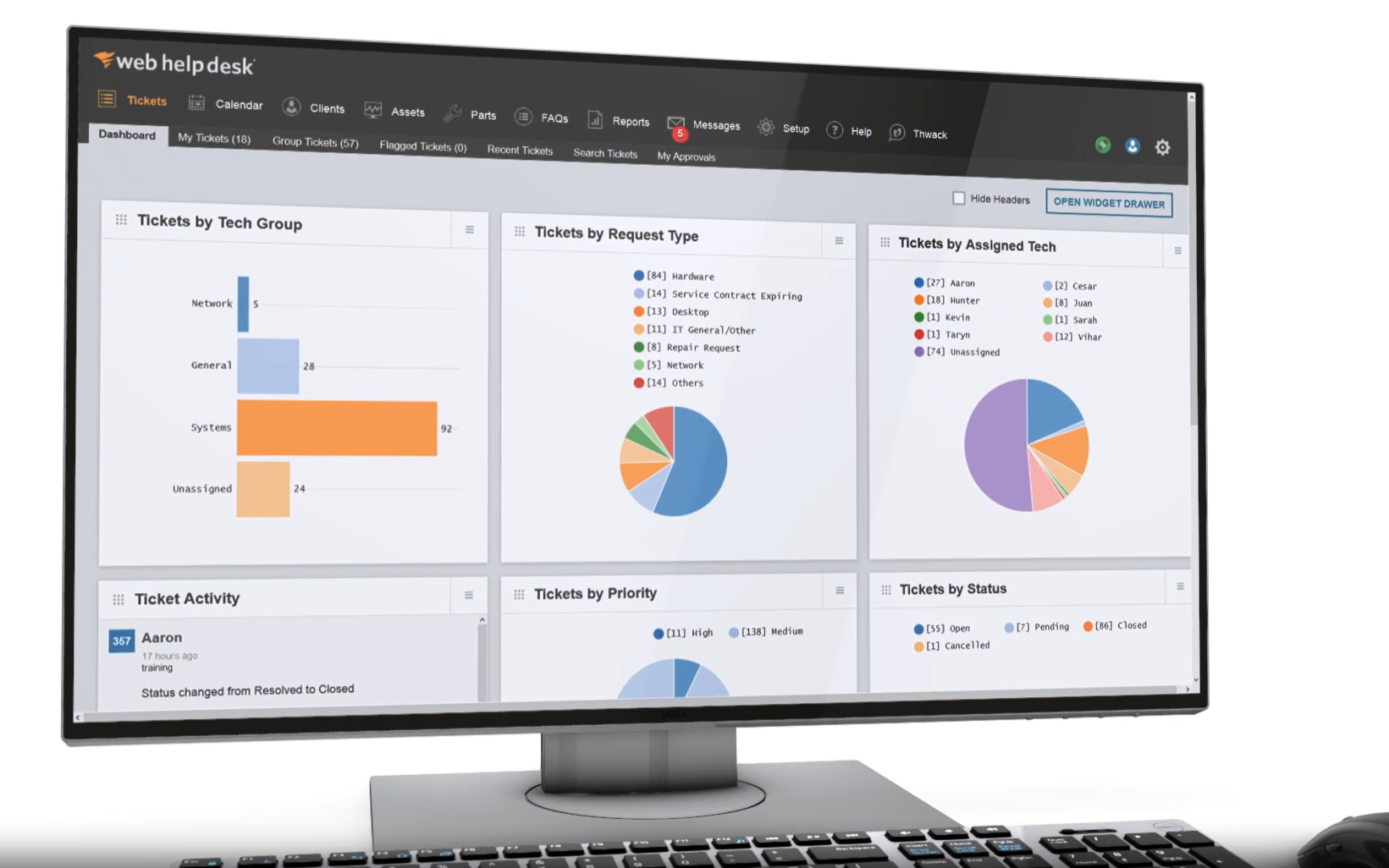
- ManageEngine NetFlow Analyzer EDITOR’S CHOICE ManageEngine NetFlow Analyzer is a network traffic monitoring and analysis tool that uses flow technologies to provide visibility into bandwidth usage and network performance. Start a 30-day free trial.
- Paessler PRTG Network Monitor (FREE TRIAL) A comprehensive infrastructure monitoring solution that supports packet sniffing, flow-based monitoring, and SNMP. Start a 30-day free trial.
- Wireshark A popular open-source cross-platform packet analyzer with an extensive library of constantly updated protocol dissectors.
- Tcpdump A lightweight open-source packet analyzer that runs entirely from the command line.
- SolarWinds NetFlow Traffic Analyzer (NTA) A commercial tool that bridges the gap between traditional packet sniffing and large-scale traffic monitoring, giving you real-time insight into flow-level data.
- Kismet An open-source tool that specializes in real-time monitoring and deep packet capture across a wide range of wireless technologies
- OmniPeek Proprietary packet analyzer software for network troubleshooting and protocol analysis, designed for business users.
If you need to know more, explore our vendor highlight section just below, or skip to our detailed vendor reviews.
Βest packet capture tools highlights

Top Feature
Multi-protocol flow collection and normalization for scalable traffic visibility
Price
Standard edition starts at $172 for 10 interfaces
Target Market
Small to large enterprises, MSPs, and IT teams needing network traffic visibility
Free Trial Length
30-day free trial
Additional Benefits:
- Provides real-time visibility into bandwidth usage and traffic behavior
- Helps narrow problem areas before deeper packet-level inspection
- Supports scalable visibility across multi-vendor network environments
- Improves capacity planning with dashboards reports and traffic trends
Features:
- Flow-based monitoring for NetFlow sFlow IPFIX and J-Flow records
- Real-time network traffic analysis for performance and capacity issues
- Application and protocol monitoring with NBAR-based recognition
- Bandwidth monitoring by device interface user IP and conversation
- Alerting dashboards and reports for troubleshooting and planning

Top Feature
Packet sniffer sensor inside a unified sensor-based monitoring platform
Price
$179 per month for 50 devices
Target Market
Small to mid-sized enterprises IT operations teams and organizations needing packet-based traffic insights
Free Trial Length
30-day free trial
Read more ▼

Top Feature
Deep packet inspection with unmatched packet-level visibility across protocols
Price
Free
Target Market
Network engineers, educational institutions, and small to large organizations
Free Trial Length
Free and open-source
Read more ▼

Top Feature
Precision packet filtering using BPF for focused command-line captures
Price
Free
Target Market
Educators DevOps teams network engineers and security analysts in enterprise environments
Free Trial Length
Free and open-source
Read more ▼

Top Feature
Flow-based traffic analysis with observability context across hybrid environments
Price
Custom quote required
Target Market
Network engineers, MSPs, and NOC teams in mid to large organizations
Free Trial Length
30-day free trial
Read more ▼

Top Feature
Passive multi-protocol wireless capture with deep inspection and zero network footprint
Price
Free
Target Market
Researchers educators pen testers security analysts wireless engineers and enterprise IT teams
Free Trial Length
Free and open-source
Read more ▼

Top Feature
Real-time deep packet inspection with visual analytics and expert issue detection
Price
Negotiated price
Target Market
Enterprise IT and NOC teams, security analysts, field engineers, and MSPs
Free Trial Length
15-day free trial
Read more ▼
Key points to consider before purchasing a packet capture tool
Here are the key points you need to consider before purchasing or choosing a packet capture tool, especially if you’re interested in detailed network analysis, security forensics, or hands-on troubleshooting:
- Packet-Level Access Over Flow-Level Abstraction: Choose tools that offer direct access to raw packets rather than tools built primarily for NetFlow/sFlow/IPFIX-based performance monitoring. This ensures you’re not limited to summarized data and can inspect protocols and payloads in full detail.
- Depth of Protocol Support: Look for tools with extensive protocol decoding capabilities. Wireshark, for example, supports hundreds of protocols and excels in dissecting complex traffic, which is vital for both troubleshooting and forensic analysis.
- Real-Time Capture and Filtering Power: A good packet capture tool should provide powerful, real-time traffic capture with advanced filtering options. So that you can zero in on specific traffic types or events without capturing everything.
- Command-Line vs. GUI Flexibility: Consider whether you prefer or need a GUI-based interface (like Wireshark or Omnipeek) or CLI tools (like tcpdump or TShark) that support automation, scripting, and remote analysis.
- Cross-Platform and Open-Source Accessibility: Cross-platform tools that run on Windows, macOS, and Linux offer greater flexibility, especially in mixed environments. Open-source tools are preferred for transparency, cost savings, and community support.
- Use Case Alignment (Forensics, Security, Troubleshooting): Ensure the tool aligns with your actual use case. Tools designed for monitoring or high-level visualization (e.g., SolarWinds NPM, Paessler PRTG, ManageEngine NetFlow Analyzer) are better suited for performance tracking, not packet-level analysis.
- Community and Ecosystem Support: Strong documentation, plugin support, active forums, and frequent updates are indicators of a mature, well-supported tool.
To dive deeper into how we incorporate these into our research and review methodology, skip to our detailed methodology section.
What is Packet Capture?
Packet capture involves copying segments of network traffic. Traffic travels in packets that include a data payload and a header. Full packet capture takes the whole packet. If all of the packets passing over a network are captured, the resulting storage file can become very large very quickly.
As a lot of data in transit gets encrypted before it is sent, there is not much value in copying the data payload. In cases where the contents of the payload aren’t encrypted, the business’s management and users might not want IT department technicians to read that data in transit. Therefore, it is more usual to store just the packet headers. Another technique samples traffic by capturing only every nth packet rather than all of them.
For more information on this topic check out our comprehensive what is packet capture guide.
See Also: Best Packet Sniffers
The best packet capture tools
With the above selection criteria in mind, we looked for reputable packet capture tools that include methods to reduce the amount of data that needs to be stored.
1. ManageEngine NetFlow Analyzer (FREE TRIAL)
Best For: Small to large enterprises, MSPs, and IT teams that need network traffic visibility
Price: Standard edition starts at $172 for 10 Interfaces

ManageEngine NetFlow Analyzer is a flow-based network traffic monitoring and bandwidth analysis tool. It collects traffic flow records (e.g., NetFlow, sFlow, IPFIX, and similar formats) exported by network devices, including routers, switches, and firewalls. NetFlow Analyzer analyzes metadata on network traffic, including source/destination IP addresses, ports, protocols, application types, and bandwidth usage.
Its main purpose is to provide visibility into bandwidth consumption, application performance, traffic patterns, top talkers, and congestion points. It is commonly used for network performance monitoring, capacity planning, and identifying abnormal or suspicious traffic, rather than deep packet-level inspection.
However, NetFlow Analyzer does not perform packet capture itself; it plays a complementary role in environments that use packet capture. In practice, it is often used to narrow down performance or security issues at scale, after which a dedicated packet capture tool can be deployed for detailed packet-level inspection.
ManageEngine NetFlow Analyzer Key Features:
- Flow-Based Traffic Monitoring: Collects and analyzes NetFlow, sFlow, IPFIX, and J-Flow records to provide visibility into traffic patterns and bandwidth usage.
- Real-Time Network Traffic Analysis (NTA): Monitors network performance, traffic behavior, device capacity, and speed to detect performance degradation.
- Application and Protocol Monitoring: Identifies, maps, and groups applications based on traffic behavior, including support for dynamic port recognition with NBAR.
- Bandwidth Monitoring and Management: Tracks bandwidth consumption by device, interface, user, IP, and conversation, with threshold-based alerts.
- Customizable Dashboards and Reporting: Provides configurable dashboards and detailed reports for troubleshooting, billing, and capacity planning.
- Traffic Prioritization and Analysis: Supports traffic differentiation and shaping policies for mission-critical users and applications.
- Alerting and Threshold Management: Generates alerts based on utilization, traffic volume, and predefined monitoring criteria.
Unique Buying Proposition
What more meaningfully differentiates NetFlow Analyzer is that it offers cost-effective, all-in-one flow analytics with built-in bandwidth control and reporting. It provides detailed, real-time visibility into network traffic using flow data. NetFlow Analyzer analyzes exported flow records and delivers actionable insights into bandwidth usage, top talkers, applications, conversations, and performance trends across large networks.
Feature-In-Focus: Multi-protocol flow collection and normalization
ManageEngine NetFlow Analyzer’s multi-protocol flow collection and normalization feature allows it to receive traffic flow data in different formats from various network vendors and convert them into a standardized internal format for unified analysis.
Because devices export traffic metadata in different formats, normalization ensures that flow records (source/destination IPs, ports, protocols, timestamps, bandwidth usage, etc.) are interpreted consistently across the platform.
In relation to packet capture, this feature enables broad visibility across heterogeneous networks. It serves as a scalable alternative to packet capture, aggregating and standardizing traffic metadata from multiple devices.
Why do we recommend ManageEngine NetFlow Analyzer?
We recommend ManageEngine NetFlow Analyzer not because it performs full packet capture, but because it plays a critical role in network traffic analysis at scale. It provides real-time visibility into bandwidth usage, traffic flows, applications, and performance trends using flow data.

This is often the first step before deeper packet-level inspection is required. In enterprise environments, NetFlow Analyzer is used to identify issues, narrow problem areas, and determine when targeted packet capture is necessary.
Who is ManageEngine NetFlow Analyzer recommended for?
ManageEngine NetFlow Analyzer is mostly targeted at small to large enterprises,MSPs, and IT teams that need scalable network traffic visibility across multi-vendor environments.
Pros:
- Real-Time Traffic Visibility: Provides immediate insight into traffic behavior by user, device, application, and interface.
- Comprehensive Bandwidth Monitoring: Tracks bandwidth usage across devices, interfaces, and IP groups with detailed usage breakdowns.
- Advanced Application Recognition (NBAR Support): Identifies and categorizes applications based on dynamic port ranges for more accurate traffic classification.
- VoIP Performance Monitoring: Monitors latency, jitter, and packet loss to maintain voice quality.
- Customizable Dashboards and Reports: Offers configurable dashboards and granular reporting for troubleshooting and capacity planning.
- Traffic Prioritization Support: Helps enforce traffic shaping policies for mission-critical applications.
Cons:
- Dependent on Flow-Enabled Devices: Requires routers and switches to export flow data for visibility.
ManageEngine NetFlow Analyzer is available in three main paid editions: Standard, Professional, and Enterprise, plus a Free Edition. The Standard Edition provides core flow-based monitoring, real-time traffic analysis, dashboards, and alerts for smaller networks. The Professional Edition adds advanced features, including billing reports, traffic forecasting, IP and switch port management, and enhanced analysis tools.
The Enterprise Edition is designed for large or distributed environments, and offers multi-site monitoring, capacity planning, CBQoS monitoring, and consolidated reporting. A Free Edition allows permanent monitoring of up to two interfaces. All paid editions include a 30-day free trial.
The software is deployed on-premises and runs on Windows or Linux servers. Licenses can be purchased as perpetual (one-time) or annual subscription packages. Support is provided through ManageEngine documentation and customer channels.
EDITOR'S CHOICE
ManageEngine NetFlow Analyzer is our top choice for monitoring network traffic because it gives IT teams real-time visibility into how bandwidth is being used and where risks might come from. So, instead of acting like a basic bandwidth tracker, NetFlow Analyzer brings together application and protocol monitoring with flow-based traffic analytics. The result is a clear picture of bandwidth consumption, traffic patterns, top talkers, and congestion points, helping teams identify abnormal or suspicious traffic at scale. NetFlow Analyzer is also our top pick because it makes it easy to track traffic by application, device, interface, user, IP, and conversation, with clear dashboards, reports, and threshold-based alerts. It supports multiple flow technologies and multi-protocol flow collection, which helps provide scalable traffic visibility across multi-vendor environments. While it does not perform full packet capture or payload inspection, it is often used to narrow down performance or security issues before deploying a dedicated packet capture tool for detailed packet-level analysis.
Download: Get a 30-day FREE trial
Official Site: https://www.manageengine.com/products/netflow/ntm.html
OS: Windows, Linux
2. Paessler PRTG Network Monitor (FREE TRIAL)
Best For: Small to mid-sized enterprises, IT operations teams, and organizations in need of packet-based traffic insights
Price: $179 per month for 50 devices

Paessler PRTG Network Monitor PRTG Network Monitor is an all-in-one infrastructure monitoring solution that observes the health, performance, and traffic of network devices, servers, virtual environments, and applications through customizable sensors. It supports multiple data collection methods, including packet sniffing, flow protocols (NetFlow, sFlow, IPFIX), SNMP, WMI, and API to measure network traffic, bandwidth utilization, latency, packet loss, and service availability in real time across environments.
When packet capturing is required, PRTG can use its Packet Sniffer Sensor to analyze traffic headers, classify bandwidth usage, detect abnormal spikes or bottlenecks, and trigger alerts when thresholds are exceeded. After it identifies the affected device, interface, or time frame, a dedicated packet capture tool such as Wireshark or tcpdump can be used for deeper packet-level inspection and forensic analysis.
The core PRTG Network Monitor software is installed on a Windows server within your infrastructure, and monitoring is performed from that local deployment. Paessler also offers PRTG Hosted Monitor, which is a cloud-hosted (SaaS) version managed by Paessler.
Paessler PRTG Network Monitor Key Features:
- Packet Sniffer Sensor: Captures network traffic headers and classifies bandwidth usage by protocol, IP, and application.
- Real-Time Traffic Analysis: Monitors live traffic flow and delivers immediate insights into spikes, congestion, and unusual patterns that may require deeper inspection.
- Integrated Flow Monitoring (NetFlow, sFlow, IPFIX): Integrates packet-based sniffing with flow-based analysis to broaden visibility into traffic trends and conversation patterns.
- Threshold Alerts Based on Packet Metrics: Triggers alerts for key packet-related indicators such as bandwidth utilization, latency, and packet loss, helping identify issues quickly.
- Correlation with Infrastructure Metrics: Links packet capture data with other device and service metrics (CPU, memory, availability).
- Centralized Dashboards and Reporting: Provides visual dashboards that integrate packet-traffic metrics with other network and server health indicators for comprehensive monitoring.
Unique Buying Proposition
Paessler PRTG Network Monitor’s key differentiator for packet capture is its sensor-based, all-in-one monitoring approach. Its sensor-based, all-in-one monitoring approach is a unique selling point because it enables packet capture within a broader, unified monitoring framework.
Each monitoring function in PRTG is deployed as a “sensor.” In other words, packet-based traffic analysis can be directly correlated with device performance, bandwidth trends, and service availability in the same interface.
Feature-In-Focus: Packet sniffer sensor
The feature in focus for packet capture is PRTG’s Packet Sniffer Sensor. This sensor captures and analyzes packet headers directly from a monitored network interface. It classifies traffic by protocol, IP address, and application type. It measures bandwidth usage, identifies traffic patterns, and helps detect spikes or abnormal behavior in real time.
Although it does not perform deep payload inspection like dedicated packet analyzers, it provides useful packet-level visibility for monitoring, alerts, and troubleshooting.
Why do we recommend Paessler PRTG Network Monitor?
We recommend PRTG Network Monitor in packet capture because it provides practical packet-level visibility within a broader monitoring framework. Although it is not a deep forensic packet analyzer, its Packet Sniffer Sensor and flow-monitoring capabilities enable real-time detection of traffic spikes, bandwidth abuse, latency, and packet loss. It is therefore highly effective for identifying when and where packet capture should be applied.

Who is Paessler PRTG Network Monitor recommended for?
We recommend PRTG Network Monitor for small to mid-sized enterprises, IT operations teams, and organizations in need of packet-based traffic insights. It is also suitable for organizations that need continuous visibility, automated alerts, and straightforward reporting.
Pros:
- Integrated Packet Sniffer Sensor: Offers packet header capture and traffic classification without requiring a separate tool.
- Unified Monitoring Platform: Combines packet-based insights with device, bandwidth, and service monitoring in one interface.
- Real-Time Alerts for Packet Metrics: Triggers alerts for high bandwidth usage, latency, and packet loss to help detect issues early.
- Multiple Data Collection Methods: Supports packet sniffing alongside flow protocols, SNMP, and other sensors for broader visibility.
- Contextual Correlation: Packet traffic data can be correlated with infrastructure performance (CPU, memory, uptime) for faster diagnosis.
- Scalable Dashboards and Reporting: Packet-related metrics are visualized within customizable dashboards and reports.
Cons:
- Primarily Monitoring: Best used to detect issues and trigger deeper analysis elsewhere, not as the primary packet capturing tool.
PRTG Network Monitor licenses are based on the number of sensors needed. Various sensor packages are available depending on the required monitoring scale. Several paid editions are available based on the number of sensors required. A 30-day free trial allows you to try it before committing.
Licenses for large infrastructures allow you to set up 5,000 sensors to monitor about 500 devices, or 10,000 sensors to monitor about 1,000 devices. If you need to monitor more than 1,000 devices, Paessler recommends PRTG Enterprise Monitor, which is designed for large-scale infrastructure.
All PRTG Network Monitor subscriptions include access to the latest software updates, new features, security improvements, and email-based technical support through their ticket system.
3. Wireshark
Best For: Network engineers, educational institutions, and small to large organizations
Price: Free

Wireshark is a popular free, cross-platform, open-source packet analyzer. It is powered by an extensive library of constantly updated and expanded protocol dissectors, which allows it to break down and interpret thousands of protocols in real time. If you’ve ever needed to gain deep visibility into your network to see what’s happening in the traffic passing between devices, Wireshark is the tool you need.
From a network engineer’s perspective, what makes Wireshark tick is its deep protocol awareness and unmatched packet-level visibility. It gives you visibility down to the individual packet and control over how to view and interpret it. It also offers a terminal-based version, TShark, which provides the same powerful packet analysis capabilities via the command line.
In summary, Wireshark provides complete visibility into your network, helps diagnose problems quickly, and is equally respected across commercial, academic, and research environments. It is one of those rare tools that rewards you every time you dig deeper. The deeper you go, the more value you get.
Wireshark Key Features:
- Deep Protocol Inspection: Analyze traffic across hundreds of network protocols, from TCP/IP and DNS to newer or obscure protocols.
- Live Capture + Offline Analysis: Capture real-time packets or load saved captures for deep offline investigation.
- Display Filters for Targeted Analysis: Narrow your view with precise display filters to focus only on the traffic or patterns you care about.
- Cross-Platform Compatibility: Wireshark runs smoothly on Windows, macOS, Linux, BSD, Solaris, and more.
- Decryption Capabilities: Unpack encrypted traffic from SSL/TLS, IPsec, WPA/WPA2, Kerberos, and more-essential for security analysis and troubleshooting.
- GUI + CLI Flexibility: Use the full-featured graphical interface for interactive work or the command-line TShark utility for automation, scripting, and remote analysis.
- VoIP Call Detection and Playback: Wireshark can detect VoIP calls in your captures, and if the media is encoded in a supported format, you can even play back the audio directly.
- USB Traffic Capture: Beyond networking, Wireshark can also capture and analyze raw USB traffic to investigate issues with USB devices or embedded systems.
- Extensible with Plug-ins: You can build and integrate custom dissector plug-ins to extend its capabilities.
Unique Buying Proposition
What sets it apart isn’t just the raw data capture (which tools like tcpdump also do well), but the intuitive, visual way it presents complex information. Wireshark displays packets and helps you interpret them. It uniquely combines depth (protocol-level granularity), breadth (platform and format support), and usability (intuitive interface, excellent documentation, and vibrant community) in one tool. You can use it commercially without restriction, and thanks to its open-source nature, it’s constantly evolving with contributions from practitioners who use it daily.
Feature-In-Focus: Deep Packet Inspection (DPI)
Wireshark’s Deep Packet Inspection (DPI) feature allows you to analyze captured network packets in detail, in structured layers. It breaks down each packet by protocol, such as Ethernet, IP, TCP/UDP, and application-layer protocols, to enable you to examine headers, payloads, flags, and session behavior. In packet capturing, DPI plays a critical role by transforming collected traffic into readable, actionable information.
Why do we recommend Wireshark?
Wireshark is ranked high on our list because it’s the most comprehensive, trusted, and accessible packet capture tool. From capturing wireless WPA2 traffic on Linux to decoding proprietary protocols from embedded systems, Wireshark is the tool network engineers reach for. It’s reliable, endlessly flexible, and backed by a massive base of tutorials, plugins, and user-contributed filters.

Who is Wireshark recommended for?
Wireshark is recommended for network professionals managing a corporate network, teaching in an educational institution, investigating security incidents, or handling regulatory audits. Wireshark gives your team deep forensic power without licensing headaches.
Pros:
- User-Friendly Interface: The GUI is widely praised for its usability, featuring color-coded packets and intuitive filtering options.
- Extensive Protocol and Community Support: Offers broad protocol coverage, deep packet inspection capabilities, and strong community backing.
- Free and Open-Source: Available at no cost with no usage restrictions.
- Cross-Platform Compatibility: Runs on multiple operating systems and receives regular updates.
- Advanced Filtering and Search: Provides powerful filtering and search tools for precise traffic analysis.
- GUI and CLI Modes: Supports both graphical (Wireshark) and command-line (TShark) operation.
- Real-Time and Offline Analysis: Effective for live packet capture as well as reviewing saved capture files.
Cons:
- Steep Learning Curve: May be challenging for beginners unfamiliar with networking concepts and protocols.
- Data Overload Risk: Can generate overwhelming amounts of data if filters are not properly configured.
- Resource Intensive: Large captures may consume significant system resources, especially on lower-end machines.
Wireshark is completely free to download and use. What you download from the official site is the full version with all capabilities and no usage restrictions. It’s licensed under the GNU General Public License version 2 (GPL-2.0-or-later) and distributed as open-source software.
It is available as an on-premise application, not a cloud service, and it runs natively on multiple platforms, including Windows, macOS, Linux, BSD, and other Unix-like systems. Support is provided through community documentation and forums.
4. tcpdump
Best For: Educators, DevOps teams, network engineers, and security analysts in enterprise environments.
Price: Free

Tcpdump is a lightweight, fast, and reliable packet analyzer that runs entirely from the command line. It lets you capture and display TCP/IP and other network packets transmitted or received over a network to which the computer is attached. When you want raw visibility into what’s crossing your network, this tool delivers. It strips away the extras and gives you exactly what you need.
Tcpdump offers deep packet inspection by allowing you to capture and display the contents of packets in real-time at a very granular level, including headers and payloads, depending on what’s accessible and not encrypted. You can apply strong, precise filters using Berkeley Packet Filters to narrow the capture to the traffic you’re interested in, such as specific IP addresses, ports, or protocols.
Tcpdump is highly portable and runs on various Unix-like operating systems and embedded systems, such as OpenWrt. It shows its true value when you’re troubleshooting on the fly, under tight deadlines, or working remotely via the command line. If you work primarily on the command line and need raw, unfiltered access to your network traffic, tcpdump is a must-have tool in your toolkit.
Tcpdump Key Features:
- Command-Line Packet Capture: Capture and display real-time network traffic using a simple yet powerful terminal interface.
- Supports Multiple OSes: It works on nearly every Unix-like system, including Linux, macOS, FreeBSD, Solaris, AIX, OpenBSD, and more.
- Reads Live or Saved Captures: You can sniff packets directly from a network interface or load a saved .pcap file for offline analysis.
- BPF Filtering: Use Berkeley Packet Filters to narrow traffic to precisely what you want.
- Output to File or Stdout: You can save captures for later or stream them live to your terminal or a file for parsing.
- Low Overhead: Because tcpdump is CLI-based, it runs efficiently on resource-constrained environments and is perfect for background jobs or automation.
Unique Value Proposition
What makes tcpdump special is how it combines precision, performance, and portability. It’s fast enough to run even on underpowered IoT devices, scriptable for automation and CI pipelines, and powerful enough to help you dissect anything from basic pings to SSL handshakes (when unencrypted). When you’re connected to a remote machine over SSH with no GUI and need to diagnose network issues quickly, tcpdump is the go-to tool you can count on.
Feature-In-Focus: Precision packet filtering using BPF
Tcpdump’s Precision Packet Filtering feature is built on the Berkeley Packet Filter (BPF) syntax, which allows you to define highly specific rules that determine exactly which packets are captured. tcpdump applies BPF expressions (such as filtering by IP address, port, protocol, or traffic direction) directly at the kernel level during capture. This is important because it captures only the traffic you need, reduces system load, improves performance, and enables faster, more focused troubleshooting.
Why do we recommend Tcpdump?
We recommend Tcpdump because it’s one of the most efficient ways to capture and inspect traffic in real-world environments where GUIs aren’t an option. If your team works with cloud infrastructure, containers, firewalls, or embedded systems, you’ll find tcpdump especially useful. It’s open-source, lightweight, and flexible.

Who is Tcpdump recommended for?
Tcpdump is best suited for educators/researchers, DevOps teams, network engineers, security analysts in enterprise environments, individual sysadmins, developers, and ethical hackers who need a fast, scriptable tool for network visibility.
Pros:
- Completely Free and Open-Source: Distributed under the BSD license, allowing unrestricted use and modification.
- Lightweight and Efficient: Consumes minimal system resources and runs well on low-spec systems.
- Advanced Filtering with BPF Syntax: Supports powerful Berkeley Packet Filter (BPF) expressions for precise traffic capture.
- Automation-Friendly: Well-suited for scripting, scheduled tasks (cron jobs), and integration into CI/CD pipelines.
- Easy Tool Integration: Outputs can be piped directly into other utilities such as grep, awk, or analyzed later in Wireshark.
Cons:
- Steep Learning Curve: May be challenging for users unfamiliar with command-line tools and networking concepts.
- No Built-In Visualization: Provides raw packet data without graphical analysis features.
- Potential Information Overload: Can generate excessive output if filters are not carefully configured.
- Limited Protocol Dissection: Does not offer deep protocol decoding and analysis capabilities comparable to Wireshark.
Tcpdump is an on-premises, command-line tool that runs on most Unix-like platforms (such as Linux, macOS, and BSD systems). It is often included in the package repositories of those operating systems.
It is completely free to use and distributed under a permissive BSD-style license. The software available from its official site is full-featured and unrestricted. Because it is open-source and licensed under the BSD license, anyone can download, install, modify, and redistribute it at no cost.
5. SolarWinds NetFlow Traffic Analyzer (NTA)
Best For: Network engineers, MSPs, and NOC teams in mid to large organizations.
Price: You need to contact sales for custom quotes

SolarWinds NetFlow Traffic Analyzer (NTA) helps you understand why your network is slow, who is using up all the bandwidth, or what traffic flows between endpoints. While it’s not a packet capture tool in the traditional sense like Wireshark or tcpdump, it does give you real-time insight into flow-level data such as NetFlow, sFlow, J-Flow, and IPFIX, which is more actionable in busy enterprise environments.
The real power of NTA comes through when you’re trying to pinpoint bandwidth hogs, troubleshoot traffic slowdowns, or make more intelligent decisions about resource allocation. Because it’s built into the SolarWinds Observability Self-Hosted suite, NTA doesn’t operate in isolation-instead, it integrates seamlessly with your wider monitoring stack. That means you can correlate bandwidth usage with application performance, server health, and potential security anomalies, giving you a more complete and actionable view of what’s happening across your network.
In a nutshell, NTA is fast, scalable, and made for modern hybrid environments where visibility is critical. However, potential buyers should know that SolarWinds NTA can be complex to set up and maintain, especially in large or hybrid environments. The software may not give you every byte like Wireshark, but it hits the mark when it comes to traffic insights that help you act decisively.
NTA Key Features:
- Real-Time Flow Analysis: Monitor traffic using NetFlow, sFlow, IPFIX, and more across routers, switches, and firewalls.
- Hybrid Cloud Visibility: Track network usage across on-prem, AWS, and other cloud platforms in one dashboard.
- Bandwidth Monitoring & Alerts: Identify top talkers, bandwidth hogs, and traffic trends with historical context.
- Integrated Full-Stack Observability: Correlate network flow data with server, application, and cloud metrics.
- Traffic Forensics: Drill down to IP conversations, protocols, apps, and endpoints to troubleshoot faster.
- NetFlow Collector Support: Ingest and analyze NetFlow data at scale with minimal setup overhead.
Unique Buying Proposition
SolarWinds NTA stands out by bridging the gap between traditional packet sniffing and large-scale traffic monitoring. Instead of flooding you with raw packets, it gives you flow-level metadata that’s more digestible, easier to store, and better suited for understanding high-level trends. When paired with other SolarWinds tools, such as Network Performance Monitor or Server & Application Monitor, it provides context-rich observability.
Recent NTA releases have improved cloud visibility and UI responsiveness compared to older versions. The AWS Cloud Dashboard, for example, now lets you correlate traffic data with infrastructure metrics more intuitively.
Feature-In-Focus: Flow-Based Traffic Analysis
NTA analyzes flow data (such as NetFlow, sFlow, J-Flow, and IPFIX) exported from network devices. It aggregates metadata about traffic source and destination IPs, ports, protocols, bandwidth usage, and conversation patterns to provide visibility into who is using the network, how bandwidth is consumed, and where congestion occurs. The flow-centric approach makes NTA effective for bandwidth monitoring, capacity planning, and identifying top talkers or abnormal traffic patterns at scale.
Why do we recommend NTA?
We recommend SolarWinds NTA not as a replacement for deep packet inspection tools like Wireshark, but as a higher-level companion that gives you the whole picture. Since it’s built into the SolarWinds Observability platform, you benefit from cross-tool correlation and centralized alerting, which can speed up everything from capacity planning to security investigations.

Who is NTA recommended for?
NTA is recommended for network engineers, MSPs, and teams in medium-to-large organizations that need to monitor large or distributed environments in real time without being overwhelmed by packet-level noise.
Pros:
- Seamless SolarWinds Integration: Integrates smoothly with other SolarWinds tools, such as Network Performance Monitor (NPM), to provide a unified view of network health and performance.
- Advanced Alerting and Reporting: Provides robust real-time alerts and historical reporting to support troubleshooting and long-term capacity planning.
- Intuitive Dashboard: Users report that the interface is easy to navigate and manage once properly configured.
- Effective Bandwidth Monitoring: Provides detailed bandwidth tracking and helps identify congestion issues.
- Multi-Vendor Device Support: Compatible with devices from vendors such as Cisco, Juniper, and others.
- Hybrid Cloud Monitoring: Supports monitoring across on-premises and hybrid cloud environments.
Cons:
- Performance at High Data Volumes: May experience slowdowns when processing large volumes of NetFlow data.
- Cost Considerations: Pricing can increase significantly depending on network size and required add-on modules.
- Complex Setup for Large Environments: Initial configuration and optimization may require technical expertise in complex networks.
- Limited Packet-Level Visibility: Not a full packet sniffer and does not provide deep payload inspection.
- Best with Full Suite: Delivers maximum value when used as part of the broader SolarWinds ecosystem.
SolarWinds NTA is available for on-premises deployment within the SolarWinds Observability or Orion platform. Pricing varies by licensing tier and the accompanying SolarWinds NPM license. You must contact SolarWinds sales to get a custom quote. Subscription-based licensing is the only general model (no perpetual license), A fully functional free 30-day trial is available via download registration. Product support is provided through SolarWinds’ documentation and customer channels.
6. Kismet
Best For: Researchers & educators, penetration testers, security analysts, wireless engineers, and enterprise IT teams.
Price: Free

Kismet is an advanced, open-source wireless network detector, packet sniffer, and intrusion detection system that specializes in real-time monitoring and deep packet capture across a wide range of wireless technologies. Unlike traditional packet capture tools that focus on Ethernet or TCP/IP traffic, Kismet is purpose-built for wireless environments. It supports protocols such as Wi-Fi (802.11a/b/g/n/ac/ax), Bluetooth, Zigbee (802.15.4), ADS-B, and various RF sensors.
Kismet captures packets passively, indicating it doesn’t send any packets of its own; it only listens. It is highly effective for stealthy monitoring and wireless reconnaissance. It can sniff raw wireless frames, including management and control frames, which gives insight into client/AP interactions, probe requests, authentication handshakes, and more. You can also drill down into the payload if the wireless traffic is unencrypted and export it to formats compatible with tools such as Wireshark, Aircrack-ng, and tcpdump for deeper protocol analysis.
In my experience conducting wireless audits, Kismet consistently delivers when I need a comprehensive view of the wireless airspace around me. It shows me what’s connected, what’s broadcasting, and what shouldn’t be there. Kismet also excels in real-time environments, distributed deployments, and security-focused tasks like rogue device detection, wireless intrusion monitoring, and RF analytics.
Kismet Key Features:
- Passive Wireless Capture: Kismet captures wireless traffic without actively transmitting packets.
- Multi-Protocol Support: Besides Wi-Fi, Kismet supports Bluetooth, Zigbee, 802.15.4, ADS-B (airplane beacons), and other RF protocols.
- Real-Time Packet Analysis: Captures and displays detailed per-packet information, including headers, encryption type, and signal strength.
- Distributed Capture: This technology enables remote packet collection from multiple sensors (drones) across different locations, with centralized analysis via a server.
- Web-Based UI with REST API: This provides a modern, dark-mode-capable web interface and a RESTful API for remote interaction, automation, and integration with other systems or dashboards.
- Cross-Platform Compatibility: Runs natively on Linux and macOS, and supports Windows via remote capture.
Unique Buying Proposition
Kismet’s Unique Value Proposition lies in its ability to provide passive, multi-protocol wireless packet capture and deep inspection from a lightweight, open-source platform that works across various environments. Kismet offers full-spectrum wireless visibility with zero network footprint-plus granular control, plugin extensibility, and a unified, API-friendly interface, all at no cost.
Why do we recommend Kismet?
We recommend Kismet because it provides granular visibility into wireless traffic without requiring enterprise-grade budgets. Security teams and network engineers will appreciate its ability to monitor for rogue APs, sniff encrypted network traffic, troubleshoot connectivity issues, and analyze client roaming behavior. In educational settings, it’s also an excellent hands-on tool for showing how wireless protocols work at the frame level.

Who is Kismet recommended for?
Kismet is recommended for researchers & educators, penetration testers, security analysts, wireless engineers, and enterprise IT teams in regulated industries where monitoring airspace is critical.
Pros:
- Broad Wireless Protocol Support: Supports a wide range of wireless standards and protocols for comprehensive analysis.
- Distributed Capture with Real-Time Streaming: Enables multiple sensors to capture traffic and stream data centrally for coordinated monitoring.
- REST API and Scripting Support: Provides API access and scripting capabilities for automation and integration with other tools.
- Open-Source with Active Community: Freely available and supported by an engaged community contributing updates and enhancements.
Cons:
- Best Performance on Linux: Optimized primarily for Linux; macOS has good support, while Windows functionality is limited.
- Complex Initial Setup: Configuration can be challenging, particularly when working with advanced hardware features.
- Hardware Requirements for Full Features: Certain advanced capabilities require compatible wireless chipsets.
Kismet is free, open-source software licensed under the GNU General Public License (GPL). It is designed for on-premises use and distributed as downloadable packages or source code for platforms such as Linux and macOS. Any extended support or development contributions are voluntary through community involvement.
7. OmniPeek
Best For: Enterprise IT & NOC teams, security analysts, field engineers, and MSPs
Price: Not publicly available. A quote request is required.

OmniPeek is proprietary packet analyzer software for network troubleshooting and protocol analysis. It made our list because it captures raw packets and transforms them into actionable insights through real-time analysis, intelligent alerts, and intuitive visualizations.
Omnipeek provides front-end automation APIs, back-end in-depth analysis APIs, and additional tools that enable you to customize and extend the software’s capabilities. The software is only supported on Windows machines. Network engineers and security analysts can easily deploy it to conduct deep packet analysis to resolve network and security issues. The tool is typically aimed at businesses and enterprise users.
Based on my research and experience in enterprise networks, Omnipeek is one of the few tools that balances real-time performance, deep visibility, and usability. However, you should be aware that Omnipeek can sometimes be resource-intensive. It needs a powerful machine to run smoothly, especially when handling large traffic volumes or high-speed networks.
OmniPeek Key Features:
- Real-Time Deep Packet Inspection: You get instant feedback on network traffic, from 1G to 100G links, and 802.11 Wi-Fi and VoIP streams.
- Visual Analytics: Omnipeek uses colorful, flow-based visualizations to make complex datasets easier to interpret.
- Built-In Expert Analysis: Omnipeek automatically flags common problems and policy violations.
- Wi-Fi and VoIP Support: If you’re running a hybrid network with wireless and voice/video traffic, Omnipeek can analyze and correlate those packets in real-time.
- Plugin-Friendly Architecture: With over 40 plugins available and APIs on both the front-end and back-end, you can customize or extend Omnipeek to fit your stack or workflows.
Unique Buying Proposition
Omnipeek’s unique value proposition is its ability to combine raw packet capture power with visual intelligence to show you what is happening and why. This combination is beneficial during a security incident or a VoIP outage where every second counts. Beyond packet analysis, you can utilize it as a full-blown network forensics and observability platform.
Feature-In-Focus: Real-time network and application analysis
Omnipeek’s advanced real-time network and application analysis feature integrates deep packet capture with intelligent analysis that interprets traffic as it is collected. Omnipeek analyzes conversations, application performance, VoIP quality, and protocol behavior in real time. It automatically identifies latency issues, retransmissions, bottlenecks, and abnormal patterns. Its value is that it turns captured data into clear, useful insights right away.
Why do we recommend OmniPeek?
We recommend Omnipeek for its ease of use and its ability to quickly translate symptoms into solutions. Unlike tools that compel you to comb through Wireshark-style hex dumps, Omnipeek lays out the patterns, whether a rogue DHCP server, a misconfigured VLAN, or dropped VoIP packets.

From a B2B standpoint, this translates to a faster mean time to resolution (MTTR), less downtime, and happier users. As a network engineer, you would appreciate how it makes solving real-world issues easy without jumping through a dozen tools.
Who is OmniPeek recommended for?
Omnipeek typically targets businesses and enterprise users, such as enterprise IT and NOC teams, security analysts, field engineers, MSPs, and those managing multiple client networks.
Pros:
- Real-Time Traffic Analysis: Provides continuous monitoring and analysis across all traffic types.
- Intuitive Dashboards and Flow Visualizations: Features visually detailed, user-friendly dashboards for clear traffic insights.
- Automated Issue Detection: Includes built-in detection for hundreds of common network and performance issues.
- API and Plugin Integration: Supports customization and third-party integration through APIs and plugins.
- Hybrid Environment Compatibility: Effectively monitors wired, wireless, and VoIP network environments.
Cons:
- Higher Licensing Costs: May be more expensive than some comparable network monitoring solutions.
- Learning Curve: New users may need time to fully understand packet analysis concepts despite the interface design.
- Windows-Only Platform: Runs primarily on Windows, although remote sensors can collect data from other operating systems.
Omnipeek is designed for on-premises deployment, mostly on Windows, as part of LiveAction’s network analysis portfolio. It is available through both subscription-based licensing (typically billed annually) and perpetual licensing, where customers purchase a one-time license and optionally add ongoing maintenance and support. Vendors are typically required to contact sales for a quote. A 15-day free trial is available from the LiveAction website.
Which packet capture tool is best for you?
Regularly monitoring your network traffic is a must for making sure that your resource usage is being optimized. Packet analysis tools can be tremendously valuable for examining network conversations and finding inefficient communications and malicious cyber attacks.
With the range of options on the market, you have complete control over the type of monitoring experience you can go for. If you want a flow-based traffic monitoring option to spot bandwidth hogs and suspicious traffic at scale, ManageEngine NetFlow Analyzer is worth considering. If you’re looking for a GUI-based tool then we recommend PRTG Network Monitor, because of its user-friendly interface and low price point.
Wireshark also stands up as a viable open-source alternative for less experienced users. Other tools like Tcpdump and Kismet are a good fit for those who are comfortable working with the command line.
Our Methodology for Choosing the Best Packet Capture Tools
Our methodology for selecting the best packet capture tools goes beyond feature comparison. Our evaluation includes: Packet-Level Analysis Depth: As expected, we gave higher preference to tools that allow direct access to raw packets and perform deep packet inspection (DPI), since detailed visibility is essential for rigorous analysis.
- Real-Time Capture and Advanced Filtering: Tools that enable live traffic capture with robust filtering options ranked higher because quickly isolating relevant traffic makes troubleshooting far more efficient.
- Protocol Support Breadth: We evaluated both the number of supported protocols and the depth of protocol decoding. Tools with extensive, regularly updated protocol libraries received greater consideration.
- Professional Adoption and Community Support: Industry reputation, widespread professional adoption, and strong community support were key factors in our evaluation.
- Flexibility (CLI and GUI Options): We valued tools that offer both graphical and command-line interfaces. This gives you flexibility for visual analysis, scripting, and automation.
- Suitability for Troubleshooting and Forensics: Tools that support hands-on troubleshooting, forensic investigations, security analysis, and penetration testing were also considered.
- Open-Source Accessibility and Cross-Platform Support: Preference was given to tools that are open-source, broadly accessible, and compatible across multiple operating systems.
- Direct Packet Access Over Flow Abstraction: We ranked tools higher if they provide detailed packet-level inspection (not just higher-level flow data).
Broader B2B Software Selection Methodology
We evaluate B2B software using a consistent, objective framework that focuses on how well a product solves meaningful business problems at a justified cost. This includes assessing overall performance, scalability, stability, and user experience quality. We examine real-world feedback from practitioners to understand how the software behaves outside of controlled demos.
We also review vendor transparency, roadmap clarity, support responsiveness, and the pace at which meaningful improvements are released. We follow this approach to ensure that each of our recommendations is grounded in practical value, long-term viability, and operational impact, not in marketing claims.
Check out our detailed B2B software methodology page to learn more.
Why Trust Us?
Our work is produced by a team of IT and business software professionals with extensive hands-on experience evaluating, deploying, and managing enterprise technology. We analyze software independently, using evidence-based methods and industry best practices to ensure our assessments remain unbiased and technically sound.
Our goal is to provide you with clear, reliable insights that help reduce risk, shorten evaluation cycles, and support confident decision-making when selecting complex business technology.