

- Telegram is blocked in many countries including China, Russia, and Vietnam.
- With a VPN, you can regain access to Telegram in places where it’s not usually available.
- I’ve personally tested more than 70 leading services to see which VPNs are best for unblocking Telegram abroad.
- NordVPN is my top VPN for Telegram. It’s quick, easy to use, and highly-secure, with first-class unblocking capabilities.
Telegram is blocked in several countries, but with a VPN, you can regain access from anywhere. These Telegram VPNs will let you beat country-wide censorship and hide your online activities from snoopers.
So how do VPNs actually enhance your digital privacy? First off, they encrypt your data, rendering it unreadable to anyone monitoring the network. Next, this data is sent through a server in a country of your choosing, hiding your actual location and giving you a new IP address which is shared with lots of other people, which makes it near-impossible to tell who actually accessed what.
Below, I’ll explain how to access Telegram in Russia, Iran, India, or anywhere else. I’ll also reveal the best VPNs for unblocking Telegram while traveling. First, though, I’ll introduce you to my top Telegram VPNs.
Best VPNs for Telegram:
- NordVPN My #1 choice VPN for accessing Telegram. High speeds, a strong set of privacy tools, and the ability to beat almost any online restriction. Works anywhere in the world and offers a 30-day money-back guarantee. TIP In our testing we found that the cheapest NordVPN plan (Standard) works perfectly for Telegram.
- Surfshark The best budget VPN for Telegram. Inexpensive, versatile, and quick, with the ability to unblock almost any geo-blocked service. Can secure every device you own at the same time.
- Total VPN: A secure, affordable, and reliable VPN with consistently impressive performance. Great choice for novice users looking to chat, torrent, or stream.
- ProtonVPN This no-logs VPN has high speeds and a robust security toolkit. Doesn’t work in China but can unblock Telegram almost anywhere else.
- ExpressVPN Versatile, beginner-friendly VPN capable of beating China’s Great Firewall. Works with Telegram, Netflix, and most other region-locked services.
- IPVanish A quick and reliable VPN with first-class performance and unblocking ability. Can secure every device you own at the same time. 24/7 support.
- CyberGhost Reliable provider with a huge server network spread across the globe. Servers designed for streaming safely. Privacy and security are solid.
- PureVPN Another novice-friendly service offering strong unblocking abilities. Strong on speed and security, with P2P activities allowed on any server.
- PrivateVPN This service takes your anonymity seriously. Smaller network but all servers managed in-house. Can beat even the toughest censorship.
Many VPNs claim to protect your privacy and offer a fast, reliable connection but most (especially free VPNs) limit your connection speed or leak information.
We regularly test the top 70 VPNs for security and speed and this list only includes VPNs which are fast, reliable and are highly rated for privacy and security. Plus we only recommend VPNs which offer a full-money back guarantee allowing you to try them risk free.
WANT TO TRY THE TOP VPN RISK FREE?
NordVPN is offering a fully-featured risk-free 30-day trial if you sign up at this page. You can use the top VPN for Telegram with zero restrictions for a month—great if you're heading off on vacation and just need a VPN for a short time.
There are no hidden terms—just contact support within 30 days if you decide NordVPN isn't right for you and you'll get a full refund. Start your NordVPN trial here.
How I found the top Telegram VPNs
Every VPN is different, and there hundreds to choose from so it’s easy to get overwhelmed. That’s where I come in; I’ve developed a testing process that checks how each VPN performs in five main areas. Below, I’ll explain what these are, tell you why teach matters, and reveal my scoring criteria.
- Speed: Slow speeds cause all kinds of problems, which is why I personally made sure the services I recommend are fast enough to handle any day to day task, including making video calls.
- Network availability: I looked into how many American, European, and British server locations each provider had, as well as how large their network is overall. Finally, I checked to see if they’re capable of bypassing China’s Great Firewall, since if they can, virtually no online restriction will stop them.
- Value for money: There’s no denying that cost is an important factor for a lot of people. I hunted down deals and discounts to ensure you pay as little as possible. I also require every VPN to offer a money-back guarantee.
- Security and privacy: The whole point of a VPN is to keep your activities private. I evaluate providers on more than a dozen criteria and require them to follow strict no-logs policies to even be considered for a spot in my list.
- Ease of use: The more straightforward your service is, the better. I prioritize VPNs with 24/7 customer support, generous connection limits, and a high degree of versatility.
This is just an overview of my testing process but you can read about how Comparitech tests VPNs in the methodology section at the bottom of this post.
The best VPNs for Telegram compared
I’ve compared the most important features of the top VPNs here. Prefer to read the in-depth reviews? Start with NordVPN – the #1 choice for Telegram.
| No value | NordVPN | Surfshark | TotalVPN | Proton VPN | ExpressVPN | IPVanish | CyberGhost | PureVPN | PrivateVPN |
| Website | NordVPN.com | Surfshark.com | TotalVPN.com | ProtonVPN.com | ExpressVPN.com | IPVanish.com | Cyberghost.com | PureVPN.com | PrivateVPN.com | Ranking for Telegram: | 1 | 2 | 3 | 4 | 5 | 6 | 7 | 8 | 9 | Devices Supported | Windows, MacOS, iOS, Android, Linux | Windows, MacOS, iOS, Android, Linux, Amazon Fire TV, Apple TV | Windows, MacOS, Android, iOS, Apple TV | Windows, Linux, MacOS, iOS, Android, Chromebook | Windows, MacOS, iOS, Android, Linux, Smart TVs, Routers | Windows, MacOS, iOS, Android | Windows, MacOS, Linux, iOS, Android | Windows, MacOS, iOS, Android, Smart TVs, Chromebook, Routers | Windows, MacOS, iOS, Android, Amazon Fire TV | Average Speed (Mbps) | 200.70 | 190.90 | 172.90 | 160.10 | 124.80 | 177.80 | 168.20 | 141.30 | 58.30 | Popular Sites Unblocked | 95% | 88% | 88% | 87% | 86% | 85% | 85% | 80% | 85% | Activity logs | No identifying data | No identifying data | Total number of servers | 8,900 | 4,500+ | 1,800+ | 18,158 | Undisclosed | 3,200+ | 8,000+ | 6,000+ | 200+ |
|---|---|---|---|---|---|---|---|---|---|
| Best deal (per month) | $3.09 Up to 76% off 2 year plans | $1.88 Up to 88% OFF + 3 months free | $1.59 SAVE 80% on an annual plan | $2.99 SAVE 70% on a 2-year plan | $2.79 SAVE 78% + 4 months free on 2 year basic plan | $12.99 Best MONTHLY Deal $12.99 | $1.75 SAVE 87% on the 2 year plan + 2 months free! | $1.99 Up to 87% off on 5 year plans | $2.00 Save 85% on a one year plan + 24-months free |
The best VPNs for Telegram
Here’s my list of the best VPNs for accessing Telegram from anywhere:
1. NordVPN

Apps Available:
- PC
- Mac
- IOS
- Android
- Linux
- FireTV
Website: www.NordVPN.com
Money-back guarantee: 30 DAYS
NordVPN
9.2Scores calculated algorithmically.
| Ease of Use | 9.6 |
|---|---|
| Network availability | 9.1 |
| Security & Privacy | 9.5 |
| US speed | 10 |
| Value for money | 7.9 |
NordVPN is the best Telegram VPN overall. It can reliably bypass country-wide blocking in countries like China and the UAE, plus with 9,000+ servers in 130 countries, it has one of the largest networks around. I’ve had great results using this service with Telegram, BBC iPlayer, and Amazon Prime Video, some of the trickiest platforms to unblock. There’s a 10 simultaneous connection limit and 24/7 live chat, just in case you ever need assistance.

This provider is a regular feature at the top of Comparitech’s industry-wide speed tests, so I expected top-tier performance and wasn’t disappointed. After three tests at different times of day, this VPN averaged 200.75 Mbps on a 250 Mbps connection. That’s enough to download a 1GB file in about 40 seconds so chatting, making video calls, or watching live TV won’t be an issue.
There aren’t many services that can claim to be as privacy-conscious as NordVPN. For starters, it has an independently-verified no-logs policy, accepts gift cards for anonymous signup, and offers its own protocol for sidestepping extreme censorship. NordVPN’s apps also boast uncrackable encryption, ad and tracker-blocking, a customizable kill switch, and protection against DNS, WebRTC, and IPv6 leaks. Additionally, it’s possible to let specific apps pass through the VPN unencrypted.
Apps are available for Linux, Windows, macOS, Android, and iOS. Alternatively, you can follow a manual setup guide to get NordVPN running directly on your router.
Buy this VPN if:
- You need obfuscated servers to disguise VPN usage in countries like Russia or China
- You want consistently top speeds for Telegram voice and video calls
- You’d feel more comfortable using a VPN with an independent audit history
- You also plan to unblock streaming services alongside Telegram
- You need multi-hop (Double VPN) or Onion over VPN for extra protection
Don’t buy this VPN if:
- You want servers labeled by use case or streaming platform
BEST VPN FOR TELEGRAM:NordVPN is the best Telegram VPN. Delivers great performance and a fantastic set of security tools. Capable of unblocking Telegram, Hulu, and more from abroad. All plans come with a 30-day money-back guarantee so you can try it risk-free.
Want to know more? Read our full review of NordVPN here, or check out our video review below.
2. Surfshark

Apps Available:
- PC
- Mac
- IOS
- Android
- Linux
Website: www.Surfshark.com
Money-back guarantee: 30 DAYS
Surfshark
9Scores calculated algorithmically.
| Ease of Use | 9.1 |
|---|---|
| Network availability | 9 |
| Security & Privacy | 9.5 |
| US speed | 9.3 |
| Value for money | 8.1 |
Surfshark is the top budget VPN for Telegram. Its network recently grew to 4,500 servers in 100+ countries and it’s one of the only providers that works reliably in places like China and the Middle East. I love that this service lets you connect any number of devices and was impressed by the sheer number of streaming platforms it could access. Surfshark’s apps are intuitive and newcomer-friendly although staff are available via 24/7 live chat on the off-chance anything goes wrong.

My next challenge was figuring out what kind of speed Surfshark could deliver. I tested its American servers in the morning, at midday, and in the afternoon, resulting in an average speed of 190.89 Mbps. A strong result, all things considered, and only marginally slower than NordVPN. In short, Surfshark is suitable for data-intensive tasks like torrenting, streaming, or video calling.
Despite its low price point, Surfshark comes out swinging where security is concerned. There’s 256-bit ChaCha20 encryption as standard, backed up by IPv6 and DNS leak protection, a kill switch, and automatic ad and tracker-blocking. Surfshark follows a zero-logs policy and accepts cryptocurrency, letting you sign up anonymously. Its more advanced features include a censorship-busting stealth mode, a tool for blocking several types of adult content, and the ability to change your IP address every few minutes without changing your location.
This provider offers Android, iOS, MacOS, Linux, and Windows apps. Surfshark also offers guides to help you set up routers manually.
Buy this VPN if:
- You need unlimited connections so everyone in your group can access Telegram
- You want to be able to bypass blocks automatically in restricted regions
- You’re traveling to China or Iran and need automatic obfuscation
- You want one of the most affordable options without sacrificing speeds
Don’t buy this VPN if:
- You prefer simple, intuitive menus (uses nested settings)
TOP BUDGET CHOICE:Surfshark is the best low-cost VPN for Telegram, offering exceptional privacy, high speeds, and as many connections as you need. Works with geo-blocked services that stump its rivals too. Includes a 30-day money-back guarantee.
Read our full review of Surfshark here, or check out our video review below.
3. Total VPN

Apps Available:
- PC
- Mac
- IOS
- Android
- Linux
Website: TotalVPN.com
Money-back guarantee: 30 DAYS
TotalVPN
8.5Scores calculated algorithmically.
| Ease of Use | 9.4 |
|---|---|
| Network availability | 7.3 |
| Security & Privacy | 9.1 |
| US speed | 8.1 |
| Value for money | 8.5 |
Total VPN is a well-respected provider that has more than 1,800 servers spread across more than 80 countries including the United States. Not only is it capable of accessing Telegram abroad, this VPN also works with geo-blocked services like Netflix, BBC iPlayer, and Amazon Prime Video. There’s a five simultaneous connection limit and 24/7 customer support via live chat and a ticket system.

Slow speeds cause all sorts of problems, so it’s imperative that Total VPN can keep up. I tested its servers in the US at three different times of day on a 250 Mbps connection, which resulted in an average speed of 172.9 Mbps. You’re unlikely to notice any performance issues when chatting, making video calls, or streaming, though this VPN’s consistency could be improved slightly. Here are the full results:
Total VPN doesn’t disappoint where security is concerned, though it does keep customizable settings to a minimum. From the moment you connect, your traffic is hidden using unbreakable AES-256 encryption, a kill switch, and protection against DNS and IPv6 leaks. This service follows a strict no-logs policy and its Hydra protocol can even hide the fact that you’re using a VPN at all. If you’d like, you can allow certain websites to bypass the VPN or prevent them from loading unless the VPN is connected.
Total VPN offers apps for iOS, Android, MacOS, and Windows systems. At the time of writing, it doesn’t support routers or Linux systems.
Buy this VPN if:
- You want a simple, beginner-friendly app for quick Telegram setup
- You’re hunting for a quick, high-quality Telegram voice and video
- You want Hydra protocol to disguise VPN use from restrictive ISPs
- You like a VPN that bundles antivirus protection for extra security
Don’t buy this VPN if:
- You’re looking to protect every device you own
- You’d prefer a VPN with a higher degree of customization
SPEEDY AND SECURE:Total VPN is perfect for any anonymity-minded user. It’s extremely fast, includes a robust set of privacy tools, and can access a huge range of region-locked platforms. Better still, this provider comes with a 30-day money-back guarantee on annual plans and a 14-day guarantee on anything shorter.
Check out our complete Total VPN review for more info.
4. ProtonVPN

Apps Available:
- PC
- Mac
- IOS
- Android
- Linux
Website: www.ProtonVPN.com
Money-back guarantee: 30 DAYS
Proton VPN
8Scores calculated algorithmically.
| Ease of Use | 9.6 |
|---|---|
| Network availability | 6.6 |
| Security & Privacy | 9.3 |
| US speed | 7.3 |
| Value for money | 7.3 |
ProtonVPN has roughly 15,000 servers spread across 120 countries so that you can get a high-speed, low-latency connection from just about anywhere. I’ve had good results using this VPN to access platforms like Telegram, Netflix, and Amazon Prime Video, though it’s worth noting that it’s not a reliable option for anyone visiting China. There’s a generous 10-connection limit and 24/7 customer support too, so you’re never more than a few minutes away from help.

ProtonVPN has a reputation for strong performance, but I wanted to verify its abilities for myself. After a full day of testing on a 250 Mbps connection, its American servers delivered an average speed of 160.08 Mbps. For context, that’s more than 10 times the required speed for watching 4K video, so chatting on Telegram simply won’t be an issue. The chart below shows ProtonVPN’s full speed test results:
When it comes to security, ProtonVPN is one of the best around. It uses uncrackable encryption, supports multiple protocols, and blocks ads, trackers, and malware by default. Not only that, it follows a true no-logs policy (a fact verified by independent auditors). There’s a wealth of advanced tools, including port forwarding and split tunneling support, plus an accelerator designed to push your speeds as high as they can go. Better still, ProtonVPN accepts Bitcoin and cash payments, which makes it as easy as possible to sign up anonymously.
ProtonVPN apps are available for iOS, Android, Windows, Linux, and MacOS. Alternatively, you can follow manual setup instructions to get it running directly on your home router.
Buy this VPN if:
- You need Tor over VPN for Telegram anonymity in high-surveillance countries
- You prefer a VPN based in Switzerland with strong jurisdictional privacy
- You’d like to pay anonymously with Bitcoin or even cash
- You need a Stealth protocol for countries with aggressive censorship
Don’t buy this VPN if:
- You’re a beginner and need a more straightforward experience
- You prefer the most budget-friendly option
ZERO LOGS:ProtonVPN refuses to store details of your activities and its speeds are truly impressive. A strong choice for accessing Telegram safely, but also suitable for things like streaming. Limited free plan and a 30-day money-back guarantee with every paid subscription.
Check out our complete ProtonVPN review.
5. ExpressVPN

Apps Available:
- PC
- Mac
- IOS
- Android
- Linux
Website: www.ExpressVPN.com
Money-back guarantee: 30 DAYS
ExpressVPN
7.9Scores calculated algorithmically.
| Ease of Use | 9 |
|---|---|
| Network availability | 9.5 |
| Security & Privacy | 9.2 |
| US speed | 4.9 |
| Value for money | 7.0 |
ExpressVPN is one of the best-known services on the market and for good reason. It’s been around for more than a decade, reliably beats country-wide censorship, and offers access to servers in 105 countries. There are virtually no streaming services it can’t access and I was able to confirm that this VPN works flawlessly with Telegram too. Users are now permitted up to 10 simultaneous connections on the Basic plan (or up to 14 with a Pro plan), and there’s 24/7 support over live chat.

This provider has never been the fastest on the market, but it does generally provide competitive performance. I tested ExpressVPN’s American servers multiple times, culminating in an average speed of 124.79 Mbps. This is more than you’ll need for any day to day task, whether it’s chatting on Telegram, live streaming, or torrenting.
ExpressVPN has quite a few security features built-in, though most of these are enabled by default to avoid overwhelming novice users. There’s unbreakable encryption, a kill switch, and leak protection, as well as automatic obfuscation that’ll keep your activities private in countries with extreme censorship. This VPN blocks adult content, ads, and trackers too, plus it supports split tunneling. ExpressVPN refuses to log any details of your activities and has proven it via external audit.
There are ExpressVPN apps for Linux, Windows, macOS, Android, and iOS. Additionally, it offers custom router firmware and a selection of browser addons.
Buy this VPN if:
- You want automatic obfuscation that works without manual activation
- You need stable, consistent speeds for Telegram calls, even on poor networks
- You’re looking for a VPN that works reliably in China, Russia, and Iran
- You prefer router support to run Telegram on devices that can’t install VPNs
Don’t buy this VPN if:
- You need more affordable pricing
- You want a highly customizable VPN
GREAT ALL-ROUNDER:ExpressVPN is perfect for Telegram thanks to its steady speeds, excellent unblocking ability, and powerful privacy features. A strong choice for beginners and experts alike. All plans come with a 30-day money-back guarantee.
Read our in-depth review of ExpressVPN here, or check out our video review below.
6. IPVanish

Apps Available:
- PC
- Mac
- IOS
- Android
- Linux
Website: www.IPVanish.com
Money-back guarantee: 30 DAYS
IPVanish
7.9Scores calculated algorithmically.
| Ease of Use | 8.1 |
|---|---|
| Network availability | 6.7 |
| Security & Privacy | 8.7 |
| US speed | 8.5 |
| Value for money | 7.3 |
IPVanish is another reputable, affordable VPN that’s well worth considering. It offers access to 3,200 servers in 100 countries and allows you to connect every device you own at the same time, which isn’t something most other providers can say. Better still, IPVanish works flawlessly with major streaming platforms like Netflix and Amazon Prime Video (and Telegram, naturally). IPVanish is a highly-versatile service with just one minor shortcoming: it doesn’t work in China.

My next challenge was to see what kind of speeds IPVanish was capable of. With this in mind, I speed tested its American servers three times, ending up with an average speed of 177.79 Mbps. That’s an exceptionally quick result, and well above what’s needed for using Telegram, streaming 4K video, or gaming. There was only around 8 Mbps of fluctuation throughout the day too, which is fantastic.
Encryption standards are top-tier. It uses 256-bit encryption on the WireGuard protocol by default, SHA512 authentication, and a DHE-RSA 2,048-bit key exchange with perfect forward secrecy. This service also offers a wealth of advanced functionality including obfuscation, automatic ad and tracker-blocking, and the ability to check whether a link is safe before you open it. There’s even split tunneling support and brand new multi-hop servers that encrypt your data twice.
IPVanish now offers an Advanced subscription that includes the VPN, 1 TB of secure online storage, and a remotely-accessible, privacy-focused browser. What’s more, this only costs around a dollar more each month than the Essential subscription.
This service has its own Android, MacOS, Windows, and iOS apps. It can also be manually installed on routers and Linux systems.
Buy this VPN if:
- You need unlimited device connections for simultaneous Telegram access
- You’d like to see real-time server load and ping info to choose the fastest connection
- You want a VPN with extensive US coverage for Telegram use when abroad
- You want consistently high speeds during peak hours
Don’t buy this VPN if:
- You want a VPN based outside the US
- You rely on Bitcoin or anonymous payment options
PRIVATE AND SECURE:IPVanish offers strong privacy and security, plus it works well with Telegram. Very strong on security and able to protect every device you own. Comes with a 30-day money-back guarantee on annual plans.
Read our full review of IPVanish.
7. CyberGhost

Apps Available:
- PC
- Mac
- IOS
- Android
- Linux
Website: www.Cyberghost.com
Money-back guarantee: 45 DAYS
CyberGhost
7.6Scores calculated algorithmically.
| Ease of Use | 9.1 |
|---|---|
| Network availability | 5.1 |
| Security & Privacy | 8.9 |
| US speed | 7.8 |
| Value for money | 7.2 |
CyberGhost is a Romanian-based VPN that provides access to servers in more than 100 countries. Some of these are even optimized for specific tasks. Want to unblock BBC iPlayer abroad? No problem! Same goes for torrenting or gaming — just pick one of the appropriate servers. CyberGhost provides 24/7 customer support over live chat and allows up to seven simultaneous connections. Unfortunately, though, it can’t be relied on in high-censorship countries like China.
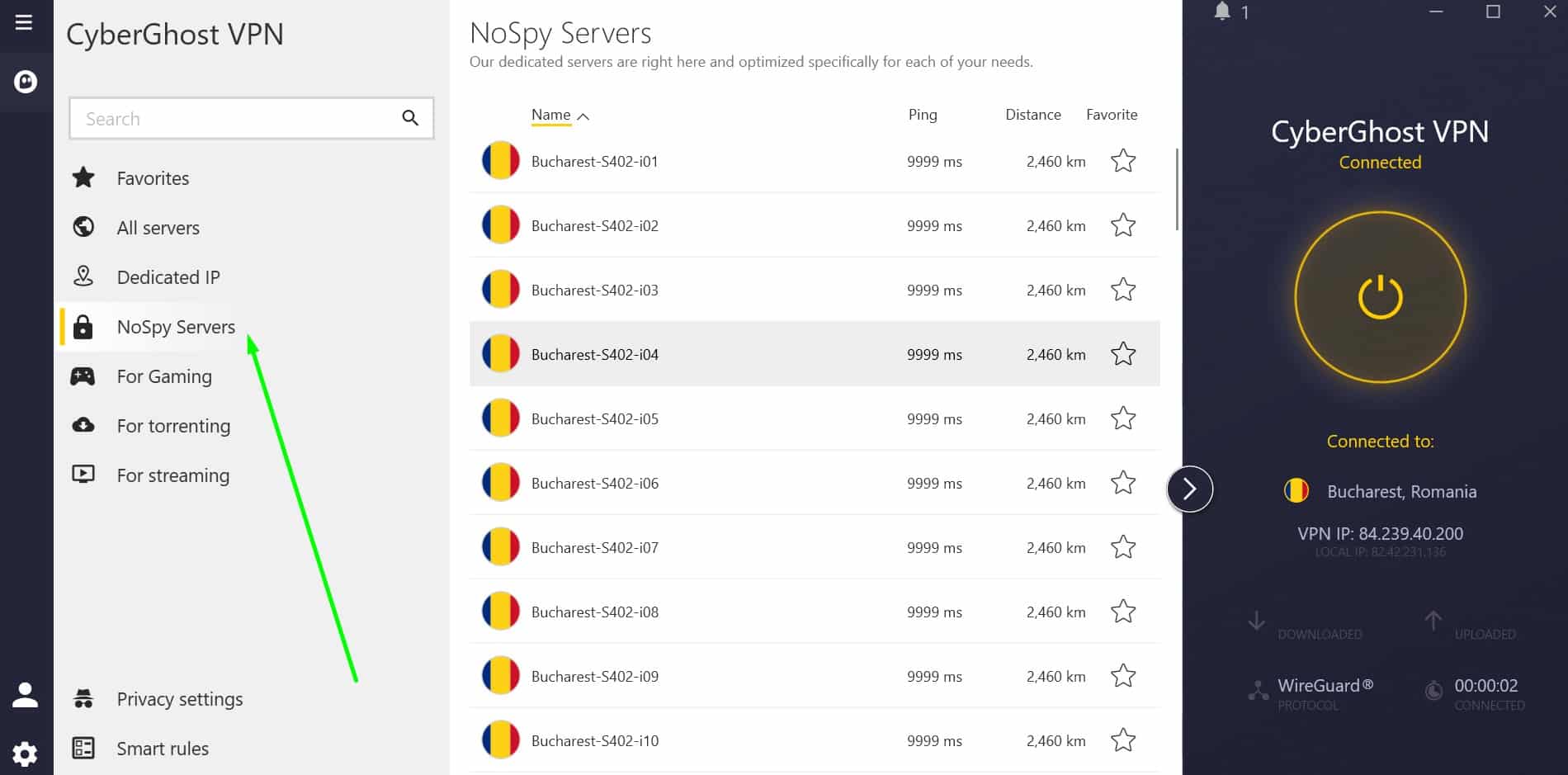
I decided to check the speed of CyberGhost’s US servers in the morning, at noon, and in the afternoon. This service achieved an average speed of 168.24 Mbps with around 6 Mbps of fluctuation, which should be functionally unnoticeable. In other words, using Telegram won’t be a problem. Let’s take a look at the full test results:
Despite its newcomer-friendy design, CyberGhost has a very strong privacy offering. There’s uncrackable ChaCha20 encryption, protection against DNS and IPv6 leaks, and a kill switch that stops you from browsing without encryption after a connection outage. This VPN blocks ads and trackers, includes basic obfuscation, and can connect on its own in certain situations. More importantly, CyberGhost has a strict no-logs policy. Unlike most other VPNs, it’s been professionally audited and publishes transparency reports periodically throughout the year.
CyberGhost has its own Android, iOS, MacOS, Linux, and Windows apps. Its website also offers manual setup instructions for routers.
Buy this VPN if:
- You want NoSpy servers for maximum privacy when using Telegram
- You’d prefer an app with pre-configured profiles for easy Telegram access
- You want a massive server network to find low-latency connections easily
Don’t buy this VPN if:
- You need a VPN that works in China
- You’d rather use a service that has port forwarding functionality
SOLID SECURITY:CyberGhost has a vast network of servers for unblocking Telegram. Ideal for beginners who are looking for a fast, reliable connection and a simple interface. Doesn’t keep logs and is fast enough for 4K streaming. Includes a 45-day money-back guarantee.
Here’s our extensive CyberGhost review.
8. PureVPN

Apps Available:
- PC
- Mac
- IOS
- Android
- Linux
Website: www.PureVPN.com
Money-back guarantee: 31 DAYS
PureVPN
7.6Scores calculated algorithmically.
| Ease of Use | 9.1 |
|---|---|
| Network availability | 7.6 |
| Security & Privacy | 8.7 |
| US speed | 6 |
| Value for money | 6.4 |
PureVPN boasts a sleek, clutter-free design and apps that are easy enough for complete beginners to use. Not only that, this provider has over 6,000 servers in 65 countries and even works in places with strict digital censorship, such as China. Users can reliably access tricky streaming platforms like Disney+ and Netflix, even while traveling abroad. You can secure up to 10 devices simultaneously and speak directly with support staff using the 24/7 live chat system.

I wanted to know whether PureVPN is fast enough for everyday activities like torrenting, watching TV, chatting on Telegram, and playing online games. After testing its performance three times, this VPN had an average speed of 141.28 Mbps, meaning you’re unlikely to notice any hiccups or interruptions. Let’s take a look:
PureVPN doesn’t take any chances with your anonymity. Its encryption can’t be cracked and it actually moved to the British Virgin Islands for greater data security. As you might expect, there’s an audited no-logs policy in place, further enhanced by leak protection, a kill switch, and automatic tracker-blocking tools. This service even automatically obfuscates your data, keeping you safe during visits to countries with repressive online censorship.
PureVPN has apps for Android, iOS, MacOS, Windows, and Linux. It can also be manually installed on most home routers (follow the website’s setup guide for instructions).
Buy this VPN if:
- You need automatic obfuscation to access Telegram in China, Iran, or UAE
- You’d prefer strong jurisdictional privacy (PureVPN is based in the BVI)
- You want a VPN with independent audits proving its no-log status
Don’t buy this VPN if:
- You require a kill switch on macOS or iOS
- You expect high-end speeds—while decent, it’s not as fast as others
BEAT RESTRICTIONS:PureVPN can help you bypass country-wide censorship and use region-locked platforms from anywhere. Not only that, it’s quick, security-conscious, and novice-friendly. All plans come with a 30-day money-back guarantee.
Read our full review of PureVPN to learn more.
9. PrivateVPN

Apps Available:
- PC
- Mac
- IOS
- Android
- Linux
Website: www.PrivateVPN.com
Money-back guarantee: 30 DAYS
PrivateVPN
6.2Scores calculated algorithmically.
| Ease of Use | 8.2 |
|---|---|
| Network availability | 6.7 |
| Security & Privacy | 8.6 |
| US speed | 1 |
| Value for money | 6.5 |
PrivateVPN is a smaller provider, operating roughly 200 servers in 60+ countries. Despite this, it remains one of the best options for bypassing country-wide censorship, working flawlessly in places like China. It’s a great choice for streaming too, effortlessly unblocking Prime Video, BBC iPlayer, and Disney+, services that stump most other providers. Users can connect 10 devices at the same time and chat with staff via the 24/7 live chat system.

This provider has never been the fastest on the market but it does usually provide reasonably-high speeds. Following multiple tests at different times of day, PrivateVPN’s American servers had an average speed of 58.26 Mbps. Streaming 4K video only requires around 15 Mbps, so you should be able to accomplish just about any task with no noticeable interruptions. Here are the full results:
No surprises here: PrivateVPN is strong on privacy. It uses uncrackable AES encryption, as well as an app-specific kill switch and DNS leak protection, ensuring your browsing habits are kept hidden. This VPN also boasts a stealth mode capable of sidestepping virtually any online restriction, and can allow certain apps to pass through without being encrypted if you’d like. PrivateVPN follows a strict no-logs policy though I’d like if it were professionally audited to prove it.
Buy this VPN if:
- You prefer a no-logs VPN based in Sweden, ensuring high privacy standards.
- You’re hoping for a security-conscious VPN that works anywhere
- You need a VPN with high-speed performance despite a smaller network
Don’t buy this VPN if:
- You need 24/7 live chat, support hours are limited.
- You require a large server network (PrivateVPN only has about 200 servers)
HIGHLY VERSATILE:PrivateVPN is a strong all-rounder offering a blend of speed, unblocking ability, and security. No need to worry about oppressive digital surveillance thanks to its stealth mode. All plans come with a 30-day money-back guarantee.
Here’s our review of PrivateVPN.
Recent VPN Product Updates
Our VPN review accuracy depends on monitoring the latest provider innovations. Here are the newest updates:
NordVPN
- NordVPN rolled out AI-based “Fastest server” selection on Windows, shifting away from distance-only recommendations (December 2025)
- Threat Protection Pro™ began scanning email links in Gmail and Yahoo to identify potentially dangerous URLs (December 2025)
- The Linux app has transitioned to full open-source status, making the platform more transparent (October 2025)
- Timezone spoofing has been added to NordVPN’s browser extensions to enhance privacy (October 2025)
Surfshark
- Surfshark rolled out an AI-based email scam checker as part of its One and One+ offerings (December 2025)
- Linux desktop users now have access to Dedicated IP support (December 2025)
- New 100Gbps servers in Amsterdam dramatically boost Surfshark’s speed potential (October 2025)
- A new online content blocker helps shield young users from harmful material (October 2025)
Total VPN
- Apple TV integration completed through tvOS application development
- Android dependability reinforced via “always on” killswitch mechanism
- iOS and macOS automation enhanced through “connect on demand” functionality
Proton VPN
- Support for iOS 16 and iPadOS 16 was dropped, meaning users must upgrade their operating system to continue receiving updates (January 2026)
- A tvOS update (v1.4.0) introduced city-level server selection (December 2025)
- iOS server lists were reorganised to sort by load rather than alphabetically (December 2025)
- New locations added include Panama, Armenia, Mongolia, Guatemala, and Cuba (October 2025)
ExpressVPN
- Router firmware v4.2.8 delivered Lightway performance improvements (December 2025)
- Linux app enhancements included visual upgrades, faster navigation, and server Favorites (November 2025)
- ExpressVPN updated its iPad app with a cleaner, tablet-optimized design (October 2025)
- Introduced tiered subscription plans at $3.49, $4.49, and $7.49 to cater to different needs (September 2025)
Using a free VPN to access Telegram
Your first priority when trying to access Telegram should be making sure your data is properly secured. Remember: most countries where this service is blocked have repressive state censorship and surveillance so you can’t afford to take any risks.
Unfortunately, free VPN services tend to have poor (or nonexistent) encryption and pitiful speeds. The fact that they’re free should be a dead giveaway; these services aren’t charities and are definitely in the business of making money. Many of them have been caught inserting tracking cookies in order to mine their users’ data and sell it to third-party advertisers.
If you opt for a free VPN, you’re unlikely to receive a premium experience. Expect frequent disconnections and lingering concerns that your digital footprint is being monitored. For peace of mind, I suggest using a paid, reputable VPN.
How to unblock Telegram with a VPN
Although Telegram is blocked in certain countries, it is fairly simple to regain access with a VPN. Follow the simple steps below to set up a VPN for Telegram on any PC, Windows, Android, or iOS device.
Here’s how to change the download location and unblock Telegram with a VPN:
- Sign up with a VPN for Telegram. I particularly recommend NordVPN.
- Download and install the VPN app or browser extension for your device.
- Open the VPN app or browser extension and connect to a server in your home country (or any country in which Telegram is not blocked). This will provide you with a new IP address.
- Download the Telegram App for your device.
- Log in to Telegram, and you should now be able to send and receive messages! If you’re still encountering restrictions, try clearing your browser’s cookies and reloading the page.
If you’re having difficulty changing your Google Play region (or any other app store), you can also sideload the Telegram .APK file directly.
VPNs for Telegram: FAQs
Which countries have banned Telegram?
Telegram allows users to communicate privately by hiding their messages using end to end encryption. Coincidentially, all of the countries that have fully banned this service (as well as similarly privacy-friendly messaging apps like Signal) have histories of internet censorship, authoritarian governments, and harsh punishments for dissent. Below, we’ll reveal which countries block Telegram and why:
- China: Has blocked Telegram since 2015 claiming human rights lawyers use it to criticize the Chinese Communist Party.
- Iran: Banned Telegram in 2018 after activists used it to coordinate protests. Had a custom, state-backed version for a while but now that’s gone too.
- Nepal: Officially blocked Telegram in July 2025 claiming it was used to faciliate online fraud and money laundering
- Somalia: Telegram is banned, with the government claiming terrorist groups were using it to recruit and spread misinformation
- Thailand: Banned in 2020 in a bid to prevent activists from communicating and stop a wave of pro-democracy political pressure
- Vietnam: Began blocking Telegram in May 2025, saying that the service is used for money laundering, drug trafficking, and other illegal purposes
Additionally, there are several countries which have either blocked Telegram entirely, restricted access during periods of political turmoil, or don’t allow state officials to use it. These include:
- Azerbaijan: Blocked as part of a larger social media ban in 2020. Can now be accessed as normal
- Bahrain: Used to be banned but is now fully accessible
- Belarus: Legal, but users face jail time if they join any of a published list of “extremist” or “anti-government” channels
- Brazil: Temporarily ban in 2023, now freely accessible
- Czechia: Available, but lots of Russian propaganda channel are blocked
- France: Banned, but only for government ministers and staff
- Germany: Telegram legal but dozens of hate speech channels blocked
- Hong Kong: Chinese government has previously coordinated DDoS attacks to prevent pro-democracy protests. Technically legal but likely to be banned in the near future.
- India: Some ISPs blocked Telegram in 2019, generally accessible now
- Indonesia: Fully available, though was blocked briefly in 2017.
- Iraq: Telegram blocked for a week back in 2023. Now fully accessible.
- Norway: Legal, just not allowed on state-issued devices
- Poland: Telegram available but Russian propaganda channels are banned
- Russia: Sporadic blocking but generally available
- Spain: Previously restricted, now fully available
- Ukraine: Legal, just not allowed on state-issued devices
Why is Telegram blocked in some countries?
Generally, there are three main reasons countries block access to Telegram.
The first of these is so that your citizens can’t communicate privately. China is a great example here, since it blocks any end-to-end encrypted messaging service including Telegram, Signal, and WhatsApp.
Next, we have people who worry about Telegram’s privacy focus making it easier for people to commit serious crimes. German users, for instance, have access to the Telegram app but won’t be able to access hate speech channels.
Finally, there are governments who just don’t want their confidential information to be leaked to opposing nations. That’s why countries like France don’t allow their politicans to install Telegram on state-issued devices, though there’s no law stopping anyone else from using it (or banning politicians from using Telegram on personal devices).
Is Telegram safe?
Telegram is relatively secure, although it’s debatable as to whether it protects your privacy better than Signal. While Telegram offers end-to-end encryption, it’s important to note that this needs to be switched on in the app’s settings. However, one advantage of Telegram is that you can set messages to self-destruct after a set period of time.
Is it legal to use a VPN with Telegram?
First off, VPNs are legal just about everywhere in the world. That said, some countries (such as China and Russia) place restrictions on the exact providers you’re allowed to use.
Telegram, on the other hand, is restricted in several places, including Pakistan and China. So how do you know if you’re in a country with limitations like these? Well if you can access Telegram’s website and the website of your VPN provider, it’s likely legal to use these services where you are.
Disclaimer: Although Comparitech has spent hours researching this topic, nothing above should be taken as legal advice. Comparitech encourages you to consult local laws or perhaps even seek a professional’s opinion before attempting to use a VPN if you’re not completely sure that doing so is legal in your country.
Is Telegram better than other messaging apps?
While Telegram is one of the most popular messaging apps, it’s not necessarily better than the likes of Signal or WhatsApp. Indeed, it really depends on what’s being measured. Take security, for example. Signal collects the least data, while WhatsApp collects the most. However, while Signal and WhatsApp offer end-to-end decryption by default, Telegram’s need to be activated via the app’s settings. So, all of these messaging apps have their own pros and cons.




Hi I need VPN for Windows phone 8.1 please help me thanks
we’ve got a separate article for Windows 8 VPNs https://www.comparitech.com/blog/vpn-privacy/best-vpn-for-windows-7-8-and-10/
Is the government able to detect the use of a VPN? If so, how do they ban Telegram and not VPN services? Seems rather weird to me.
The gov’t enlists ISPs to look for data headed to known Telegram servers. Unlike Telegram’s servers, VPN servers are not so obvious, and the VPN provider can change their IP addresses at will if they do get blocked. A government could block VPN servers (like China frequently does), but it’s a lot more work.