

Unlocking the full power of pfSense as an open-source firewall and router solution requires more than just understanding; it demands in-depth knowledge tailored to individual user needs, be they home users, businesses, or large enterprises. Our research and exhaustive testing have cemented our experience in leveraging pfSense’s seamless scalability. This extends to its versatile add-ons and user-friendly interfaces to construct tailored, fortified routers with back-up configuration files and consistent updates.
Navigating through the security solutions pfSense offers, a VPN (Virtual Private Network), emerges as paramount. A VPN is an unbreakable encryption shield for traffic flowing to and from connected devices. This renders data impenetrable to ISPs, governments, and malicious entities, ensuring unrivaled privacy and security. It also reroutes your traffic, bypassing geo-restrictions and censorship. This grants you access to websites otherwise inaccessible due to location constraints.
We’ll walk you through how to set up a VPN with pfSense but first here’s a quick roundup of the best VPNs for pfSense. We’ll cover each in more detail later in the article.
Best pfSense VPNs:
- NordVPN: Our top recommendation for pfSense. A great pick for users on a budget, NordVPN has a ton of servers to choose from and comes with security extras such as double-hop VPN. Comes with a 30-day money-back guarantee.
TIP In our testing we found that the cheapest NordVPN plan (Standard) works perfectly. - Surfshark: The best low-cost VPN for pfSense. A secure and private service that doesn’t limit connections. 24/7 support and exceptional unblocking ability.
- IPVanish: Very fast servers available in 100+ countries and plenty of security and privacy options. Great for accessing geo-restricted streaming platforms.
- ExpressVPN: This fast, secure VPN comes with an easy-to-follow guide for pfSense setup. Custom router firmware, strong security, and a no-logs policy.
- PureVPN: This VPN is fast and secure and has a great selection of server locations. Very easy to use, with first-class unblocking capabilities.
- HideMyAss: A huge network and strong security features make this a worthy contender.
- Private Internet Access: Servers in 90+ countries. Good speeds and strong security with encryption. Lets you connect as many devices as you like.
Many VPNs claim to work with streaming services but most (especially free VPNs) are often blocked.
We regularly test the top 70 VPNs with all major streaming sites and this list only includes VPNs which reliably unblock streaming services and offer a full money-back guarantee, allowing you to try them risk-free.
WANT TO TRY THE TOP VPN RISK FREE?
NordVPN is offering a fully-featured risk-free 30-day trial if you sign up at this page. You can use the VPN rated #1 for pfSense with no restrictions for a month—great if you want to binge your favorite shows.
There are no hidden terms—just contact support within 30 days if you decide NordVPN isn't right for you and you'll get a full refund. Start your NordVPN trial here.
How to set up a pfSense VPN
The exact pfSense VPN setup will vary slightly depending on which provider you choose to go with. You can find links for tutorials for our recommended providers below, but here are the general steps for how to set up a VPN with pfSense. (Note that this installation process assumes you have already installed your pfSense software and configured it for basic routing.)
How to set up a VPN with pfSense:
- Select a VPN provider from the list above and subscribe. We recommend NordVPN.
- Log in to your VPN provider’s website and download the VPN configuration files for your desired server location.
- Log in to your pfSense dashboard and go to System > Cert. Manager.
- Under CAs, select Add to add a new certificate authority (CA).
- Name the CA (for example, the name of your VPN provider) and select Import an existing Certificate Authority from the Method dropdown.
- For the Certificate data field, copy the <ca> section from your configuration files. Note that this and other sections of the configuration files may be labeled differently depending on your VPN.
- Click Save.
- Go to the Certificates tab and hit Add to add a new certificate.
- Name the certificate and select Import an existing Certificate from the Method dropdown.
- For the Certificate data field, copy the <cert> section from your configuration files.
- For the Private key data field, copy the <key> section from your configuration files.
- Click Save.
- Now that you have your certificate installed, you need to add your VPN client. Go to VPN > OpenVPN > Clients, and select Add.
- The following information needs to be added and can be found for your chosen VPN in the setup guides below:
- General Information
- User Authentication Settings
- Cryptographic Settings
- Tunnel Settings
- Advanced Configuration (where applicable)
- Once you have entered and saved these settings, you’ll want to confirm that you’ve successfully connected OpenVPN. Go to Status > OpenVPN. In the Client Instance Statistics section, under Status, the word up tells you that the connection was successful.
Individual VPN setup guides for pfSense:
- NordVPN: pfSense
- Surfshark: How to set up pfSense 2.4.4 with Surfshark
- ExpressVPN: How to set up pfSense with ExpressVPN (OpenVPN)
- PureVPN: PureVPN’s OpenVPN Setup Guide for pfSense (2.4.2)
Best VPNs for pfSense – Our hands-on review
We’ve tested and compared the most important features for the top VPNs here. Prefer to read the in-depth reviews? Start with NordVPN – our #1 choice for pfSense.
| No value | NordVPN | Surfshark | IPVanish | ExpressVPN | PureVPN | Hide My Ass VPN | Private Internet Access |
| Website | NordVPN.com | Surfshark.com | IPVanish.com | ExpressVPN.com | PureVPN.com | HideMyAss.com | PrivateInternetAccess.com | Ranking for pfSense | 1 | 2 | 3 | 4 | 5 | 6 | 7 | OpenVPN data encryption | 256-bit AES | 256-bit AES | 256-bit AES | 256-bit AES | 256-bit AES | 256-bit AES | 256-bit AES | Activity logs | No identifying data | Devices Supported | Windows, MacOS, iOS, Android, Linux | Windows, MacOS, iOS, Android, Linux, Amazon Fire TV, Apple TV | Windows, MacOS, iOS, Android | Windows, MacOS, iOS, Android, Linux, Smart TVs, Routers | Windows, MacOS, iOS, Android, Smart TVs, Chromebook, Routers | Windows, MacOS, iOS, Android, Android tv, Apple TV, Linux | Windows, MacOS, iOS, Android, Linux | Total number of servers | 8,900 | 4,500+ | 3,200+ | Undisclosed | 6,000+ | 3,400+ | 1,000+ |
|---|---|---|---|---|---|---|---|
| Best deal (per month) | $3.09 Up to 76% off 2 year plans + 3 months free | $1.99 Up to 87% OFF + 3 months free | $12.99 Best MONTHLY Deal $12.99 | $2.49 SAVE 80% + 4 months free on 2 year basic plan | $1.99 Up to 87% off on 5 year plans | $2.99 Get 75% off the 36 month plan | $1.33 SAVE 89% on the 2 yr plan + 2 months free |
Best VPNs for pfSense
While pfSense is ideal for use with VPNs, not all VPNs will work with the platform. Below are the criteria we used to determine this list of the best pfSense VPN:
- Provides pfSense VPN setup tutorials
- Has a selection of strong security features
- Doesn’t keep logs of user activity
- Provides fast, reliable connections
- Offers prompt and knowledgeable customer support
From our real-world experience, here’s our more detailed rundown of the best VPNs for pfSense:
1. NordVPN

Apps Available:
- PC
- Mac
- IOS
- Android
- Linux
- FireTV
Website: www.NordVPN.com
Money-back guarantee: 30 DAYS
NordVPN is our top pick for a pfSense VPN. Its network dwarfs that of most others on the market, with 8,000 servers spread across 120 countries. Users can find pfSense setup instructions in NordVPN’s knowledge base or just ask support staff for help; they’re available 24 hours per day via live chat. This VPN is adept at bypassing geo-restrictions, making it ideal for streaming or evading digital censorship.

This provider keeps you safe using 256-bit AES encryption on the OpenVPN protocol. There’s also perfect forward secrecy, a kill switch, DNS and IPv6 leak protection, and multi-hop servers that encrypt your data twice. NordVPN refuses to keep any logs of your activities and has a custom protocol designed to obfuscate your traffic so you can browse safely in countries like China.
Native apps can be downloaded for Linux, MacOS, Windows, Android, and iOS, and you get a 10-connection limit under each plan. A router only counts as one connection. Support is available 24/7.
Buy this VPN if:
- You’d like a reputable, secure, no-logs VPN
- You want a blazing fast service with a large network
- You’re an experienced user looking for fine-grained control
- You’d like to be able to access almost any region-locked site
Don’t buy this VPN if:
- You want servers that connect as quickly as possible
Our score:
BEST PFSENSE VPN:NordVPN is our first choice. It offers around-the-clock support for help with setup and provides a highly secure connection. Includes a risk-free 30-day money-back guarantee.
See our in-depth review of NordVPN.
2. Surfshark

Apps Available:
- PC
- Mac
- IOS
- Android
- Linux
Website: www.Surfshark.com
Money-back guarantee: 30 DAYS
Surfshark is our budget choice for pfSense. While it’s a low-cost service, it refuses to skimp on functionality. It has over 3,200 servers in around 100+ countries and offers fast speeds for streaming, downloading, and more. The pfSense guide is easy to navigate, and the customer support team is always on hand to help. If you like streaming, you’re in luck, as Surfshark is adept at accessing a range of platforms, including BBC iPlayer, Netflix, and Amazon Prime Video. It also allows P2P and works in countries where VPNs are blocked, such as China.

Surfshark scores high on privacy and security too. It keeps no logs at all and protects connections with 256-bit encryption and perfect forward secrecy. Other security features include a kill switch, protection against DNS, WebRTC, and IPv6 leaks, automatic wifi protection, multi-hop VPN, and split tunneling. Just recently, it introduced a content filtering tool capable of blocking profanity, adult sites, and more.
Desktop clients are available for Windows, Linux, and macOS, and mobile apps can be installed on iOS and Android devices. Naturally, Surfshark’s website provides manual setup instructions for routers too, though a big perk of this VPN is there’s no limit to the number of devices you can connect at a time.
Buy this VPN if:
- You want a budget VPN with no connection limits
- You need a service capable of accessing stubborn geo-blocked sites
- You’re in the market for a privacy-first VPN
- You want to be able to speak to support staff, day or night
Don’t buy this VPN if:
- You’re wary of VPNs based in the US (a Five Eyes country)
Our score:
BEST BUDGET PFSENSE VPN:Surfshark is a solid low-cost VPN. It’s fast, reliable, secure, and great at unblocking. Can secure every device you own and comes with a 30-day money-back guarantee.
Read our full Surfshark review.
3. IPVanish

Apps Available:
- PC
- Mac
- IOS
- Android
- Linux
Website: www.IPVanish.com
Money-back guarantee: 30 DAYS
IPVanish owns all 3,200 of its servers outright, meaning your data never passes through infrastructure owned by another company. It’s one of the quicker providers we’ve tested and can reliably access a huge range of geo-blocked platforms including Amazon Prime Video, BBC iPlayer, and Disney Plus. What’s more, IPVanish has no connection limit and offers support via 24/7 live chat.

Its features include a kill switch, DNS and IPv6 leak protection, split tunneling functionality, and an auto-connect feature for untrusted networks. IPVanish uses the lightweight WireGuard protocol by default, but OpenVPN and IKEv2 are also available. If you’re trying to evade VPN blocks, you can enable the Scramble function, which will obfuscate your traffic. This VPN can also block ads and trackers, plus it has a tool that checks if links are safe to click or not. IPVanish has a strict no-logs policy that’s been independently audited.
Apps are rich in detail, and include real-time visualizations of the amount of data uploaded and downloaded, together with the ping time and load for individual servers.
IPVanish has two tiers: Essential, which only includes the VPN, and Advanced, which costs around a dollar more each month and comes with the VPN, a cloud-based browser, and a terabyte of secure online file storage.
Supported platforms include Windows, macOS, iOS, Android, and FireTV, though there are also manual configuration instructions for routers.
Buy this VPN if:
- You’d prefer a VPN with no logs and no connection limit
- You’re looking for a service with strong security and streaming abilities
- You need an affordable yet versatile provider
Don’t buy this VPN if:
- You want a VPN that works in places with extreme censorship
Our score:
STRONG ENCRYPTION:IPVanish is a private and secure provider with impressively fast connection speeds. It has servers in 100+ countries and annual subscriptions come with a 30-day money-back guarantee.
Read our full IPVanish review.
4. ExpressVPN

Apps Available:
- PC
- Mac
- IOS
- Android
- Linux
Website: www.ExpressVPN.com
Money-back guarantee: 30 DAYS
ExpressVPN is a well-respected provider with consistently high speeds and RAM-only servers in 105 countries. Not only that, it provides a detailed and easy-to-follow setup guide for pfSense, and customer support is available via live chat at all times just in case you need any help. ExpressVPN is great at unblocking geo-restricted media, allows torrenting, and works in China.

This VPN pays close attention to your security, shielding your activities using quantum-resistant encryption, a built-in kill switch, and protection against DNS, Ipv6, and WebRTC leaks. Better still, ExpressVPN has been repeatedly audited, proving time and time again that it doesn’t keep identifiable logs of your activities. It’s even capable of blocking trackers, malware, and shady websites automatically.
ExpressVPN recently switched to a tiered pricing system. This means that its annual and two-year plans are now more affordable than ever before. You can connect between 10 and 14 devices, depending on which plan you choose.
If you’re looking to set up the VPN on additional devices, apps are available for Linux, Windows, MacOS, iOS, and Android. There’s also custom firmware for routers (which, as a reminder, only count as a single connection).
Buy this VPN if:
- You want a VPN designed to be used on routers
- You’re looking for a service that takes your privacy seriously
- You need a quick VPN with an expansive network
Don’t buy this VPN if:
- You just want the cheapest VPN around
Our score:
SOLID ALL-ROUNDER:ExpressVPN is a great option for pfSense. It’s fast, secure, and reliable, and provides excellent customer support. A 30-day money-back guarantee is included.
Read our full ExpressVPN review.
5. PureVPN

Apps Available:
- PC
- Mac
- IOS
- Android
- Linux
Website: www.PureVPN.com
Money-back guarantee: 31 DAYS
PureVPN may have a bit of a checkered privacy past but it has worked hard on repairing its reputation and is now considered a privacy-focused VPN service. It helps users setup the VPN with pfSense by way of a detailed guide. This network has plenty of server options with over 6,000 servers in more than 65 countries, although some locations rely on virtual servers. PureVPN provides decent speeds and is suitable for streaming and torrenting.

PureVPN clearly takes your privacy seriously. Not only does it use unbreakable AES-256 encryption, this is backed up by DNS and IPv6 leak protection, a kill switch, and a true no-logs policy. This VPN doesn’t keep logs and offers both split tunneling and port forwarding functionality, making it perfect for anyone who needs fine-grained control over advanced features.
PureVPN has apps for Windows, MacOS, Android, and iOS, and the VPN can be manually configured with Linux. It allows 10 simultaneous connections. For help with setup and troubleshooting, you can contact the support team at any time via a live-chat function.
Buy this VPN if:
- You’re looking for an easy to use yet highly secure VPN
- You demand high speeds and strong streaming ability
- You need a VPN capable of port forwarding
Don’t buy this VPN if:
- You want to connect to servers in less commonly-supported locations
Our score:
FAST AND SECURE:PureVPN is speedy and secure, with thousands of reliable servers and apps that are easy enough for total beginners to use. All plans come with a 31-day money-back guarantee.
Check out our full PureVPN review.
6. HideMyAss!

Apps Available:
- PC
- Mac
- IOS
- Android
- Linux
Website: www.HideMyAss.com
Money-back guarantee: 30 DAYS
HideMyAss! (HMA) has a lot going for it in terms of performance. It’s very fast and operates a broad network of over 3,400 servers spanning more than 100 countries. A pfSense setup guide is provided on the HMA website, although based on some forum responses, the company isn’t prepared to provide advanced setup support.
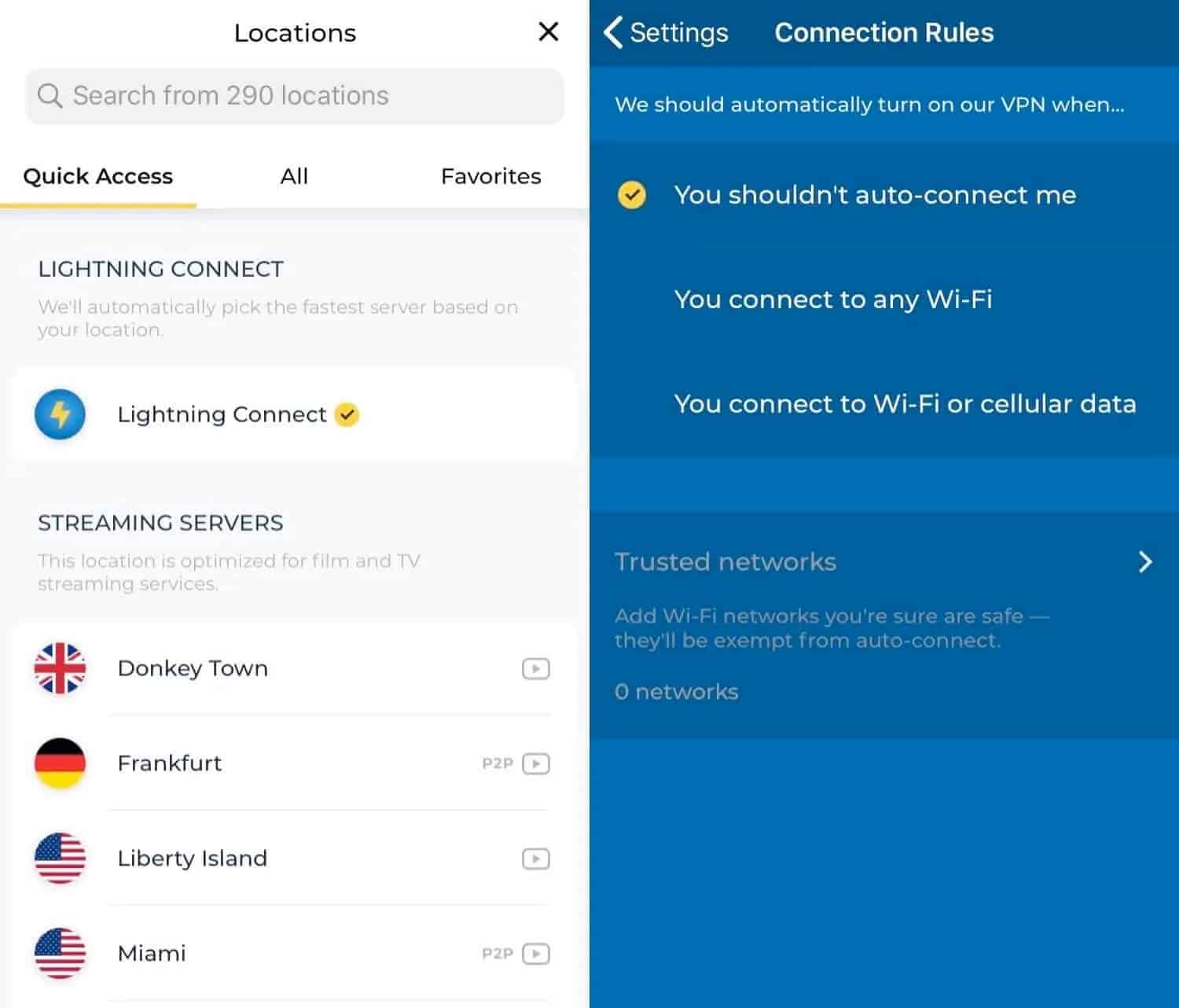
Built-in security features include 256-bit AES encryption, a kill switch (in all apps except Windows), perfect forward secrecy, and protection against some leaks. One thing that will be a turnoff for some users is HMA’s logging policy. The company maintains some pretty thorough connection metadata logs, including real user IP address, VPN server IP address, and timestamps. As such, it’s not the best option for more privacy-conscious users.
Up to five devices can be connected to the VPN at a given time under each plan. Native apps are available for Windows, MacOS, iOS, and Android, plus you can manually configure HMA with Linux systems and routers.
Buy this VPN if:
- You want a superfast service with a large network
- You’d like to use one of the cheapest providers around
- You just want a simple, pfSense-compatible VPN for everyday usage
Don’t buy this VPN if:
- You’re uncomfortable with the logs it keeps
- You want comprehensive pfSense setup instructions
Our score:
LOTS OF LOCATIONS:HideMyAss has a large network and works well with pfSense. Its speeds are fast enough for uninterrupted torrenting, streaming, and gaming. HMA offers a 30-day money-back guarantee.
Read our in-depth review of HMA.
7. Private Internet Access

Apps Available:
- PC
- Mac
- IOS
- Android
- Linux
- FireTV
Website: www.PrivateInternetAccess.com
Money-back guarantee: 30 DAYS
Private Internet Access is a versatile and well-respected service with a network spanning 90+ countries. This VPN is more than happy for you to connect every device you own at the same time and its high speeds making it ideal for bandwidth-intensive activities such as streaming Netflix US, torrenting, or online gaming. PIA also has 24/7 customer support, just in case.

Note that this VPN provides a tutorial to make it easier for you to set up with pfSense. Security comes in the form of 256-bit AES encryption, a kill switch, and protection from DNS leaks. There’s also split tunneling support, automatic tracker-blocking, and a stealth protocol. Finally, PIA doesn’t keep any logs. This means that information such as your IP address and browsing data is anonymous.
With your Private Internet Access subscription, you’ll have access to apps for Windows, Mac, Android, iOS, Linux, and Amazon Fire TV. Browser extensions can be downloaded for Chrome and Firefox but routers must be configured manually.
Buy this VPN if:
- You want a speedy, customizable VPN with a no-logs policy
- You’d like to be able to access popular streaming platforms while connected
- You need 24/7 access to customer support
Don’t buy this VPN if:
- You need a service that works in high-censorship countries
- You’re looking for something novice-friendly
Our score:
SECURE EVERY DEVICE:Private Internet Access has a pfSense tutorial and offers good speeds as well as servers in 90+ countries. Secure service with encryption and can be used on all of your devices simultaneously. Includes a 30-day money-back guarantee.
Read our full Private Internet Access review.
Our methodology: How we found the best VPNs for pfSense
Hundreds of Virtual Private Networks are on the market, and their quality can vary substantially. Some features are more important than others, particularly when accessing the internet with pfSense. Below, we outline our methodology for finding the top VPNs for pfSense:
- Speed: Arguably, fast server speeds are the most critical factor in using pfSense. Any VPN worth its salt will also offer unlimited bandwidth. As a result, you won’t have to contend with annoying performance issues, be it lag or buffering.
- Server locations: All VPNs listed in this post have servers in dozens of countries for easy unblocking for VPNs with pfSense.
- Unblocking: Speaking of unblocking, just because a VPN has a server in a particular country doesn’t guarantee it will work with a specific service. Some VPNs struggle to bypass restrictions. Fortunately, the top VPNs for pfSense have thousands of IP addresses for consistently unblocking content.
- Security: There are all kinds of security threats to be found online, be it from DDoS attacks, phishing attempts, or viruses. A VPN provides a layer of security by encrypting your data. The top VPNs for pfSense take this a step further by providing DNS leak protection. Indeed, some even include Double VPN servers.
- Privacy: If you don’t want your ISP and possibly even the government knowing everything you do online, you’ll need to use a no-logs VPN. We’ve analyzed 140 VPN logging policies to find those that allow you to stay anonymous online. Sometimes, you can even pay for a VPN subscription in cryptocurrency (Bitcoin).
- Ease of use: Sometimes, the difference between a good VPN and an excellent VPN is its apps. We’ve been able to compare dozens of VPNs and have selected those that have beginner-friendly apps. Aside from being quick and easy to navigate, the top VPNs for pfSense also provide 24-hour support via live chat and email.
- Value for money: Any VPN offering all of the above may be too expensive. However, in the case of the VPNs listed, you’ll find value-for-money subscription options and a risk-free money-back guarantee of at least 30 days. You can also save even more when you use our VPN discount coupons!
While a VPN may claim to offer the above, we test it for ourselves to find out the truth. Our VPN testing methodology involves examining areas such as server speed and strength of security. This is all designed to provide you with accurate and current information.
Other VPNs that work with pfSense
Although these VPNs don’t provide pfSense tutorials on their websites, there are tutorials provided by users who’ve had success with setup:
You may find that other VPNs work when you follow the same general steps.
What are the benefits of pfSense?
Alone, pfSense offers lots of benefits to users. This open-source security platform is scalable and versatile, enabling you to build a customized router. Some of its standout features include:
- The availability of add-ons such as cloud security options.
- Backup configuration files that enable you to keep a backup of your router, so you can restore your custom build should anything go wrong.
- An option to configure specific routing of traffic patterns (split tunneling)
- The ability to create subnets, for example, a guest and private network.
- An easy-to-use rules configuration interface that’s far less clunky than those for many other routers.
- Active updates to help mitigate the threat of hacking attempts.
Why use a VPN with pfSense?
So what can a VPN add to all of this? A VPN complements the pfSense software by making your data even more secure. Even though pfSense is updated regularly (most router software isn’t), routers are big targets for hackers, so the threat remains. A VPN encrypts all of the traffic going to and from the router. This means that even if a hacker manages to intercept your data, it will be unreadable. Many VPNs have additional built-in security functionality, such as leak protection and an anti-malware feature. The nature of a VPN also helps protect against DDoS attacks.
A VPN can also help you bypass restrictions to access content that would otherwise be blocked. When you connect to a VPN server, your traffic is routed through that server before reaching your destination website. Since you can choose which country your VPN server is in, you can make it appear that you’re somewhere else. As a result, you can unblock geo-restricted streaming platforms and gaming sites, as well as access any content that is censored in your country.
Another bonus of encrypting traffic and routing it through a secondary server is that anyone monitoring your activity, such as your internet service provider or government agency, can no longer see where it’s going. This prevents them from tracking things like which sites you visit and what files you download.
Don’t want all of your traffic to go through the VPN? That’s not an issue, as pfSense’s split tunneling feature allows you to decide which devices connect via the VPN.
Can I use a free VPN with pfSense?
Probably not. Most free VPNs are limited in their capabilities and wouldn’t be well-suited for use with pfSense for a host of reasons. While free VPNs usually offer native apps for several operating systems, they likely won’t provide support for more complex setups such as routers.
Even if you do manage to configure the VPN with pfSense, there are more practical issues to overcome. These services typically run a small number of servers with lots of users trying to access them. This leads to long wait times and laggy connections, making for a frustrating experience.
Perhaps the worst part about free VPNs is their subpar security and privacy reputation. Many have been found to use weak encryption or none at all, and some even carry malware. Others monitor your online activity so they can sell your profile to third-party advertisers. None of this is good news when you’re trying to make your home or business network more secure.
Investing a few dollars per month in a reputable pfSense VPN is clearly the better option.
Can a VPN protect the pfSense router
Yes, a VPN can significantly bolster the security of your pfSense router by encrypting the traffic that traverses it. This robust encryption ensures your data remains confidential, shielding it from prying eyes such as ISPs, governments, or malicious entities. By using a VPN, you’re taking a proactive step towards securing your online activities, empowering you with control over your digital privacy.
Moreover, the convenience and flexibility of running a VPN server on your pfSense router cannot be overstated. It allows for secure remote access to your home network, enabling you to utilize your home internet connection from anywhere. This feature also facilitates the management of firewall rules within pfSense, especially when running multiple tunnels with different policies. This makes your home network management more efficient and hassle-free. Cool right?
Can I install a VPN directly onto a pfSense router?
Yes, it’s possible to install a VPN onto a router running pfSense! However, you’ll first have to make sure that your VPN provider actually supports manual configuration, since you’ll need a few specific files to set up your encrypted OpenVPN connection.
The next step is to look on your VPN’s website for router setup instructions. Now, this is a fairly involved process, and the exact steps are different for each type of router firmware. The good news is that support staff will be happy to help if you run into problems, and most of the providers in this list offer 24/7 assistance over live chat.
