

NordVPN allows you to torrent as much as you like, provided you’re not breaking any laws. In fact, many users choose this provider because it openly supports P2P file-sharing and even offers servers specially optimized for this task. This, combined with strong DNS leak protection and a proven no-logs policy, makes it a strong choice for torrenting safely.
In this guide, I’ll explain how to use NordVPN for torrenting securely. I’ll show you how to install NordVPN, configure your connection, and make sure your traffic is properly secured. I also wanted to answer the following questions:
- Will NordVPN protect your privacy when torrenting?
- Is NordVPN fast enough for torrenting?
- Are there alternative VPNs you should consider?
I’ll begin with a short guide explaining how NordVPN users can start torrenting safely as quickly as possible. Just follow these steps, and you’ll be using P2P networks in no time:
How to use NordVPN for torrenting in 5 simple steps
- Sign up for NordVPN if you haven’t already. All plans include a risk-free 30-day money-back guarantee.
- Download and install the NordVPN app that’s compatible with your device, then log in using the email and password created during the registration process.
- Make sure NordVPN’s kill switch and leak protection features are active in the settings menu.
- Connect to one of NordsVPN’s specialized P2P servers. You can generally expect the best performance from one that’s located nearby.
- Use our IP address check tool to verify your real IP address is hidden. This might seem unnecessary, but it’s always best to check before you actually begin torrenting.
- Start downloading!
Does NordVPN support torrenting?
Not every VPN allows torrenting, so you can’t just choose whichever service is cheapest and go about your business. I wanted to highlight NordVPN because not only does it let you torrent across its entire network, it actually offers P2P-optimized servers designed to support this kind of traffic. NordVPN doesn’t impose any bandwidth caps or throttling either, so you’ll never be slowed down, regardless of how much you download.
Below, I’ll explore in more detail why NordVPN is the best VPN for torrenting and other forms of P2P file-sharing based on its server speeds, server options, and logging and privacy policies.
Want to know more? Read the full NordVPN review or check out the video review below.
TIP In our testing we found that the cheapest NordVPN plan (Standard) works perfectly for torrenting.WANT TO TRY NORDVPN FOR 30 DAYS, RISK FREE?
NordVPN is offering a fully-featured risk-free 30-day trial if you sign up at this page. You can use this highly versatile, no-logs VPN without any restrictions for a month. That's plenty of time to try out its torrenting-optimized servers and see what all the fuss is about!
There are no hidden terms—just let support staff know within 30 days if you decide NordVPN isn't right for you, and you'll receive a full refund. Start your NordVPN trial here.
Does NordVPN support port forwarding?
Port forwarding is a fairly uncommon feature offered by some VPNs. It’s important for people who torrent often, since enabling port forwarding allows you to connect to a greater number of peers, increasing the speed and reliability of your downloads. it can also be helpful for hosting multiplayer game servers or accessing your IoT devices while not on your home network.
Unfortunately, NordVPN does not allow port forwarding at the time of writing. Luckily, there are several high-quality VPNs that support port forwarding if this is a non-negotiable for you. I’d recommend trying ProtonVPN, PrivateVPN, or Private Internet Access, though be aware that some providers charge extra for this functionality.
Why use a VPN for torrenting?
Torrenting became popular in the 1990s and early 2000s because it allows users to significantly reduce the time spent downloading files. File downloads are distributed across a large number of peers instead of being sourced directly from a single server. Each file sharer (seed) offers part of the file to download, which ultimately increases how quickly the file is downloaded (torrented). You may also have seen the term “leeching”, which is when you download files but don’t seed them.
Although torrenting is a legal form of internet traffic, many ISPs throttle all forms of P2P connections because of their popularity among internet pirates. Torrent networks can be fast when unthrottled, but do come with privacy concerns; each individual connected to a torrent shares their IP address with everyone else downloading or uploading the same file.
You can mask your real IP address, evade ISP snooping and speed throttling, and still enjoy fast torrent speeds by using a VPN. VPNs also allow users to beat internet censorship in places like China and bypass geographic content blocks anywhere in the world.
How to torrent with NordVPN
To get started torrenting on NordVPN, do the following:
- Sign up for NordVPN and create your account. NordVPN offers a 30-day money-back guarantee that makes it easy to test the service before you commit.

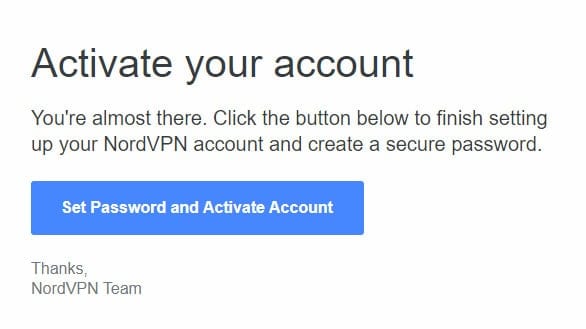
- Open your email to activate your account and download the NordVPN software.
- Log in to NordVPN’s app, sign in, and open up NordVPN’s settings menu. I’m about to help you set up the kill switch so that you never accidentally torrent without protection.
- From here, move over to the Kill Switch tab and verify that the Use Apps Kill Switch feature is enabled.

- Return to the main screen. From the left-hand window, scroll down to the Specialty Servers section to find P2P and then select the three dots alongside it. This opens a small window from which you can select your P2P server location. Click the blue Secure my connection button to connect.

- Finally, visit our IP address checker to verify that you’re connected to the VPN and everything is working properly.
- Having problems? Don’t worry: the support section of NordVPN’s website contains detailed setup guides for a wide range of P2P clients, including uTorrent, qBitTorrent, and Vuze. You could also ask for help directly using NordVPN’s 24/7 live chat service.
Recent NordVPN product updates
NordVPN is constantly working to upgrade its service and improve its features. I stay on top of these updates to ensure I’m giving you the most up-to-date VPN advice possible. Here are some of NordVPN’s most recent product updates:
- AI-powered server recommendations were introduced on Windows, helping users connect to the fastest option based on current conditions (December 2025).
- Threat Protection Pro™ expanded to scan links in Gmail and Yahoo webmail, flagging malicious URLs in advance (December 2025).
- Expanded tray controls arrived on Linux, including recent connections and specialty server shortcuts (December 2025).
- Open-sourcing the Linux app marked a step toward greater transparency and independent auditing (October 2025).
- Browser extensions added timezone spoofing to better match virtual locations (October 2025).
Alternative VPNs for torrenting
NordVPN’s dedicated P2P-optimized servers make it a preferred option for torrenting. However, it’s not the only option on the market that combines fast server speeds with the leak protection and security features necessary to keep you secure while torrenting.
Here are some of the best VPNs for torrenting other than NordVPN:
- SurfShark — Best for users on a budget
- Total VPN — Great choice for torrenting
- PureVPN — Good for users connecting from restrictive countries
- ExpressVPN — Best for users who want a premium VPN
- IPVanish — Best for security and privacy
- CyberGhost — Great choice for beginners
- PrivateVPN — Great choice for ease of use
All of these alternative VPNs feature strong security, DNS and WebRTC leak protection, and, importantly, kill switches that act as a failsafe if your VPN connection goes down. Plus, they all offer money-back guarantees, so you can check them out before committing long-term.
You can see how these VPNs measured up against NordVPN in my tests below. Or for full reviews of each, check out the full article on the best VPNs for torrenting.
My methodology: How I tested NordVPN’s torrenting ability
▼
The best NordVPN settings for secure torrenting
The best NordVPN settings for torrenting are those that ensure the highest level of security and privacy while also providing the fastest possible speeds. Here are a few tips to help you get started:
- Use NordVPN’s recommended server for torrenting. These servers are located all over the world and offer a high-speed connection while also encrypting your traffic. Select the closest “P2P” server to your location under the Specialty Servers section in your NordVPN app.
- Connect to NordVPN using the OpenVPN or NordLynx protocol. These protocols are more secure than PPTP and L2TP/IPsec, making them ideal for activities like torrenting, which require a higher level of privacy.
- As I mentioned previously, be sure to use NordVPN’s kill switch feature.
Using a free VPN for torrenting
While you can use a free VPN for torrenting, you’ll likely find yourself quickly frustrated. Free VPNs almost always have bandwidth caps and speed caps in place, which means slow downloads that can get cut off before they finish.
Many free VPNs also lock key features behind a paywall, including the option to switch between servers. They often have issues with encryption and data logging, which can leave you open to security issues. Plus, most free VPNs don’t come with a kill switch, which is a feature I strongly recommend for P2P users who plan to spend any amount of time on file-sharing networks.
In conclusion, secure torrenting is almost impossible with a free VPN. In my experience, you should opt for a quality, paid VPN instead. However, if you’re dead set on trying to torrent for free, here are a few ways to do so safely.
How to torrent with a VPN for free (safely):
- Check out our article on the best free VPNs for torrenting to discover some secure, free, and low-cost options and learn more about the risks involved.
- Choose a VPN that offers a free trial. Even if your preferred provider doesn’t have one, they almost certainly include a money-back guarantee, which effectively lets you try the VPN risk-free.
- Make the most of quality VPNs with money-back guarantees. They range from 30 to 45 days, which should be enough to cover you for a vacation or short work trip. Unlike free trials, you do have to pay upfront, but you can rest assured that if you’re not 100% happy with the service, you can claim a full refund. Check out this step-by-step guide to claiming a full refund from NordVPN to see just how simple it is.
How to set up qBittorrent with NordVPN
Not sure how to go about setting up NordVPN with qBittorrent? It’s not too difficult if you follow the step-by-step instructions below (note that you don’t need to set up a proxy if you’re using the NordVPN app):
- Start by signing up with NordVPN if you haven’t already.
- Download and install the NordVPN app on your device.
- Open qBittorrent before opening application preferences via Tools > Options.
- Select Connection in the sidebar menu.
- Under Proxy Server and Type, select Socks5.
- Enter one of the NordVPN host addresses (such as us.socks.nordhold.net).
- Make sure Port is set as 1080.
- Tick the Use proxy for peer connections and Authentication boxes.
- Enter your NordVPN credentials (username and password). These can be located in the NordVPN dashboard under NordVPN > Advanced Configuration.
- Click OK to save the above changes.
How to test if your VPN is working before you torrent
There are a few websites you can use to test whether your VPN is working. One such website is checkmyip.torrentprivacy.com. You can also check your public IP address by going to whatsmyip.org. If both of these websites show that your VPN is working, then you should be able to torrent safely and anonymously.
Using NordVPN for torrenting: FAQs
Is torrenting illegal? Will I get in trouble?
Torrenting itself isn’t illegal, as it is a file-sharing protocol that allows users to distribute and download large files efficiently. However, the legality of torrenting depends on the content being shared. If you are downloading or sharing copyrighted material without permission, such as movies, music, software, or games, this is considered illegal in most countries and can result in legal consequences.
Downloading copyrighted content without permission violates copyright law and can lead to fines, legal action, and even criminal charges, depending on the jurisdiction. Sometimes, your internet service provider (ISP) may issue warnings, throttle your internet speeds, or even terminate your service if they detect illegal torrenting activity.
To stay on the right side of the law, ensure that you only download and share content in the public domain or have been explicitly made available for distribution through torrents. If in doubt, it’s best to avoid torrenting copyrighted material to avoid potential legal issues.
Disclaimer: Although Comparitech has researched this topic extensively, nothing said above should be taken as legal advice. Comparitech encourages you to consult local laws or even seek a professional’s opinion before attempting to torrent if you’re not completely sure doing so is legal.
Does NordVPN use obfuscated servers?
The good news is that NordVPN does offer various specialty servers, including obfuscated servers. These serve to bypass VPN blocks by disguising your VPN traffic as regular web traffic (this is done by changing your data packets).
To connect to one of NordVPN’s obfuscated servers, all you need to do is locate “specialty servers” in the app’s menu. Under this, you’ll find “obfuscated servers” and have various locations to choose from.
In early 2025, this provider launched its second custom protocol, named NordWhisper. This is a faster, more reliable, equally secure alternative to its obfuscated servers that can help you browse and torrent safely in countries with extreme digital censorship.
Can I torrent on non P2P servers of NordVPN?
You can torrent on any NordVPN server. However, NordVPN’s specialty P2P servers are optimized for torrenting and better equipped to handle large transfers of data. As such, you’re likely to encounter higher speeds for much faster downloading of files. Regardless of the NordVPN server, you use (P2P or non P2P), you’ll benefit from unlimited bandwidth, so you’re free to torrent as much as you like.
Which devices can I torrent on with NordVPN?
NordVPN offers apps for all major platforms (Windows, Mac, Android, iOS, and Linux). Furthermore, popular torrent clients such as uTorrent and BitTorrent are also available on these operating systems. This means that once you’ve installed the appropriate NordVPN and torrent client apps, you can use all of your desktop and mobile devices to safely torrent with NordVPN.
Does NordVPN keep logs of torrenting?
NordVPN follows a strict no-logs policy, which means it doesn’t record details of when you connect, how much bandwidth you use, or what you get up to online. In other words, even if someone were to request records of your activities, NordVPN wouldn’t be able to provide them. You don’t have to trust these claims blindly, either, as this service has been repeatedly audited by independent experts, which is a large part of why NordVPN is one of my top VPNs for torrenting.
Now, NordVPN does store advertising IDs on mobile devices, which could be used to identify you over longer periods of time. However, as these can be manually cleared in your system settings (and since most torrenting is done on desktops), this is a very minor issue.



