
Are you a British expat hoping to stay up to date with Coronation Street? Perhaps you’re on vacation and want to unwind with a few episodes of Love Island? This isn’t normally possible due to regional restrictions, but there’s a quick and easy workaround. Below, I’ll explain how to watch UK TV abroad using a VPN, no matter whether you’re in France, Spain, Canada, Australia, the USA, or anywhere else.
Usually, when you try to access a British streaming platform from abroad, you’ll simply be met with an error. For instance, iPlayer says “BBC iPlayer only works in the UK. Sorry, it’s due to rights issues” while ITVX gives the more vague “Sorry, this show isn’t available right now“.

When you connect to a Virtual Private Network (VPN), however, your IP address points to whichever country your chosen server is in. In other words, picking a British server makes you appear as though you’re still in the UK, allowing you to keep streaming your favorite shows during a trip abroad.
Of course, access to UK-only websites isn’t the only reason to use a VPN. These services also help keep your browsing habits hidden from anyone keeping tabs on the network you’re using. That’s particularly helpful for travelers, since they’re often reliant on hotel wifi or other public hotspots. Still, every VPN is different, so it pays to choose carefully.
Just want to find out which VPN to use to watch UK TV from abroad? You’ll find a summary of my top picks below. Alternatively, scroll down for a closer look at each.
Best VPN for UK TV abroad:
- NordVPN The best VPN for watching UK TV abroad. A huge network of fast servers, including many in the UK. Easily unblocks geo-restricted content. First-class security and privacy. Includes a 30-day money-back guarantee.
TIP In our testing we found that the cheapest NordVPN plan (Standard) works perfectly for UK TV. - Surfshark Best budget VPN for streaming UK TV. Delivers ultra-fast speeds, allows any number of connections, and works with most popular TV sites.
- Total VPN Given its fast speeds, reliable British servers, and excellent streaming ability, this provider is perfect for unblocking UK TV from abroad.
- ProtonVPN Impressive VPN with plenty of advanced features, including port-forwarding. Works with popular streaming services, including Netflix UK.
- ExpressVPN A quick and versatile VPN that works anywhere. Can help you stream BBC iPlayer, ITVX, Now TV, and more. Doesn’t keep any logs.
- IPVanish Works with plenty of British streaming platforms and has a large presence in the UK. Offers a high level of privacy, steady speeds, and a total lack of connection limits.
- CyberGhost Boasts servers specially designed for watching British TV. Good performance and a high degree of flexibility where security is concerned.
- PureVPN An easy way to watch British TV abroad without breaking the bank. Strong security, an audited no-logs policy, powerful obfuscation, and a generous connection limit.
- PrivateVPN This novice-friendly VPN works well with most British streaming apps but also ensures steady speeds and a high level of security.
Many VPNs claim to work with UK TV but most (especially free VPNs) are often blocked.
We regularly test the top 70 VPNs with all major streaming sites and this list only includes VPNs which reliably unblock UK TV and offer a full money-back guarantee, allowing you to try them risk-free.
How to watch UK TV abroad with a VPN
If you’re trying to watch UK TV from Canada, Australia, the US, or anywhere else in the world, you first need to set up a VPN. Never used a VPN before? No problem: just follow the simple steps below to unblock your favorite UK television channels.
Here’s how to watch UK TV online from anywhere:
- Choose a VPN provider that can unblock UK TV from abroad. I particularly recommend NordVPN.
- Download and install the VPN app onto your device from the provider’s website or your official app store.
- Run the app, log in, and select a VPN server in the UK.

You can find NordVPN’s British server locations either by searching for “United Kingdom” or zooming into the UK on the map - Once the connection has been established, open the site you’d like to access. It should now be usable as though you were still in the UK.
- If you’re still not able to watch your desired content, I’d recommend clearing your browser cookies and/or cache. Alternatively, try a different server or contact your VPN’s support team for more advice.
Note: I’ve covered access to specific UK streaming sites — BBC iPlayer, ITVX, Channel 4, Sky Go, and TNT Sports — in separate posts. If you’re looking for the best VPNs to use while in the UK, there’s a guide for that, too.
WANT TO TRY THE TOP VPN RISK FREE?
NordVPN is offering a fully-featured risk-free 30-day trial if you sign up at this page. You can use the VPN rated #1 for UK TV without any restrictions for a month. As such you'll be able to stream British TV during vacations abroad.
There are no hidden terms or rules—just contact support within 30 days if you decide NordVPN isn't right for you and you'll get a full refund. Start your NordVPN trial here.
My criteria for choosing the best VPNs for watching UK TV abroad
You might assume that any VPN will do, so long as it works with your favorite streaming app. From a practical perspective, though, there’s a lot more to consider. That’s why I carefully analyzed each VPN in five key areas before deciding to recommend them:
- Speed: Live streaming requires a fast and reliable connection. I tested each VPN’s British servers multiple times, keeping a close eye on both their raw performance and their consistency.
- Streaming ability: I looked into how many UK server locations each VPN had and how many were in each place (assuming this data was available). Next, I tested them against major British streaming sites like BBC iPlayer and ITVX.
- Security and privacy: There’s no excuse for compromising on security, which is why to score highly in this category, VPNs have to perform well in more than a dozen privacy-related areas.
- Ease of use: Ideally, your VPN would be able to handle any task without breaking a sweat. I kept an eye out for any features that streamline the user experience, such as unlimited connections or 24/7 live chat.
- Value for money: Finally, I determined each VPN’s overall value by scoring it on the lowest monthly price, how often it runs promotions, and whether it provides discounts for students or emergency workers.
You can read a full explainer of these metrics and an analysis of the results in the methodology section below. But first, let’s take a closer look at the providers that impressed me.
Best VPNs for watching UK TV abroad compared
I’ve tested and compared the most important features of the top VPNs here. Prefer to read the in-depth reviews? Start with NordVPN – my #1 choice for watching UK TV abroad.
| No value | NordVPN | Surfshark | TotalVPN | Proton VPN | ExpressVPN | IPVanish | CyberGhost | PureVPN | PrivateVPN |
| Website | NordVPN.com | Surfshark.com | TotalVPN.com | ProtonVPN.com | ExpressVPN.com | IPVanish.com | Cyberghost.com | PureVPN.com | PrivateVPN.com | Ranking for UK TV: | 1 | 2 | 3 | 4 | 5 | 6 | 7 | 8 | 9 | Avg Speed for UK TV | 418.34 Mbps | 388.67 Mbps | 340.34 Mbps | 223.67 Mbps | 161.67 Mbps | 211.34 Mbps | 202.67 Mbps | 150.34 Mbps | 114.34 Mbps | Devices Supported | Windows, MacOS, iOS, Android, Linux | Windows, MacOS, iOS, Android, Linux, Amazon Fire TV, Apple TV | Windows, MacOS, Android, iOS, Apple TV | Windows, Linux, MacOS, iOS, Android, Chromebook | Windows, MacOS, iOS, Android, Linux, Smart TVs, Routers | Windows, MacOS, iOS, Android | Windows, MacOS, Linux, iOS, Android | Windows, MacOS, iOS, Android, Smart TVs, Chromebook, Routers | Windows, MacOS, iOS, Android, Amazon Fire TV | Simultaneous Connections | 10 | Unlimited | 5 | Free: 1, VPN Plus: 10 | 14 | Unlimited | 7 | 10 | 10 |
|---|---|---|---|---|---|---|---|---|---|
| Best deal (per month) | $3.09 Up to 76% off 2 year plans + 3 months free | $2.49 Up to 85% OFF + 3 months free | $1.59 SAVE 80% on an annual plan | $2.99 SAVE 70% on a 2-year plan | $2.49 SAVE 84% + 4 months free on 2 year basic plan | $12.99 Best MONTHLY Deal $12.99 | $1.59 SAVE 88% on the 2 year plan + 2 months free! | $1.99 Up to 87% off on 5 year plans | $2.00 Save 85% on a one year plan + 24-months free |
The best VPNs for watching UK TV abroad
Here’s my list of the best VPNs for watching UK TV abroad, all based on my first-hand experience:
1. NordVPN

Apps Available:
- PC
- Mac
- IOS
- Android
- Linux
- FireTV
Website: www.NordVPN.com
Money-back guarantee: 30 DAYS
NordVPN
9.4Scores calculated algorithmically.
| Ease of use | 9.6 |
|---|---|
| Security & privacy | 9.5 |
| Streaming ability | 9.9 |
| UK speed | 10.0 |
| Value for money | 7.9 |
NordVPN is my top pick for watching UK TV abroad. It operates a large network of over 8,000 worldwide servers, more than 440 of which are located in the UK. This means it’s well-equipped to help you access British content from sites like Netflix UK, BBC iPlayer, ITVX (ITV Hub), Sky Go, All 4, TNT Sports, and more. Each subscription allows up to 10 simultaneous connections and comes with 24-hour live chat-based customer support.

I tested NordVPN’s UK servers at three different times of day (morning, noon, and afternoon), while using a superfast test connection. This provider returned an average speed of 418.34 Mbps, which is phenomenal. Perhaps more impressive, there was less than 1 Mbps of difference across all tests. Take a look:
This provider has a strict no-logs policy and has been audited several times to prove it. Of course, that’s not the only way NordVPN keeps you safe. It uses unbreakable encryption, perfect forward secrecy, an app-specific kill switch, plus DNS and IPv6 leak protection. Ads and trackers are blocked automatically, but there’s also wifi protection, split tunneling support, and a custom protocol named NordWhisper that’s capable of beating the world’s strictest digital censorship.

Apps are available for Windows, Linux, macOS, iOS, and Android. NordVPN also provides step-by-step instructions for installing this service on your home router.
Buy this VPN if:
- You want the broadest UK server selection to avoid congestion
- You want reliable access to nearly every major UK streaming service
- You’d like a VPN with built-in malware protection for safer streaming
- You plan to stream UK TV on Fire TV or other smart devices
- You want to have access to lots of advanced privacy tools
Don’t buy this VPN if:
- You do a lot of torrenting and want port forwarding
BEST VPN FOR UK TV ABROAD:NordVPN is my #1 choice for UK TV. Has a large network, great streaming ability, and some of the strongest privacy protections of any major provider. What’s more, this VPN comes with a 30-day money-back guarantee so you can try it risk-free.
Read this full NordVPN review.
2. Surfshark

Apps Available:
- PC
- Mac
- IOS
- Android
- Linux
Website: www.Surfshark.com
Money-back guarantee: 30 DAYS
Surfshark
9Scores calculated algorithmically.
| Ease of use | 9.1 |
|---|---|
| Security & privacy | 9.5 |
| Streaming ability | 9.2 |
| UK speed | 9.0 |
| Value for money | 8.1 |
Surfshark is the best budget VPN for streaming British TV safely. It operates roughly 4,500 servers in 100+ countries, including Scotland and England, and unlike most other services on the market, it lets you connect every device you own at the same time. This VPN is great for streaming too, working flawlessly with stubborn platforms like Netflix, BBC iPlayer, and ITVX. Support is available via 24/7 live chat.

To get an accurate idea of this VPN’s performance, I decided to test its UK servers at multiple times of day, then average the results. Surfshark did very well here, with an average speed of 388.67 Mbps, taking it straight to second place. There was roughly 19 Mbps of fluctuation, but with speeds this high, that shouldn’t even be noticeable.
This VPN includes a surprising number of security features, given its low monthly price. For example, there’s a kill switch in every version of the app, strong 256-bit encryption, and protection against DNS, IPv6, and WebRTC leaks, as well as an automatic ad-blocker and malware scanner. In fact, it’s one of the few VPNs capable of changing your IP address periodically without changing your location! Most importantly, Surfshark has been audited, proving beyond all doubt that it’s telling the truth about its no-logging policy.

Surfshark provides apps for macOS, Linux, Windows, iOS, and Android. There are manual configuration guides for a wide range of routers on its website.
Buy this VPN if:
- You want to stream UK TV on unlimited devices (perfect for sharing)
- You’re looking for strong UK streaming support on a tight budget
- You value privacy tools like IP rotation or stealth mode
- You plan to stream on less common platforms, such as Linux or Fire TV
Don’t buy this VPN if:
- You’re not comfortable using a provider based in a Nine Eyes country
Read this full Surfshark review.
BEST VALUE VPN:Surfshark is the best low-cost VPN. It works reliably with most UK streaming platforms, lets you connect all of your devices, and does a great job of protecting your privacy. All plans come with a 30-day money-back guarantee.
3. Total VPN

Apps Available:
- PC
- Mac
- IOS
- Android
- Linux
Website: TotalVPN.com
Money-back guarantee: 30 DAYS
TotalVPN
8.7Scores calculated algorithmically.
| Ease of use | 9.4 |
|---|---|
| Security & privacy | 9.1 |
| Streaming ability | 9.0 |
| UK speed | 7.5 |
| Value for money | 8.5 |
Total VPN is another strong choice for streaming British TV while traveling abroad. It has roughly 1,800 servers in 80+ countries worldwide, with some in Coventry and London. Now, while this does mean you won’t be able to access Scotland-only platforms like STV Player, the majority will still be usable. I’ve had great results using this VPN with ITVX, BBC iPlayer, and Prime Video, for instance.

My next challenge was finding out exactly how fast Total VPN’s British servers are. I checked their performance in the morning, at lunchtime, and in the afternoon to account for any slowdown that might happen during peak times. Total VPN achieved an average speed of 340.33 Mbps, making it one of the fastest providers around and certainly suitable for live streaming, torrenting, or playing fast-paced online games.
This provider doesn’t have a ton of advanced functionality, but it does offer a strong security toolkit. By default, you’re protected from DNS, IPv6, and WebRTC leaks, with all of your traffic secured using 256-bit AES encryption. There’s also a kill switch (on Android), a strict no-logs policy, and a privacy-focused protocol named Hydra. You can even configure the split tunneling function to force certain apps to use (or bypass) the VPN.
Total VPN offers apps for desktop (Windows and macOS) and mobile (Android and iOS) platforms. At the time of writing, it doesn’t support Linux systems or routers.
Buy this VPN if:
- You want very competitive pricing for a reliable UK streaming VPN
- You want consistently fast speeds for streaming in 4K without fluctuations
- You’re a beginner who values extremely simple apps across all platforms
- You don’t need lots of customizable features
Don’t buy this VPN if:
- You want to stream region-specific UK services like STV Player
PERFECT FOR STREAMING:Total VPN is a fantastic option for streaming British TV abroad. Also boasts a high level of security and around-the-clock customer support. Annual plans come with a 30-day money-back guarantee so that you can try this VPN risk-free.
Why not take a look at this in-depth Total VPN review?
4. ProtonVPN

Apps Available:
- PC
- Mac
- IOS
- Android
- Linux
Website: www.ProtonVPN.com
Money-back guarantee: 30 DAYS
Proton VPN
7.9Scores calculated algorithmically.
| Ease of use | 9.6 |
|---|---|
| Security & privacy | 9.3 |
| Streaming ability | 9.6 |
| UK speed | 3.7 |
| Value for money | 7.3 |
ProtonVPN is a well-respected provider with plenty to offer. For starters, it has more than 15,000 servers spread across 120 countries, including Wales, Northern Ireland, Scotland, and England. You can secure up to 10 devices at the same time, and during testing, I had no problems accessing tricky platforms like BBC iPlayer, All 4, and Netflix GB. Note that you can’t stream with a free plan, but it’s worth upgrading for the access to 24/7 customer support alone.

To find out what kind of performance ProtonVPN was capable of, I ran speed tests on its British servers at multiple different times. This service did pretty well, with an average speed of 223.67 Mbps and just 12 Mbps of difference between its highest and lowest results. That’s fast enough for streaming UK TV, gaming, or making video calls, and you shouldn’t notice any lag or stuttering, even during busier times of day.
ProtonVPN’s apps are jam-packed with useful features, including unbreakable AES encryption, a kill switch, and protection against WebRTC, IPv6, and DNS leaks. It’s a popular VPN for torrenting thanks to its split tunneling and port forwarding functionality, but I personally value its audited no-logs policy and advanced customization options more. After all, very few VPNs offer features like multi-hop connections, a stealth protocol, or servers designed for accessing the dark web.
While ProtonVPN’s monthly plan is cost-effective, it could offer slightly steeper discounts on long-term subscriptions. However, it is worth the extra few bucks if you want an incredibly reliable all-rounder. Despite the sophistication of its features, the apps remain very user-friendly. However, you can easily contact its excellent live chat support agents if you need to. Plus, ProtonVPN offers a 30-day money-back guarantee, allowing you to try before you buy.
Buy this VPN if:
- You want the strongest privacy credentials, including Secure Core servers
- You need advanced features like port forwarding for torrenting
- You’re interested in multi-hop connections for extra anonymity
- You appreciate privacy-focused apps that remain user-friendly
Don’t buy this VPN if:
- You’re budget-conscious and looking for the cheapest long-term pricing
- You’re connecting from China or other restrictive regions
SECURE AND FAST:ProtonVPN is an impressive VPN with more advanced features than most of its competitors. Works with many popular UK streaming services and Freeview TV streams. Fully audited. 30-day money-back guarantee.
Find out more in this ProtonVPN review.
5. ExpressVPN

Apps Available:
- PC
- Mac
- IOS
- Android
- Linux
Website: www.ExpressVPN.com
Money-back guarantee: 30 DAYS
ExpressVPN
7.3Scores calculated algorithmically.
| Ease of use | 9.0 |
|---|---|
| Security & privacy | 9.2 |
| Streaming ability | 9.3 |
| UK speed | 1.8 |
| Value for money | 7.0 |
ExpressVPN is a fantastic choice for anyone hoping to catch up on British TV during a trip abroad. It has RAM-only servers in more than 105 countries and five English cities, though none in Scotland, Wales, or Northern Ireland, sadly. On the plus side, I can personally vouch for its ability to access platforms like BBC iPlayer, ITVX, and TNT Sports. There’s 24/7 customer support via live chat, and users can connect at least 10 devices simultaneously, with higher-tier plans allowing up to 14 connections.

In previous tests, ExpressVPN generally did quite well, though it has struggled to reach the same heights as its rivals. This time, after a full day of testing, I recorded an average speed of 161.67 Mbps, with around 6 Mbps of variance. That’s more than 10 times the recommended speed for watching 4K streams, so you’re unlikely to notice any stability or performance problems while connected. Let’s take a look:
ExpressVPN does a phenomenal job of keeping you safe, and better still, it requires minimal setup. By default, it uses quantum-resistant encryption, a kill switch, and DNS, WebRTC, and IPv6 leak protection. There’s also a new Advanced Protection tool capable of blocking ads, trackers, and shady websites, though you have to toggle this feature on manually. This VPN follows an audited no-logs policy and obfuscates your connection as needed while in high-censorship countries like China, Russia, or the UAE. In short, you’ll be able to stream securely anywhere.

A new tiered pricing system was recently added by ExpressVPN: Basic at $3.49, Advanced at $4.49, and Pro at $7.49. You can now select whichever level matches your financial comfort and protection needs and get up to 14 simultaneous device connections. Apps are available for Windows, macOS, iOS, Android, Linux, and some wi-fi routers.
Buy this VPN if:
- You value automatic obfuscation that kicks in when needed
- You want to stream UK content on Smart TVs or consoles via a router setup
- You’d prefer to use a VPN that works with virtually every UK streaming platform
Don’t buy this VPN if:
- You’re on a tight budget (ExpressVPN is pricier than most)
- You want streaming servers labelled by platform
EASY STREAMING:ExpressVPN is a fast and reliable VPN. It works with most major UK TV streaming services, including Netflix and Amazon Prime Video. Great security and privacy features and keeps no traffic logs. Plans include a 30-day money-back guarantee.
Find out more this full ExpressVPN review.
6. IPVanish

Apps Available:
- PC
- Mac
- IOS
- Android
- Linux
Website: www.IPVanish.com
Money-back guarantee: 30 DAYS
IPVanish
7.2Scores calculated algorithmically.
| Ease of use | 8.1 |
|---|---|
| Security & privacy | 8.7 |
| Streaming ability | 8.7 |
| UK speed | 3.4 |
| Value for money | 7.3 |
IPVanish owns and operates more than 3,200 servers, with locations in 100+ countries, including each of the UK’s constituent nations. I was impressed by how reliably this service worked with major streaming platforms, including BBC iPlayer, ITVX, Sky Go, Eurosport, and All 4. Best of all, IPVanish is one of the only providers that lets you secure any number of devices at the same time. In the unlikely event of any issues, 24/7 customer support is available via live chat.

So how quick is IPVanish, really? I personally tested the performance of its servers in the UK to find out, examining its speeds in the morning, at lunchtime, and in the afternoon. With an average speed of 211.34 Mbps and variance of just 16 Mbps, IPVanish is more than capable of handling any data-intensive task whether it’s streaming, downloading large files, or playing online games.
This service has a remarkably strong security offering. To begin with, it uses uncrackable encryption, prevents DNS and IPv6 leaks, and includes a kill switch that’ll ensure you never inadvertently browse the web unprotected. IPVanish follows a strict no-logs policy and has been audited several times to prove it. There are quite a few newly-added tools as well, such as a combined ad and tracker-blocker, multi-hop servers, and a tool that can tell you if links are safe to click on.

Those looking for even better value for money will want to consider the IPVanish advanced plan. IPVanish Advanced comes with a privacy-first cloud browser, which runs your sessions in a remote sandbox, protecting against malware, tracking, and intrusive ads. This package also includes 1 TB of cloud storage and the VPN itself, giving users a complete online privacy solution for barely a dollar more each month.
While the browser is great for anonymity, it isn’t the best choice for streaming, as it noticeably lowered video quality during my tests. However, for users in restrictive regions, it offers an extra layer of security, preventing ISPs from tracking browsing activity. And you can easily use it to get an IP address in 10 different countries, further increasing your ability to bypass blocks and access regional content.

Apps are available for Windows, macOS, iOS, and Android. You’ll have to manually install this VPN on Linux systems and routers.
Buy this VPN if:
- You want to stream UK TV on an unlimited number of devices
- You want solid speeds for streaming British content without interruptions
- You’d value extra security tools like a cloud browser with private sandboxing
Don’t buy this VPN if:
- You want a provider based outside the US
- You want servers specifically labeled for UK streaming platforms
UNLIMITED DEVICES:IPVanish has numerous UK servers. Unblocks several British streaming services. Perfect for anyone looking to stream or share their VPN with family. Annual plans come with a 30-day money-back guarantee.
Read this full IPVanish review.
7. CyberGhost

Apps Available:
- PC
- Mac
- IOS
- Android
- Linux
Website: www.Cyberghost.com
Money-back guarantee: 45 DAYS
CyberGhost
7.2Scores calculated algorithmically.
| Ease of use | 9.1 |
|---|---|
| Security & privacy | 8.9 |
| Streaming ability | 7.8 |
| UK speed | 3.1 |
| Value for money | 7.2 |
CyberGhost is a newcomer-friendly VPN with plenty to offer. For starters, its network covers more than 100 countries and is split into multiple tabs so that you can easily find a server suitable for torrenting, gaming, or regaining access to your favorite streaming services abroad. Regarding UK TV specifically, there are servers for unblocking BBC iPlayer, ITVX, and Channel 5, among others. Users can connect up to seven devices at once and get help using this VPN’s 24/7 live chat system.

Next up, I had to be sure that CyberGhost was actually fast enough to handle 4K live streams. To do this, I tested its performance at three times of day using the fastest available British server. CyberGhost delivered an average speed of 202.67 Mbps, never falling below 200 Mbps even once. That’s more than enough for any day-to-day task, whether it’s torrenting, live streaming, or playing online games. See for yourself:
CyberGhost has a robust set of security and privacy tools, including 256-bit AES encryption, DNS and IPv6 leak prevention, and perfect forward secrecy. There’s also a built-in kill switch and a professionally-audited no-logs policy. If you’d like to customize your connection even further, you can connect via a random port (sidestepping some forms of VPN-detection), tell the VPN to connect on its own in specific situations, or take advantage of the anonymity-focused NoSpy servers.

Apps are available for Windows, macOS, iOS, Linux, and Android. Additionally, CyberGhost provides manual setup instructions for popular router firmware.
Buy this VPN if:
- You want a large server network to reduce crowding at peak times
- You’re looking for a no-fuss VPN that’s suitable for novice users
- You appreciate a lengthy 45-day money-back guarantee
Don’t buy this VPN if:
- You’re traveling in China or regions with VPN restrictions
- You regularly need more than seven simultaneous connections
STREAMING-OPTIMIZED SERVERS:CyberGhost is great for UK TV. This easy-to-use VPN offers strong security, fast speeds, and exceptional streaming ability. Works with ITVX, All 4, and more. Plans come with a generous 45-day money-back guarantee.
Read this full CyberGhost review.
8. PureVPN

Apps Available:
- PC
- Mac
- IOS
- Android
- Linux
Website: www.PureVPN.com
Money-back guarantee: 31 DAYS
PureVPN
6.7Scores calculated algorithmically.
| Ease of use | 9.1 |
|---|---|
| Security & privacy | 8.7 |
| Streaming ability | 8.0 |
| UK speed | 1.4 |
| Value for money | 6.4 |
PureVPN is based in the British Virgin Islands, which puts it well out of reach of invasive jurisdictions like the US and the UK. Its network covers 65+ countries, including the UK, and my experts were able to access plenty of popular British streaming services (BBC iPlayer, Netflix UK, and more) while connected. You can also use it to watch major US platforms like Netflix US, Hulu, and Max. Customer support is available 24 hours per day over live chat.

To get the most accurate idea of PureVPN’s speeds, I tried out its British servers in the morning, at midday, and in the afternoon. This provider delivered an average speed of 150.34 Mbps, which, for context, is 10 times the recommended speed for streaming 4K video. I would prefer a little more stability though, since PureVPN’s results varied by up to 35 Mbps. Here are my findings
Unlike many other low-cost VPNs, PureVPN doesn’t compromise on security, offering 256-bit AES encryption, a kill switch, and DNS leak prevention. This makes it reliable for bypassing streaming blocks at work, and for using the internet without being tracked by ISPs or government agencies. There are even a couple of more advanced features, like split tunneling functionality and a tool that’ll alert you if your details are leaked on the dark web.
This service allows users to specify which apps use the VPN connection and which don’t — helpful for accessing geo-blocked content from two regions at the same time.PureVPN has its own Linux, macOS, Windows, Android, and iOS apps. You can also follow manual setup instructions to get it up and running on most routers.
Buy this VPN if:
- You appreciate a VPN that offers always-on obfuscation
- You’d like extra tools, like dark web monitoring, bundled with your VPN
- You want a VPN based in the British Virgin Islands
Don’t buy this VPN if:
- You demand the highest streaming speeds for UK TV
- You’re looking for advanced multi-hop or port forwarding support
GREAT VALUE:PureVPN makes it both easy and cheap to watch British TV platforms from abroad. The VPN offers strong security and an audited no-logs policy that ensures that your online habits remain private at all times. 31-day money-back guarantee.
Find out more in this full PureVPN review.
9. PrivateVPN

Apps Available:
- PC
- Mac
- IOS
- Android
- Linux
Website: www.PrivateVPN.com
Money-back guarantee: 30 DAYS
PrivateVPN
6Scores calculated algorithmically.
| Ease of use | 8.2 |
|---|---|
| Security & privacy | 8.6 |
| Streaming ability | 5.8 |
| UK speed | 1.0 |
| Value for money | 6.5 |
PrivateVPN is an incredibly versatile provider with impeccable security credentials. Not only does it work with major UK streaming platforms like Sky Go, ITVX, and Channel 5, PrivateVPN owns and manages its entire network outright, meaning your traffic never passes through hardware owned by other companies. Users can secure up to 10 devices at the same time, and there’s live chat-based customer support during European business hours (though I’d rather this were available 24/7).

This service has historically struggled to match its rivals’ speeds, so I decided to thoroughly test its servers in the UK to see if anything had changed. PrivateVPN achieved an average speed of 114.34 Mbps, with just 12 Mbps of fluctuation throughout the day. That’s well above what’s needed for any day-to-day task, so despite being a little slower, PrivateVPN is still highly competitive.
This service doesn’t compromise on privacy, securing your traffic with DNS and IPv6 leak protection, a customizable kill switch, and unbreakable 256-bit AES encryption (though users have the option to reduce this for quicker speeds. What’s more, PrivateVPN follows a zero-logs policy and has never suffered a data breach. It boasts a Stealth VPN feature capable of beating China’s Great Firewall, too, meaning you can rely on this service even in countries with extreme digital censorship.

This provider has its own apps for Windows, macOS, iOS, and Android. You’ll have to manually configure Linux systems and routers, though.
Buy this VPN if:
- You’re new to VPNs and want helpful customer support
- You’re looking for a VPN that puts your privacy first
- You do a lot of torrenting and want port forwarding
Don’t buy this VPN if:
- You want access to a large server network
- You have a slow internet connection
STEALTH MODE:PrivateVPN is great for families thanks to its strong security tools and high connection limit. Works in high-censorship countries and unblocks most UK streaming services. All plans come with a 30-day money-back guarantee.
Read this full PrivateVPN review.
Recent VPN product updates
Any VPN worth its salt will be constantly upgrading and improving its services, which means that to provide the best recommendations possible, I have to keep a close eye on any new developments. Here are some of the biggest changes recently:
NordVPN
- Windows users now benefit from AI-powered “Fastest server” recommendations based on real-time network conditions (December 2025)
- Threat Protection Pro™ now scans links inside Gmail and Yahoo web inboxes, warning users about unsafe URLs before they’re opened (December 2025)
- Open-sourcing of the Linux platform improves visibility and user accessibility (October 2025)
- Browser extensions now support timezone spoofing in addition to location spoofing (October 2025)
- Scam call protection expanded to detect more categories of unwanted calls (September 2025)
Surfshark
- An AI-driven email scam detection tool was added to Surfshark One and One+, scanning messages for phishing risks (December 2025)
- 100Gbps servers deployed in Amsterdam to accommodate higher performance needs (October 2025)
- Server infrastructure has surpassed 4,500 for increased global diversity (October 2025)
- New web blocker added to safeguard kids from harmful online material (October 2025)
Total VPN
- Apple ecosystem completed with tvOS app availability
- Android reliability maximized through “always on” killswitch
- Apple device automation via “connect on demand” functionality
- Speed optimization achieved through WireGuard universal deployment
- User control enhanced with Android split tunneling capability
Proton VPN
- Proton VPN dropped support for iOS 16 and iPadOS 16, requiring an OS upgrade for continued updates (January 2026)
- A tvOS update (v1.4.0) introduced city-level server selection (December 2025)
- NetShield’s ad-blocker now filters nearly all known phishing sites and reduces incorrect flags (October 2025)
- New servers have been introduced in Panama, Armenia, Mongolia, and Laos (October 2025)
- Expanded crypto payment support now includes Monero, Litecoin, and Ethereum (October 2025)
ExpressVPN
- ExpressVPN released Router v4.2.8, bringing Lightway improvements focused on stability (December 2025)
- Overhauled iPad application for a more native tablet look and feel (October 2025)
- Introduced pricing tiers: Basic ($3.49), Advanced ($4.49), Pro ($7.49) (September 2025)
- EventVPN launched as a no-cost service to transform the free VPN space (September 2025)
Using a free VPN to watch British TV abroad
You’ll likely encounter some attractive free offerings when researching various VPN providers. While some of these might be able to get you access to some UK content, free services usually come with some downsides.
One of the major problems from a streaming standpoint is that a free VPN service is typically slower and less reliable than a paid one. You’re more likely to endure slow or dropped connections and buffering while trying to watch shows. What’s more, you’ll have access to fewer servers and might have to wait in a queue to connect to the ones you want. To make matters worse, free VPNs are frequently unable to access popular streaming services and almost always have a monthly bandwidth limit. In other words, even if you can stream UK TV at first, you’ll soon lose the ability to unless you pay up.
Aside from lacking from a practical perspective, free VPN providers often fall short from a privacy and security standpoint, too. They usually have to make money somehow, and common business models involve collecting and selling user data and displaying ads through the service. Some providers have even been known to carry malware.
How to watch UK TV online from anywhere
Not everyone watches TV the same way these days, so here are some guides by streaming method.
How to watch UK TV through streaming sites
Once you’re set up with a VPN, watching UK TV is fairly straightforward. You’ll first initiate your VPN connection using a UK server. For example, below, we’re connecting to a UK server using NordVPN.

You can then access your desired content as usual. For Netflix, you’ll need a paid subscription no matter where you are. The difference is that while you’re connected to a UK server, you’ll see the Netflix UK library instead of the one for the country you’re in.
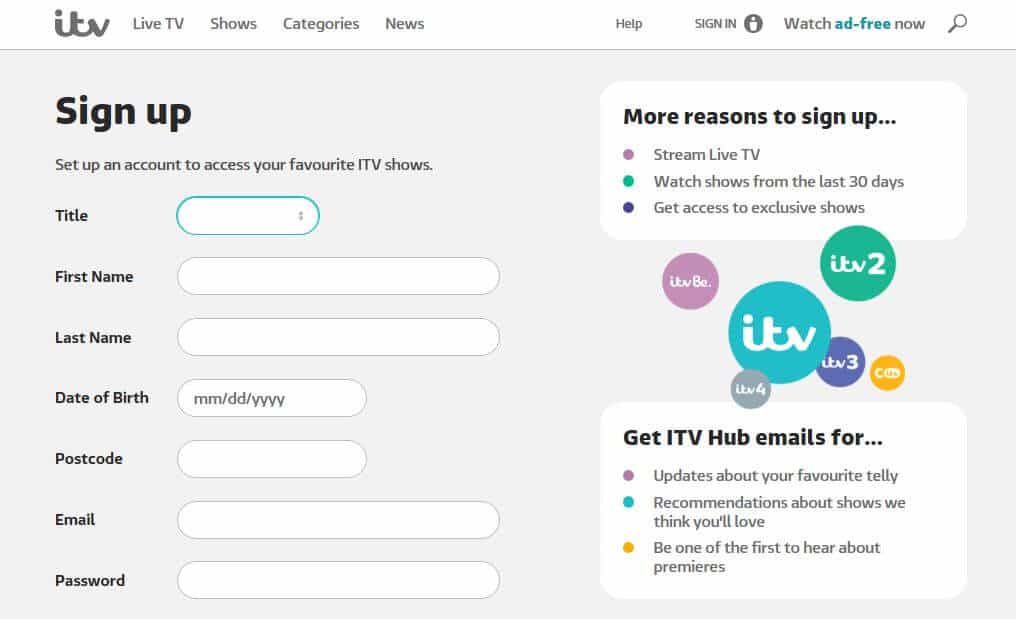
Other sites offer free content, but still require you to sign in to an account. For sites like BBC iPlayer and ITVX, you can just set up an account if you don’t have one already. You may be asked to enter a postal code, so make sure it’s a UK one.
If you’ve tried to access a site before without first connecting to a UK server, you might still have issues. If so, you can try clearing the cache and cookies or switching to a different browser.
Note that once you’ve got your VPN subscription, you can use it to access all types of content, not just UK TV. For example, you can connect to a US server to obtain access to US Netflix<, HBO, Hulu, and more from your Smart TV or other device.
How to watch UK TV through streaming apps
If you want to watch UK TV channels via a mobile app for Android or iPhone, a VPN can help with that, too. You just need to set up the VPN on whichever mobile device you’re using so that you can mask your IP on that device. All of the plans I’ve talked about above allow for multiple devices to be connected simultaneously, so you’ll have no problem switching at your leisure.
While your IP address will be masked by the VPN, depending on your device settings, its GPS could still give away your real location. If you’re having issues, try disabling the GPS in your settings menu.
How to watch UK TV abroad on a Firestick
Empower yourself to watch your favorite UK TV shows and channels while abroad with the convenience of an Amazon Fire Stick and a reliable VPN service. Begin by acquiring an Amazon Fire Stick, ideally the 4K version for enhanced streaming quality. Once you’ve set it up and connected it to the internet, download and install one of the VPNs from my list above. These VPNs will enable you to connect to a server located in the UK, fooling the apps into believing you’re browsing from within Great Britain.
With the VPN active and connected to a UK server, you can effortlessly download popular UK TV apps like BBC iPlayer, ITV Hub, All4, and My5 from the Amazon Appstore. Simply open these apps and start streaming your favorite British shows and live sports events. Remember, the VPN needs to remain connected to the UK server for this to work seamlessly, ensuring a reliable and uninterrupted streaming experience.
What about the UK TV license?
Anyone who watches live TV in the UK needs to be covered by a TV license or could face fines of up to £1000. A UK TV license is required if you’re watching or recording live TV. If you’re accessing on-demand or catch-up TV, a license is not usually required.
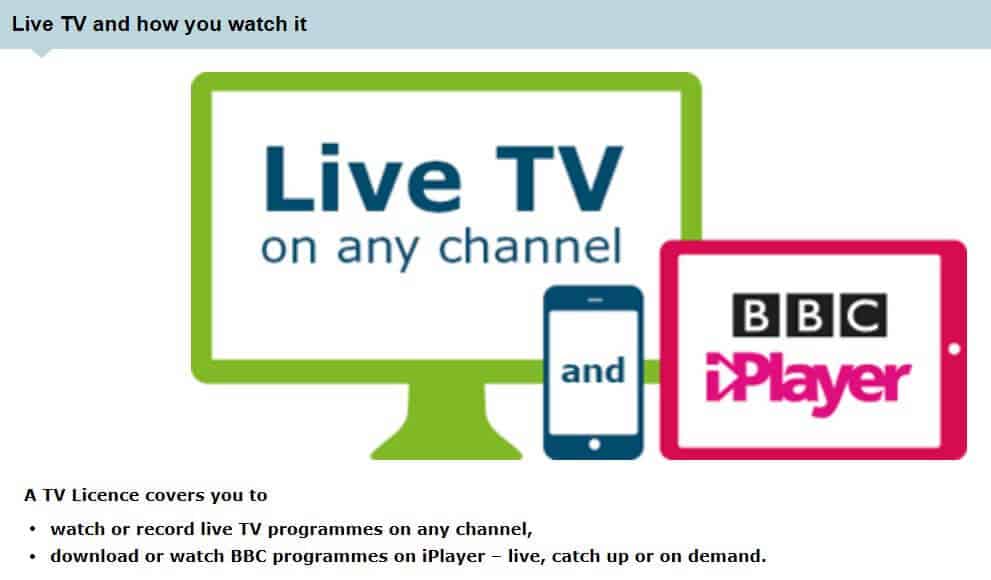
The exception here is if you’re watching any content on BBC iPlayer, in which case, you’re legally required to have a TV license. Before you play a show, a popup will ask you if you have one. Things get a bit tricky when you’re watching from abroad. For example, you won’t have a license unless you live in the UK. However, the TV license check is pretty much based on the honor system and not well-enforced.
The TV licensing website does address travel to some extent. In an answer to an FAQ, it essentially says that if you have a TV license for your address, you’re okay with watching BBC iPlayer on your device while traveling. The exception is if your device is plugged into the electrical mains at another address. This seems like it might be a bit difficult to enforce, but these are the rules.
When it comes to travel outside the UK, the same section simply states that the iPlayer won’t be accessible from abroad, but you can view shows that you’ve downloaded prior to travel (for a limited period of time). So, it’s not really clear if the licensing laws would apply to persons overseas.
While it’s not addressed directly, it seems like you should be okay with watching BBC iPlayer overseas if you have a TV license at your home address and your device is not plugged in. Although, to err on the side of caution, you may want to stick to previously downloaded content or shows from other sites. After all, you wouldn’t want to get stuck with a nasty fine.
Related:
- How to get a UK IP address
- Watch EastEnders abroad
- Watch Love Island abroad
- How to watch British TV in France
Troubleshooting tips: what to do if your VPN doesn’t work
There are several reasons that you might get blocked by UK streaming services – even when using a VPN. Let’s take a look at how to remedy some of the most common issues:
- Choosing the wrong VPN: Some VPNs are just not very good for streaming. In particular, the vast majority of VPNs struggle with platforms such as BBC iPlayer. If you have a VPN that’s not on my list of recommended providers, then consider switching. We’ve only included those with money-back guarantees, so you’ll be able to try a different one out risk-free.
- Choosing the wrong server: You can double-check that you’re connected to a UK server by visiting a website such as whatismyipaddress.com. This will confirm that you have the UK-based IP address needed to access geo-restricted UK streaming platforms. Even if you have a UK IP address, it might be that the address itself is blocked. You can rule this out by switching to a different server location within the UK. If there’s only one location available, try disconnecting and waiting a while (30 seconds will do) before reconnecting. This will give you a different IP address to try.
- Old cookies revealing your location: Cookies or other stored browser data — combined with other signals — might allow a streaming service to detect that you previously accessed it from a different location. Even if you now use a VPN, that mismatch could trigger a block or restriction.
- Using the wrong protocol: Some connection protocols work better than others. Those that obfuscate VPN traffic (such as NordVPN’s NordWhisper and TotalVPN’s Hydra) are particularly effective. If you’re unsure about which protocol to use, contact your chosen VPN provider’s customer support team. They’ll be able to advise you which protocol (and sometimes, which server) is best for watching a particular UK streaming platform.
Watching British TV Abroad: FAQ
Is it legal to watch UK TV with a VPN while abroad?
Yes, it’s legal to watch UK TV with a VPN while abroad in most countries. In fact, a Virtual Private Network (VPN) is the easiest and safest way to access UK television channels when traveling outside the country.
Using a VPN lets you virtually transport yourself back home by allowing your device to connect to a private network in another location. This means that sites you’re trying to access will think you are based in the correct country, giving you access to all your favorite content, including BBC iPlayer or ITV Hub, no matter where you are located.
Disclaimer: Although Comparitech has spent hours researching this topic, nothing above should be taken as legal advice. You should always consult local laws or perhaps even seek a professional’s opinion before attempting to use a VPN if you’re not completely sure that doing so is legal in your country.
Why is UK TV blocked abroad?
It’s not just UK TV that’s blocked abroad! It’s the same story regarding other countries’ streaming platforms. One of the most common reasons for geo-blocked content is copyright and licensing. This is certainly the case for UK TV, whether BBC iPlayer, ITVX, or Sky Go. This is why so many people choose to use a VPN when traveling abroad — so they can continue watching their favorite TV shows from anywhere without restriction.
How can I watch the English Premier League online live?
English Premier League (EPL) matches are aired by broadcasters worldwide, many of which provide online live streams. In the UK, the major broadcasters are Sky Sports, TNT Sports, and Amazon Prime Video, enabling you to stream content online. If you happen to be traveling outside the UK and want to access your regular services, you can use a VPN to spoof your location.
Do you normally reside outside the UK? If so, you won’t be able to sign up with the above services (except Amazon Prime Video), so you will need to look for an alternative broadcaster. In the US, NBC has the rights to air EPL matches, while Canadians must subscribe to DZAN.Optus Sport broadcasts EPL games in Australia.
Does the Freeview app work overseas?
Freeview is a UK-based service that is only available to British residents who log in and use the app or website with a valid UK IP address. The good news is that anybody who leaves the UK on vacation or is traveling for work can regain access to their account by connecting to a VPN. Using a VPN will allow the Freeview app to work overseas.
It is also worth noting that the Freeview app will allow you to download content to watch at a later date. Thus, if you are only leaving the country for a short time and want something to watch until you return, you could use this feature.



Express Vpn have problems with Uk Channels since pandemic. Precisely IPlayer is realy bad. so i don’t run to fast to ExpressVpn, test it first before you choose.
Yes, ExpressVPN has confirmed it is having issues with BBC iPlayer. It’s still able to unblock other popular sites including Netflix UK, All 4, and ITV Hub, but if you’re looking to unblock BBC iPlayer specifically, you may want to try NordVPN or Surfshark instead.
I use a vpn that shows me in the uk. All4 app still says I’m outbof there area.
It could be that All4 has detected you are using a VPN and is blocking traffic. Some VPNs are better than others at bypassing these blocks.
Hi. I don’t want to pay a yearly subscription. Do you know any VPN sites where you just pay for a week or month .as only use when I go abroad from uk for a week at a time. Have used uk vpn from Spain. But going to Mexico next month. Thank you.
All of the VPNs on this list offer monthly plans where you just pay on a per month basis. ExpressVPN is a great option if you need a VPN for a short time as it offers a no-quibbles 30-day money-back guarantee. You can use it for a week (or up to 30 days) and then get a refund.
You need to update your information. I’m using Express VPN, it’s set to a location in London, but I still can’t access the BBC iplayer.
Hi, not all UK servers will work with every channel. If you contact ExpressVPN via live chat, they should be able to direct you to a server that will work with your chosen service.
I recently went to Italy AND used VPN Express- paid for – and BBC iplayer said I could not access content unless in the UK. Would this be because of GPS being switched on only or are there other causes?
ExpressVPN should unblock BBC iPlayer, but not all UK servers will work. Your best bet is to contact ExpressVPN customer support and they can let you know which server to use.
even a vpn won’t let watch bbc unless you have a.licence
BBC site doesn’t verify whether you actually have one. It justs asks.